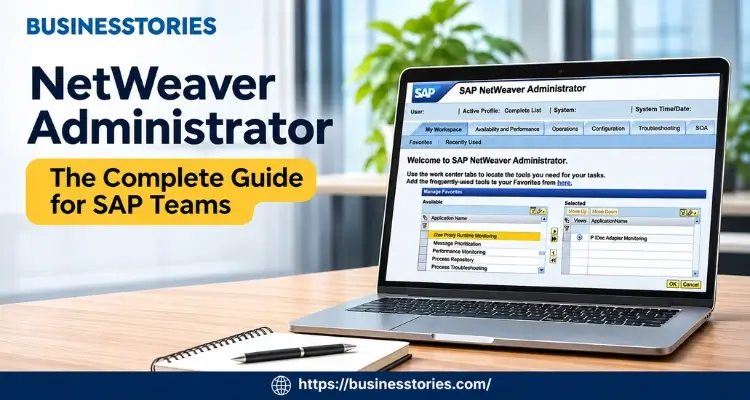
Think this. It is 2 a.m., and your SAP Java portal is down. Users can’t log in. So where do you look first? For most SAP teams, the answer is NetWeaver Administrator.
This browser-based tool is the main control panel for SAP’s Java stack. In fact, it lets you start systems, read logs, manage users, and tune settings from one screen. Yet many new admins only learn it when something breaks.
This listicle fixes that. First, you’ll learn what the tool is. Next, you’ll see how to log in, keep it safe, and solve real problems. Finally, you’ll see why the 2027 maintenance deadline is relevant for your plans.
What Is NetWeaver Administrator?
NetWeaver Administrator (NWA) is a web tool that ships with every standard SAP Java install. According to SAP Help, it is a framework for administration, configuration, and monitoring. In other words, it is your single front door to the system.
Here’s a bit of history. Before NWA, admins used a desktop app called Visual Administrator. However, with the NetWeaver 7.1 release, NWA took over its jobs. At the same time, the old Software Deployment Manager went away too. As a result, today you need nothing but a web browser to manage your Java servers.
What NWA Actually Controls
So what can you do inside it? Quite a lot, actually. For example, you can:
- Start and stop Java instances and apps
- Read logs and traces when something fails
- Create users and assign roles
- Change settings for services, destinations, and security
- Watch performance in close to real time
Furthermore, NWA works in two modes. You can run it locally on one system. Or you can run it centrally to manage a whole landscape from one place.
The Mix-Up Most Guides Skip
Now, let’s discuss a point that many articles overlook. NWA only manages the Java stack, known as SAP NetWeaver AS Java. It does not manage the ABAP stack. For ABAP work, you still use SAP GUI and transaction codes like SM21 or RZ10.
This matters more than you might think. Many SAP landscapes run both stacks side by side. So a new admin may hunt for an ABAP job inside NWA and find nothing. Therefore, the first step in learning SAP NWA is simple. Please identify the stack associated with your issue.
Think of it this way. SAP GUI is the cockpit for ABAP. Meanwhile, NetWeaver Administrator is the cockpit for Java. Same airline, but a different plane. Once your team gets this split, handovers get faster and tickets land in the right queue.
How to Access and Secure NetWeaver Administrator
Getting into NWA is easy. Keeping it safe takes a little more thought. Let’s walk through both.
Step-by-Step: Logging In to SAP NWA
Before you start, make sure SAP NetWeaver AS Java is running. Then follow these steps:
- Open a web browser on any machine that can reach the server.
- Type the address in this format: http://<host>:<port>/nwa
- Swap in your details. The host is the server’s name. The port is the HTTP port, often 50000 for the first instance.
- Log in with your username and password.
- Bookmark the page so your team finds it fast next time.
For instance, a server named Venus on port 50000 would use http://venus:50000/nwa. That’s it. No software to install, and no client to patch.
Understanding NWA Security Roles
Next comes access control. NWA uses the User Management Engine (UME) to decide who can do what. SAP provides you with two main standard roles:
- NWA_READONLY: Users can view screens, but they can’t change anything.
- NWA_SUPERADMIN: Users get full read and write control at the screen level.
On top of that, SAP offers application-specific roles. These grant narrow access to one tool, such as the Log Viewer. As SAP’s role guide notes, each embedded app has a ReadOnly action and a SuperAdmin action. You attach these actions to roles and then assign the roles to users.
Our Advice: Start Narrow, Then Widen
Here’s a simple rule we like. Initially, provide everyone with read-only access. Then add power only when someone truly needs it.
Why? Most daily work primarily involves monitoring rather than active engagement. For example, a help desk analyst checking logs never needs to restart a server. So a narrow role keeps that person productive and your system safe.
Additionally, please review your SUPERADMIN list every quarter. People change teams, and old access tends to linger. A five-minute examination can prevent a costly mistake, and auditors will thank you too.
The 5 Core Work Centers Inside NetWeaver Administrator
NWA groups its tools into work centers. Each one handles a type of job. Based on SAP Learning, here are the five you’ll use most.
1. Operations
The Operations module is your daily driver. Here you start and stop instances, manage users, and schedule jobs. For example, the Start & Stop tool can restart a single app without touching the rest of the server. Likewise, the Java Scheduler runs background tasks on a timer.
2. Configuration
Next up is setup. This area covers logon modules, the JMS server, login rules, app resources, and web service settings. In short, if you need to change how the system behaves, you’ll likely end up here.
3. Availability and Performance
This work center shows how healthy the system is. You’ll discover runtime numbers, Java system reports, and logging data. So when users say “the portal feels slow,” the work center is a smart first stop.
4. Problem Management
When things break, come here. It holds the Log Viewer, the class loader viewer, the JNDI browser, and tracing tools. Therefore, most troubleshooting starts and ends in this work center.
5. SOA Management
Finally, this area handles web services and process integration. It includes service settings, the services registry, and PI monitoring tools. As a result, teams running SAP Process Orchestration live in this tab.
A Fresh Way to Use the Work Centers
Most guides list these areas and stop there. But here’s a more useful idea. Map each work center to a person on your team.
For instance, your Basis lead owns Configuration. Meanwhile, your on-call admin owns problem management. And your integration expert owns SOA Management.
Now, every alert has a clear owner, and nobody wastes time asking who should look. Then write those owners into your on-call runbook. That way, new hires learn the map on day one, not in the middle of an outage.
How to Troubleshoot Java Issues With NWA
Let’s get practical. Here is a simple flow you can use the next time an SAP Java app fails.
A Real-World Style Example
Say your company’s employee portal shows an error page. Users are calling, and your manager wants answers. So here is what an admin might do:
- Confirm the scope: First, verify whether one app is down or the whole server. Open the Start & Stop tool and look at the app status.
- Open the Log Viewer: Next, go to Problem Management. Then filter the logs by time and by the failing app.
- Read the top error: Typically, the first severe error reveals the underlying issue. Later errors are often side effects.
- Check recent changes: Ask your team what changed. Often, a new deployment or a settings tweak is the cause.
- Fix and restart the app: Then restart only the affected app, not the full server.
- Write it down: Finally, log what failed and how you fixed it.
In this example, the logs might point to a broken database connection. So the admin fixes the data source setting and restarts the portal app, and users are back within minutes.
Tips That Save Time on Every Ticket
Beyond that flow, a few habits help a lot:
- Raise trace levels only for a short time. High trace levels fill disks fast. So turn them back down once you have what you need.
- Save useful log filters. Then you can reuse them during the next incident.
- Keep a shared runbook. Your fixes become your team’s memory.
Why Step Six Matters Most
Here’s our unique take. Step six is the most skipped, yet it’s the most valuable. Many NWA fixes live only in one admin’s head. So when that person leaves, the know-how leaves too.
A simple shared doc changes the situation. Over time, it turns random fixes into a playbook. Additionally, it becomes gold when you migrate off NetWeaver, which brings us to the next point.
Planning: NetWeaver Administrator After 2027
Now for the big picture. NWA is a mature tool, but the platform under it has a clock ticking.
The Key Dates to Know
According to SAP News, mainstream maintenance for SAP NetWeaver 7.5 runs through 2027. Thereafter, optional extended maintenance runs through 2030. Also, as SAPinsider reports, that extra time comes at a higher price.
Likewise, SAP Process Orchestration 7.5 reaches the end of maintenance in 2027. So many firms now plan moves to SAP Integration Suite, SAP’s cloud tool for linking systems. To help, SAP offers a migration assessment tool and wizard-style migration tooling.
What SAP Integration Suite Means for Your Team
Don’t panic, though. Your NWA skills still matter today. Many large firms will run Java systems for years. In fact, SAP Basis skills still pay well. PayScale puts the average US base pay for an SAP Basis Administrator at about $106,930 a year, based on data updated in April 2026.
However, extended support incurs additional costs, making it unsustainable for most budgets in the long term. In short, you have a few years, but not many. That’s why teams that plan early tend to move calmly, while late movers risk a rushed project.
Turn Your NWA Setup Into a Migration Map
Here’s a step most teams overlook. Before you migrate, export what lives inside NWA. Think destinations, JNDI entries, log settings, and custom roles. Often, nobody has written these down.
So start an inventory now.
- First, list each work center you use.
- Then note every custom setting.
- Next, flag what a cloud tool must replace.
As a result, your move to SAP BTP or Integration Suite starts with facts, not guesses.
Furthermore, the skills carry over. Reading logs, setting least-privilege roles, and tracing errors work the same way in any platform. So learning NWA well today is not wasted effort. Instead, it’s practice for tomorrow’s tools.
Conclusion
NetWeaver Administrator is the heart of SAP Java administration. It is browser-based, it needs no installation, and it puts nearly every Java task on one screen. Whether you’re new to SAP Basis or leading a team, mastering it is beneficial.
Let’s recap the key points.
- First, NWA manages only the Java stack, while SAP GUI covers ABAP.
- You can access it via a straightforward /nwa web address.
- Third, its five work centers cover operations, setup, health, problems, and integration.
- Fourth, safe access starts with read-only roles and widens only when needed.
- And finally, a clear troubleshooting flow, backed by written notes, turns outages into short blips.
Above all, remember the clock. NetWeaver 7.5 mainstream maintenance ends in 2027, with paid extended support through 2030. Therefore, smart teams use their NWA knowledge now to map what they run before they move.
So here’s your next step. Open NWA this week and take a 30-minute tour. Check who holds SUPERADMIN access. Then save one useful log filter. Thereafter, start a simple inventory of your custom settings. Each task is small, but together they make your whole team stronger.
Do these three things, and you’ll be ready for the next 2 a.m. call. Better yet, you’ll be ready for whatever comes after NetWeaver.
Frequently Asked Questions
1. What is NetWeaver Administrator, and who should learn to use it today?
NetWeaver Administrator is SAP’s browser-based tool for managing AS Java systems. SAP Basis admins, integration experts, and portal teams should learn it, since it handles daily tasks like monitoring, user setup, and log analysis.
2. How do I open SAP NetWeaver Administrator in a web browser quickly?
Type http://host:port/nwa in your browser, using your server name and HTTP port. Then log in with your SAP user details. Your Java instance must be running, and your user needs at least read-only access.
3. What is the difference between NWA_READONLY and NWA_SUPERADMIN roles?
NWA_READONLY lets users view screens and logs without changing anything. NWA_SUPERADMIN gives full read and write control at the screen level. For safety, give most users read-only access and grant admin rights sparingly.
4. Can I use NetWeaver Administrator to manage the SAP ABAP stack too?
No. The NetWeaver Administrator only manages SAP NetWeaver AS Java systems. For the ABAP stack, you still use SAP GUI and transaction codes. Knowing this split helps your team route each support ticket to the right place.
5. What happens to NetWeaver Administrator when SAP 7.5 support ends?
SAP NetWeaver 7.5 mainstream maintenance ends in 2027, with optional paid support through 2030. NWA continues to work, but teams should plan moves, such as SAP Process Orchestration to SAP Integration Suite, before support ends.

Senior SAP Consultant with 10+ years of experience delivering end-to-end enterprise solutions in the IT industry.