Introduction
Have you ever had a wonderful app idea but no way to build it? Most people find themselves stuck at that point. They think coding takes years to learn. Furthermore, they fear it costs thousands to hire help. Lovable AI resolves that problem.
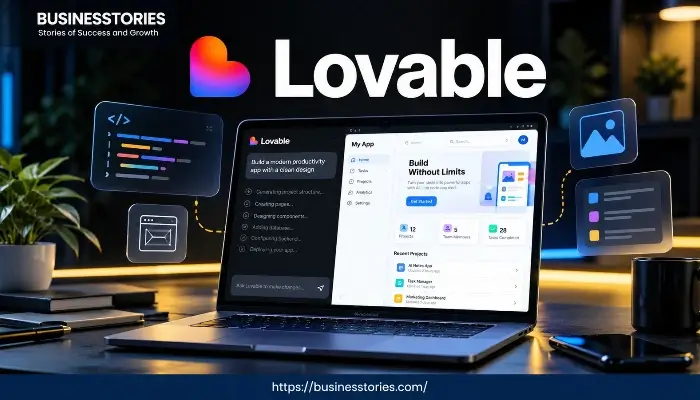
First, it takes your words and turns them into a real web app. Then, it builds the frontend, the database, and the login system for you. So you skip the hard parts entirely. Think of Lovable AI as a fast teammate that works inside your browser.
You don’t write code. Instead, you chat with the AI just like talking to a friend. In return, it gives you a live link to share right away. Many users get a working app in under ten minutes.
This review is aimed at those who have concepts but lack programming expertise. Maybe you are a founder testing an idea. Or perhaps you are a marketer who needs a quick tool. Even if you just wonder what Lovable AI is, this listicle will help.
We cover how it works, what you can build, and the pricing. Furthermore, we share the pros, cons, and best alternatives. By the end, you will know if Lovable AI fits your next project.
What Is Lovable AI?
First, let us answer one simple question. What is Lovable AI? In short, it is an AI app builder. It handles both the part users see and the part behind the scenes. Most beginner tools only create the front-end interface. However, Lovable AI goes further. That is its biggest edge.
How the Technology Works
When you type a prompt like “build a habit tracker,” Lovable AI gets to work.
- First, it builds the frontend using React and TypeScript.
- Then, it styles everything with Tailwind CSS.
- React powers millions of modern websites today.
- For the backend, it connects to Supabase.
- Supabase handles your database, user login, and file storage.
- So your app stores data, lets users sign up, and stays live.
For example, imagine you want an online store. You tell Lovable AI what you sell and how checkout works. Next, it builds the pages, the product list, and the payment flow. As a result, you get a real working store, not just a picture.
Who Uses Lovable AI?
Two main groups use this tool.
- First, there are non-technical founders. They have a business idea but no coding background. So they use Lovable AI to build an MVP. An MVP is a basic version of an app to show investors.
- Second, some developers want to skip the boring setup. They use it to get a quick start. Then, they export the code and tweak it later.
One G2 reviewer built a compliance tool for pharma teams. Furthermore, they connected external APIs like Gemini. That shows the range, from simple pages to real internal tools.
The “What Is Lovable AI” Advantage
So what makes it special? The answer is simple. It builds the full stack in one chat. Older tools like Wix only build pages. However, Lovable AI builds pages, logic, databases, and login together.
Moreover, you own the code. You can export to GitHub any time. Therefore, there is no lock-in. That matters a lot if your side project grows into a real company.
Key Features of Lovable AI
Lovable AI is more than a chatbot with a pretty screen. In fact, it is a full toolkit. So let us walk through the key features one by one.
Chat-Based Building
First, you build through conversation. You type what you want, and Lovable AI turns it into pages. Then, you type again to refine. Want a new color? Just say so. Need a button? Ask for it.
Furthermore, this back-and-forth feels very natural. As a result, you can expect a short learning curve. You do not need weeks of study before your first build.
Visual Editing
Not every change needs words. Lovely AI also offers visual edits. This means you can click any element and change it right away. For instance, you can move a section, fix text, or tweak spacing with your mouse.
So this mix of chat and clicks is powerful. You handle big ideas with words and small tweaks with clicks.
Full Backend and Authentication
Here is where Lovable AI stands out. It sets up a real Supabase backend for you. Furthermore, that includes a database, user login, and storage. So users can create accounts on your app. Then, their data is saved properly.
In the past, login was the hardest part of building an app. Now, it is mostly automatic. Therefore, you save hours of stress.
One-Click Deployment
When your app is ready, you share it in one click. Lovable AI hosts your project and gives you a live link. Furthermore, there is no server setup or command line. So non-technical users love this part. Later, you can connect a custom domain on paid plans.
Code Export and GitHub Sync
This feature is a favorite among developers. Lovable AI gives you clean, real-world code that you own. Furthermore, you can sync with GitHub both ways. So changes flow between the platform and your repo.
As a result, you are never trapped. You can leave Lovable AI at any time if you outgrow it and take your code with you.
Figma Import and Integrations
Designers will love the Figma import tool. Upload a design, and it will be transformed into actual parts. Beyond that, Lovable AI connects to tools you already use. For example, Stripe handles payments.
Furthermore, Slack sends alerts, and Notion stores notes. Plus, custom API support is available. So your app can talk to other tools with ease. All these features blend into something rare. It is simple for beginners yet deep enough for pros.
What Can You Build with Lovable AI?
People often ask what they can actually create. The short answer is simple. You can build almost any web app. So let us look at the most common uses.
SaaS Prototypes and MVPs
The top use is building a SaaS prototype. Founders use Lovable AI to test ideas before spending money on dev teams. Since you receive a real app, a login, and a database, you can quickly share it with beta users.
You could, for example, create a task tracker or a booking tool. Then, you collect feedback and adjust quickly. As a result, you save weeks of work.
Internal Tools and Dashboards
Many teams build internal tools to solve their problems. Imagine a dashboard that pulls data from a sheet or API. You describe what you need, and Lovable AI builds a clean screen. A G2 reviewer built a tracking tool this way.
Furthermore, it saved their team hours of manual work. These apps do not need to be fancy. Instead, they just need to work fast.
Websites and Portfolios
Also, do not ignore the simple stuff. Lovable AI builds clean landing pages and portfolio sites quickly. So if you need a web presence for a side project, it handles the job well.
The results appear modern, even though it isn’t a page builder like Wix. Furthermore, pages load fast because of the tech stack.
Online Stores and Marketplaces
You can also build basic online stores. Lovable AI can set up products, a cart, and checkout using Stripe. Of course, a large store needs more work. However, for a small shop or niche market, it is a great start.
The database stores your items. Furthermore, the front end displays them cleanly.
What Lovable AI Is Not For
To be fair, Lovable AI has limits. It focuses on web apps only. So it does not build native iOS or Android apps. If you want a mobile app for the store, you need another tool.
Furthermore, very complex apps with heavy real-time features may hit limits. But for most web projects, the platform does the job well. In other words, know the edges, and you will be happy.
Lovable AI Pricing: Plans and Real Costs
Pricing is where people get surprised. Some love it, and some feel tricked. So let us break it down clearly.
The Free Plan
First, the good news. Lovable AI has a free forever plan. You get five build credits per day. Furthermore, there is no credit card needed. So you can try the tool and build a small project risk-free. However, your projects stay public. That means anyone can view them. For learning, this plan is perfect.
Paid Plans
- Paid plans start at $25 per month for Pro.
- Business costs $50 per month. Both are billed yearly.
The Pro plan gives you about 100 credits per month. Furthermore, you get private projects, custom domains, and code mode. Business adds team tools, SSO, and shared credits. Finally, enterprise plans offer custom pricing for large groups.
The Credit System (Important!)
Here is where you must pay attention. Lovable AI runs on a credit system. So every AI action costs credits. For example, a small tweak costs about 0.5 credits. Meanwhile, setting up a login can cost 1.2 to 3 credits. As a result, a normal MVP can burn 150 to 300 credits over weeks. Therefore, you may need to buy top-ups.
Top-up pricing is tricky. Pro users pay about $15 for 50 extra credits. However, business users pay around $30 for the same 50. Furthermore, once your app is live, Lovable Cloud bills you for hosting and AI use beyond a small free amount.
So your real monthly bill can climb higher than the plan price. Several G2 reviewers said credit usage feels unclear at times. Therefore, budgets can surprise you.
Is It Worth the Cost?
For founders testing an idea, yes, it usually is. Compare it to hiring a dev for thousands. Even $50 per month looks cheap next to that. However, if you just want a simple site, tools like Wix or Carrd cost far less.
In short, the value depends on what you build. So know your usage, watch your credits, and you will get good value.
Lovable AI Pros and Cons
No honest review skips the weak spots. So here is what users love and what frustrates them.
Pros
- Fastest path to a working app. Most users go from idea to live link in minutes. That is truly special.
- Full stack included. React frontend, Supabase backend, database, and login come together. So you skip all setup.
- You own the code. Full export to GitHub means no lock-in. Therefore, you stay safe long-term.
- Beginner-friendly. The chat screen is truly easy. Also, G2 gives it 4.6 out of 5 from over 400 reviews.
- Great for MVPs. Founders can test ideas cheaply before spending big on dev work.
Cons
- Credit costs add up. Top-ups and cloud fees can push your bill well above the plan price.
- Credit usage is unclear. Reviewers often feel confused about how credits get spent. So some credits go to waste.
- Web apps only. There is no native iOS or Android support. Thus, some projects will not work here.
- AI stumbles on complex logic. Login and multi-step flows sometimes need manual fixes, according to reviews.
- Pricey for hobby users. The $25 start feels steep if you only build a small side project.
A Balanced Verdict
So is Lovable AI worth it? For non-technical founders and devs who want speed, yes. On the other hand, if you are a beginner just playing around, the free plan works fine.
However, paid plans may feel costly. The key is to grasp the credit model before you commit. Overall, the pros beat the cons for its target users.
Lovable AI vs Alternatives: How It Compares
You should always compare before you buy. Lovable AI is strong, but it is not alone. So here is how it stacks up against top rivals.
Lovable AI vs Bolt.new
Both tools turn prompts into apps quickly. Bolt.new is often a bit quicker for pure prototypes. Also, it supports more frameworks like Vue and Svelte. However, Lovable AI gives you cleaner code.
Plus, it has better GitHub sync and a fuller backend. So if you want a quick test, Bolt is great. But if you want a real app you can own, pick Lovable AI.
Lovable AI vs Cursor
This is not a fair fight because the tools serve different people. Cursor is an AI code editor for people who already code. Also, deep control but no hand-holding. Meanwhile, Lovable AI builds the app for you through chat.
As a result, non-coders will want to choose Lovable AI. But skilled devs who want full control may prefer Cursor.
Lovable AI vs. v0 and Windsurf
v0, from Vercel, is great at quickly making beautiful UI parts. However, it focuses less on the full backend. Furthermore, Windsurf is a budget coding helper for devs. Lovable AI, on the other hand, provides a more user-friendly approach to the entire stack.
So, if you want a full no-code experience, Lovable AI is the clearer pick.
Lovely AI vs. Website Builders
Compare it to Wix or Webflow, and the gap is huge. Those tools create static pages, lacking the functionality of real apps with databases and logins. However, Lovable AI builds true software. So the question is not which is better, but what you need.
Instead, it is what you need. A simple site? Use Wix. A customer portal with accounts? Use Lovable AI.
Which Should You Choose?
In the end, choose Lovable AI if you want speed with clean code and a real backend. Furthermore, choose Bolt if you need max speed and stack choices. Finally, if you are a dev wanting fine control, choose Cursor.
Match the tool to your skills and goals, and you’ll make the right choice.
Conclusion
So, should you use Lovable AI? For most people with an app idea and no coding skills, the answer is a strong yes. First, it takes the hardest parts of software building and handles them for you. For example, it sets up the backend, the database, and the login in minutes.
As a result, you go from a vague idea to a working app faster than ever. Few tools match that blend of speed and depth. That said, it is not perfect. For instance, the credit system can get costly and confusing if you build a lot. Furthermore, there is no native mobile app support.
Furthermore, the AI still needs a human hand for complex parts like login flows. So go in with clear goals. Treat Lovable AI as a fast way to build and test. But do not see it as magic that replaces all thought.
Here is our final advice. First, start with the free plan. Build something small, like a landing page or a simple tool. Then, see how it feels. If you want private projects, custom domains, and code export, upgrade to Pro. Also, always watch your credit usage. That is where budgets quietly grow.
In the end, Lovable AI truly delivers on its promise. You can build real apps with AI without writing one line of code. So, are you ready to turn your idea into a working product? Head to Lovable AI, claim your free credits, and start building today. Your first app might be just ten minutes away.
Frequently Asked Questions
Q1. What is Lovable AI, and how does it work?
Lovable AI is an AI app builder that turns plain words into full web apps. First, it builds a React front end and a Supabase backend. Furthermore, it adds a database, login, and hosting. So you never write code.
Q2. Is Lovable AI free to use?
Yes, Lovable AI has a free plan with five daily credits. Also, no credit card is needed. However, your projects stay public until you upgrade to a paid plan.
Q3. Can beginners build apps with Lovable AI without coding?
Yes, beginners can build apps without coding. First, you describe what you want in chat. Then, Lovable AI builds it for you. Also, you can edit by clicking, so it stays simple.
Q4. How much does Lovable AI cost per month?
Paid plans start at $25 per month for Pro. Furthermore, business costs $50 monthly. However, credit top-ups and cloud hosting can raise your actual monthly bill over time.
Q5. What are the best Lovable AI alternatives?
Top alternatives include Bolt.new for quick tests. Also, Cursor works well for devs. Additionally, v0 is great for UI parts, while Windsurf is a good fit for budget coders. So pick based on your needs.

System Architect & Web Designer with 15+ years of cross-industry experience delivering scalable IT and innovative digital solutions.