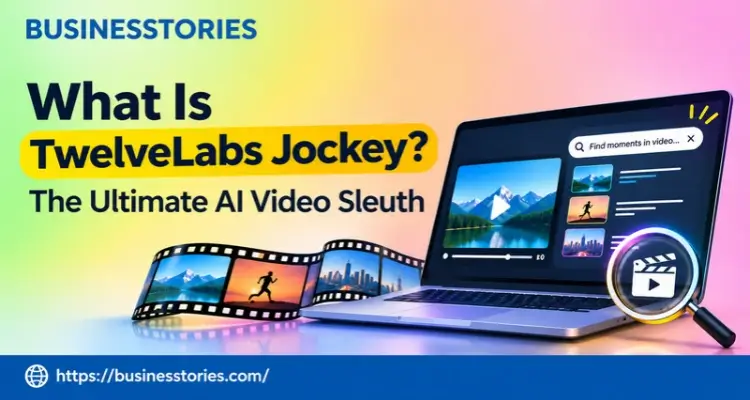
Most brand teams sit on thousands of hours of footage they can’t find. The clip exists. Nobody remembers which file it lives in, so someone scrubs through it by hand. TwelveLabs Jockey is an AI agent that searches, sorts, and reasons across your whole video and photo library in plain English.
You ask a question, such as “Which of our ads open with a close-up of the product?” It then returns the exact moments, with timestamps and the reasons it chose them.
TwelveLabs launched it to the public on October 15, 2026. In this guide, you’ll learn what it is, how it works, what it costs, where it falls short, and whether it belongs in your stack.
Key Takeaways
- Jockey is an agent that sits on top of TwelveLabs’ Marengo (search) and Pegasus (video reasoning) models.
- It works across a whole library, not one file at a time. That’s its core edge.
- You can use it inside the Claude or ChatGPT apps or build on it through an API.
- Plans start free, with paid tiers from $29 a month, based on a November 2026 pricing check.
- The API returns timestamps and data, not finished edits, so developers still need their own render step.
What Is TwelveLabs Jockey?
Jockey is TwelveLabs’ video AI agent. It joins the company’s video models into one assistant that can find, rank, and sort footage across an entire library.
The idea is simple. Most video tools tell you what’s inside one file. The jockey looks at all of your files at once. TwelveLabs says it lets you work with media by person, by moment, and by insight, not by filename or timestamp.
So instead of typing “beach_shoot_v3_final.mp4,” you can ask for “every shot of our founder laughing on camera.” Jockey then hunts for it.
A short history of the name
Here’s a point most guides miss. The name isn’t new. Back in 2024, TwelveLabs released an open-source Jockey built on LangGraph, according to a LangChain guest post. That version was a toolkit for developers, and it was labelled “alpha.”
The product you can use today is a rebuild. It entered research preview in July 2026 and then launched publicly in October. As a result, a quick search turns up two different things: an old GitHub repo and a new hosted product. Make sure you’re reading the right docs.
The company behind it
TwelveLabs was founded in 2021 and is led by CEO Jae Lee. It runs offices in San Francisco and Seoul. In July 2026, it raised a $100 million Series B co-led by NEA and NAVER Ventures, bringing total funding to over $207 million, SiliconANGLE reported.
Amazon also took part in the round. In short, this isn’t a weekend side project. It’s backed by serious money.
For more on how AI startups fund big bets like these, see our guide to startup funding rounds.
How Jockey by TwelveLabs Works
Think of Jockey as a project manager for three models. Marengo finds the content, Pegasus explains it, and Jockey decides what to do next.
| Part | What it does | Version (Oct 2026) |
| Marengo | Finds moments by meaning, not tags | 3.5 |
| Pegasus | Describes and reasons about what happens in a video | 1.6 |
| Search 2.0 | Runs multi-step searches across many files | Current |
| Jockey | Plans the task, calls each model, and acts on the results. | Agent layer |
Here’s what happens when you type a request.
- First, Jockey breaks it into steps.
- Next, it searches the library and reads what comes back.
- Then it ranks, groups, or cuts the results based on what you asked for.
It also remembers context. The official Jockey docs say sessions are multi-turn, so you can ask for a follow-up without starting over. Developers can also pass a JSON Schema and get typed, structured data back.
A sample request, step by step
Say a social lead types: “Find our five best-performing product demos from this year and cut a 30-second teaser.” Here’s roughly how the agent would handle it, based on the features TwelveLabs describes.
- Marengo searches the library for clips that show a product demo.
- Jockey checks the engagement data attached to each clip and ranks them.
- Pegasus reads the top clips and notes what happens in each one.
- Jockey picks the strongest moments and assembles a rough cut in the app.
- You get the cut, plus links back to every source clip.
Without an agent, that’s an afternoon of scrubbing, sorting spreadsheets, and trimming clips. With one, it’s a single prompt and a review.
The trade-off nobody mentions
TwelveLabs says every model upgrade becomes an automatic Jockey upgrade. That’s mostly good news, since you get better search without changing anything.
However, it has its drawbacks. If a model changes, the same question can return slightly different clips. That’s acceptable for the majority of marketing teams. But if you use Jockey for compliance checks or audit trails, save your key queries and re-test them after each model release.
TwelveLabs Jockey Features That Matter Most
Five features do most of the heavy lifting. Here’s what each one does and why it matters.
1. Plain-English search across the library
You describe a person, place, action, or object. Jockey finds the moment, even when nobody tagged the file. It also explains why each clip matched. That makes it easier to trust the results.
2. Social trend tracking
Jockey can pull in videos straight from YouTube, TikTok, and Instagram Reels links. Then it surfaces trends tied to a creative brief. For a social team, that turns hours of scrolling into one question.
3. Ranking by performance
Each video comes with its transcript, tech details, creator info, and engagement numbers, the October 2026 launch release says. So you can ask which hooks drove the most views, not just which clips exist.
4. Rough cuts you can share
In the apps, Jockey can build a rough-cut MP4 from your source footage. It can also make reports and simple video-driven web pages. You can save, share, or revoke these outputs, and each one links back to the source clips.
5. Structured data for builders
Developers get JSON output, timestamps, and data references through the API. That way, they can feed Jockey’s results into their tools.
Here’s the catch. The developer docs state that Jockey’s API doesn’t render or edit video. It returns text, data, and timestamps. In other words, the finished MP4 lives in the app experience. Building on the API means you’ll still need your own editing pipeline.
If you want to compare it with other creative tools, our roundup of AI marketing tools is a good next read.
TwelveLabs Jockey Pricing, Limits, and How to Get Started
Jockey has a free plan, and paid plans start at $29 a month. Larger teams can talk to sales.
| Plan | Price (USD) | Storage | Workload |
| Free | $0/month | 3 GB | Basic |
| Plus | $29/month | 50 GB | Medium |
| Pro | $99/month | 200 GB | High, with optional overage |
| Enterprise | Custom | Custom | Custom, with SSO/SAML |
Source: Toolradar, based on its review of TwelveLabs’ pricing page on November 5, 2026. We were unable to load TwelveLabs’ pricing page, so please confirm these figures before making a purchase. The docs also mention a billing change that started on October 15.
Upload limits worth knowing
According to the docs, each video can be up to 10 GB, at a resolution between 360×360 and 5184×2160. Images can be up to 32 MB, in JPEG or PNG. One gotcha: when you upload by link, the URL must point to a raw video file. Sharing links from cloud storage apps won’t work.
Getting started in five steps
- Sign up at twelvelabs.io/jockey through the Playground.
- Add the Jockey connector to Claude, or open it in ChatGPT.
- Upload a small test set, around 50 to 100 clips.
- You can ask a question you already know the answer to. That’s the fastest way to test accuracy.
- Once the results hold up, move your full library over.
New to Claude connectors? Our Claude AI guide covers the basics.
Who Should Use TwelveLabs Jockey, and Who Shouldn’t?
Jockey is built for teams with big libraries and repeat questions. If you have a small folder of clips, you probably don’t need it.
Hims & Hers, the US telehealth brand, was one of the first named users. Its VP and creative director, Adam DeGregorio, said Jockey “changes what our creative and marketing teams can take on.”
His team uses it to search and pick footage and to see how content performs across campaigns.
Good fits
- Brand and marketing teams with years of ad and campaign footage
- Creators who want to reuse old clips from a large back catalogue
- Media and news archives that need to find people or events fast
- Developers building video search into their own products
Poor fits
- Single-video tasks: The docs suggest TwelveLabs’ Analyze API for one video instead.
- Small libraries: A MakerStack review called it overkill for small collections.
- Teams that require finished edits to be delivered through the API should be cautious. As noted above, the API returns data, not rendered video.
Three mistakes to avoid
Teams that are new to TwelveLabs Jockey often encounter the same challenges.
- Uploading everything on day one: Large uploads eat storage fast, and the free plan holds just 3 GB. Start with one campaign, then grow.
- Asking vague questions: “Show me beneficial clips” gets weak results. Instead, name the person, action, place, or metric you care about.
- Skipping the review step: Jockey links every answer to its source clip. Click through and check a few before you publish anything.
Our take
Most coverage sells Jockey as a faster search. We think it underestimates the value of the questions you couldn’t ask before. The real value is the questions you couldn’t ask before, such as “What do the hooks in our best ads have in common?”
That’s a strategy question, not a search query. Teams that use Jockey this way will get far more from it than teams that treat it as a smarter folder.
TwelveLabs Jockey vs. Alternatives
Most rival tools label what’s in a frame. Jockey reasons across the entire library. That’s the key difference, and it shapes the price you pay.
| Tool | Best for | Pricing (2026) | Reasons across a library? |
| TwelveLabs Jockey | Teams asking questions of large libraries | Free; paid from $29/month | Yes |
| Google Cloud Video Intelligence API | Label and shot detection | About $0.10/min | No |
| Amazon Rekognition Video | Face and object detection | About $0.10/min | No |
| Coactive AI | Enterprise multimodal search | Custom quote | Partly |
| TwelveLabs APIs (direct) | Developers who want full control | Pay per minute | Per video |
Alternative pricing from MakerStack’s 2026 review.
So which should you pick? If you only need labels, such as “car” or “dog,” the cloud APIs are cheaper and simpler. However, if you want answers, such as “Which of our videos shows the product in use outdoors?”, Jockey is the stronger choice.
Developers who need full control can skip the agent and call TwelveLabs’ APIs directly.
What most comparisons miss
The pricing models are different, and that matters more than the headline rate. The cloud APIs charge per minute you analyze. Jockey’s app plans charge a flat monthly fee tied to storage and workload.
So the math depends on how you work. If you scan a giant archive once and rarely go back, per-minute tools may cost less. On the other hand, if your team asks new questions of the same footage every week, a flat plan usually wins because you aren’t paying to reprocess the same video.
Before you choose, count how often you’ll query your library, not just how big it is.
Conclusion
TwelveLabs Jockey turns a messy video archive into something you can question in plain English. It combines Marengo and Pegasus into a single agent, allowing you to find, rank, and cut footage across your entire library instead of having to do it one file at a time.
A few points stand out.
- First, the app performs well with large libraries but struggles with smaller ones.
- Second, the app can build rough cuts, while the API hands back data for your pipeline.
- Third, pricing starts free, so testing it costs you little more than an afternoon.
Our advice is simple. Pick one question your team asks every month, such as “Which openings hold attention best?” Then run it through the free plan on 50 to 100 clips you know well. If Jockey gets it right, scale up. If not, you’ve lost nothing.
Have you tried using Jockey with your footage? Read our AI tools coverage for more.
FAQs
1. Is TwelveLabs Jockey free to use?
Yes, there’s a free plan with 3 GB of storage and basic usage limits. Paid plans start at $29 a month for 50 GB, based on a November 2026 check. Larger teams can ask for custom enterprise pricing.
2. Does Jockey work with ChatGPT and Claude?
Yes. Jockey launched with access inside both the Claude and ChatGPT apps, and your search context carries across the two. Developers can also build custom tools on Jockey through the TwelveLabs API.
3. Is Jockey by TwelveLabs open source?
Not anymore. An open-source Jockey built on LangGraph appeared in 2024, but today’s product is a hosted rebuild. The old GitHub repo still exists, so check which version a guide is describing.
4. Can TwelveLabs Jockey edit videos?
Partly. In the apps, Jockey can assemble a rough-cut MP4 from source clips. Through the API, it returns timestamps and data rather than rendered video, so developers need their own editing step.
5. What video formats does Jockey support?
Jockey accepts video formats that FFmpeg supports, up to 10 GB per file. For images, it accepts JPEG and PNG files up to 32 MB. Limits can vary by upload method, so check the docs first.

System Architect & Web Designer with 15+ years of cross-industry experience delivering scalable IT and innovative digital solutions.