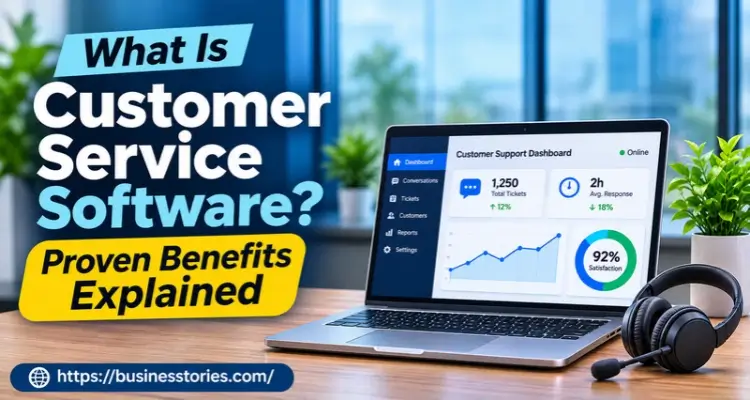
Three in four shoppers now expect help at any hour. That’s one finding from Zendesk’s CX Trends 2026 report, which surveyed over 11,000 people in 22 countries. No small team can cover that by hand. Customer service software is a tool that pulls customer questions from email, chat, phone, and social media into one shared place.
It turns each message into a ticket, sends it to the right person, and tracks it until someone solves it. Most tools now add AI, a help center, and reports on reply times.
In this guide, you’ll learn how it works and what it costs in 2026. You’ll also see where AI helps, where it backfires, and how to pick the right tool for your team.
Key Takeaways
- Customer service software puts every customer message in one shared queue, so nothing slips through.
- Speed now drives loyalty. According to Zendesk (2026), 85% of customer experience leaders report that customers will leave if they encounter even one unresolved issue.
- AI can take routine questions, but Klarna’s 2025 rehiring shows the cost of replacing people too fast.
- Paid plans start around $7 to $29 per agent a month, yet AI is often billed per resolution on top.
- Choose by your main channel and ticket volume, not by the longest feature list.
What Is Customer Service Software and How Does It Work?
Customer service software is a shared workspace for answering customers. It gathers every request into one queue, so your team can sort, answer, and track it.
You’ll also hear it called customer support software, a help desk, or a ticketing system. ServiceNow states plainly that customer service and customer support software are the same thing. The names change by vendor. The job stays the same.
Here’s what happens when a customer writes in:
- Capture. A message arrives by email, chat, WhatsApp, phone, or social media.
- Ticket. The system turns it into a ticket with the customer’s name and past history.
- Route. Rules or AI send it to the right agent based on topic, language, or urgency.
- Answer. The agent replies from one screen, often with a draft reply or a help article.
- Close and measure. The ticket closes, and its reply time feeds your reports.
So why does this matter? Without it, requests sit in personal inboxes. Two agents answer the same email. Another waits a week for anyone. The software resolves the issue by making it clear who owns each ticket.
Here’s what most guides miss. The ticket isn’t the real value. The history attached to it is what really matters. In the same Zendesk study, 74% of consumers said they get annoyed when they must repeat themselves.
A tool that displays past chats on a single screen can resolve this issue before incorporating any AI.
Core Features of a Customer Service Platform
A successful customer service platform does five jobs well. It gathers messages, routes them, helps agents reply, lets customers help themselves, and reports results. Everything else is extra.
| Feature | What it does | Why it matters |
| Shared inbox and ticketing | One queue for every channel | No lost or double replies. |
| Routing and automation | Sends tickets by rules or AI | Faster first reply |
| Knowledge base | Public help articles | Customers fix simple issues alone. |
| AI agent and agent assist | Answers or drafts replies | Takes on routine volume |
| Reports and SLAs | Tracks reply and fix times | Shows where you’re slow |
Channels matter too. Most tools start with email, while chat, voice, and social often sit on higher plans. For example, Zendesk’s $19 Support Team plan covers email only, but its Suite plans add chat, messaging, social, and voice, according to eesel’s 2026 pricing review.
Now for our contrarian take. The knowledge base is the most underrated feature on this list. AI agents provide answers based on your help articles. If those articles are thin or out of date, the bot gives wrong answers at scale.
That’s why 58% of service leaders plan to train agents as knowledge management specialists, according to a Gartner survey released in February 2026. Before investing in AI, consider revising your top 20 help articles.
That one step improves both self-service and bot accuracy. For tools that help here, see our guide to AI customer support tools.
6 Proven Benefits of Customer Service Software
The main benefits are faster replies, fewer repeats, more capacity without new hires, 24/7 coverage, clearer data, and more personal service. Each one below is backed by recent survey data.
1. Faster First Replies
Speed is now the baseline. In Zendesk’s 2026 survey, 85% of CX leaders said customers will drop brands that can’t resolve issues on first contact. Routing rules and saved replies cut the time a ticket waits.
2. Customers Stop Repeating Themselves
Meanwhile, 81% of consumers want agents to pick up a conversation without backtracking (Zendesk, 2026). Shared customer history makes that possible.
3. More Volume With the Same Team
A Gartner survey of 321 service leaders, run in October 2025, found 55% kept staffing stable while handling more customers. In short, automation soaked up the growth.
4. Help Around the Clock
Furthermore, 74% of consumers now expect 24/7 service because of AI (Zendesk, 2026). A help center plus an AI agent can cover nights and weekends.
5. Clear Numbers to Manage By
Reports show reply times, backlogs, and satisfaction rates by agents and channels. As a bonus, you’ll see which product causes the most tickets. That’s useful feedback for your product team.
6. Service That Feels Personal
Finally, 67% of consumers expect support tailored to their past chats (Zendesk, 2026). Customer profiles inside the tool let agents do that without asking twice.
One warning, though. These benefits come from use, not purchase. Customer service software with no routing rules or help articles is just an expensive inbox. To link these benefits to growth, read our piece on why customer satisfaction drives business success.
Where AI Helps and Where It Backfires
Inside customer service software, AI works best on simple, repeat questions like order status or password resets. AI struggles with complex or emotional cases, as customers still prefer human interaction in those situations.
Klarna is the clearest warning. In February 2024, the Swedish fintech said its AI assistant handled two-thirds of customer chats, or 2.3 million, in its first month. (Note: this figure is older than 24 months.)
By May 2025, though, Klarna was hiring human agents again, as CX Dive reported. CEO Sebastian Siemiatkowski said the cost focus had led to lower-quality support.
Klarna didn’t drop AI, however. It kept the bot for routine work and brought people back for the rest. That hybrid model is where most of the market has landed.
The data backs this up. Gartner found only 20% of service leaders had cut agent headcount because of AI. At the same time, 42% were hiring for new AI-focused roles.
And 91% of leaders say executives are pushing them to adopt AI in 2026. So the pressure is high, but full replacement is rare.
What does this trend mean for you? Let AI handle the first layer, and make the handoff to a human easy. Set one clear rule: anyone who asks for a person gets one. Then track how often the bot hands off and why.
Trust matters too. Zendesk found 95% of consumers expect an explanation when AI decides for them. So tell customers when they’re talking to a bot.
How Much Does Customer Service Software Cost in 2026?
Most customer service software charges are per agent per month, ranging from free plans to about $150. Additionally, AI services are typically billed based on the number of resolved conversations.
| Tool | Entry paid plan | Higher tiers | AI pricing |
| Zendesk | $19 (email only); $55 Suite Team | $115 Suite Professional | AI agents included with a small free allowance; Copilot $50/agent |
| Freshdesk | $19 Growth | $55 Pro, $89 Enterprise | Copilot $29/agent; AI Agent $49 per 100 sessions |
| Help Scout. | Free plan; $25 standard | $45 Plus, $75 Pro | AI Answers $0.75 per resolution |
| HubSpot Service Hub | Free (2 users); $7 Starter | $90 Pro, $150 Enterprise | Knowledge base and AI agent start at Professional |
| Intercom (Fin) | $29 Essential | $85 Advanced, $132 Expert | Fin AI agent $0.99 per outcome |
List the prices in USD, which are charged per agent per month and billed annually. They were read from vendor pricing pages in September and October 2026 by Macha, Featurebase, and eesel. Prices change often, so please verify each vendor’s page before you buy.
Here’s the catch that most pricing pages conceal. The entry price is rarely the real price. HubSpot’s $7 Starter plan, for instance, has no knowledge base. You need a professional at $90 a seat for that.
Let’s run a simple example. A five-agent team on Freshdesk Pro with Copilot pays 5 × ($55 + $29), or $420 a month, before any AI Agent sessions. On Intercom, five essential seats cost $145. Add 1,000 Fin resolutions, and the bill jumps to $1,135.
The market is shifting, too. Intercom renamed itself Fin in May 2026, and Salesforce completed its purchase on 10 September 2026, according to Macha. Expect more pricing changes as big players buy AI-first rivals.
How to Choose the Right Customer Support Software
Before you compare customer service software, start with your main channel and monthly ticket volume. Then match the tool to those two facts, not to a long feature list.
Follow these six steps:
- Count your tickets. Pull last quarter’s numbers by channel and by topic.
- Name your main channel. An email-heavy SaaS team needs different tools than a phone-first retailer.
- List five must-haves. Keep it short. Long lists push you toward plans you won’t use.
- Model the cost for 12 months. Include seats, add-ons, and AI fees at your real volume.
- Trial with real tickets. Run two weeks and compare first reply times before and after.
- Check your exit. Make sure you can export tickets, contacts, and help articles.
Gartner’s research provides you with a neat scorecard. Leaders’ top 2026 goals are customer satisfaction, efficiency, and self-service success. Please evaluate each tool based on those three criteria.
A common mistake is buying for the team you’ll have in three years. A three-person startup rarely needs an enterprise plan. Switching later is work, but paying for unused seats is worse. For more traps like these, see our list of common startup mistakes.
UK and EU buyers should add one more check: where your data is stored. Ask each vendor about EU data hosting and GDPR terms. Finally, if you’re automating beyond support, compare options in our business automation tools guide.
Final Thoughts
The right customer service software gives every message an owner and a deadline. That alone fixes most slow-reply problems.
Beyond that, a few lessons stand out. Customers now expect quick, informed answers without having to repeat themselves. AI can carry the routine load, yet Klarna’s reversal shows people still matter for difficult cases.
Sticker prices for customer service software also mislead, because AI fees and locked features often double the real bill. Finally, the quality of your help articles will significantly influence the effectiveness of your bot.
Your next step is simple. This week, export your last 90 days of customer messages. Group them into your top 10 question types. Then shortlist two tools that handle your main channel well, and trial both with real tickets.
FAQs About Customer Service Software
1. What is the difference between CRM and customer service software?
A CRM tracks the whole customer relationship, mainly for sales and marketing. Customer service software focuses on support tickets, replies, and resolution times. Many tools now overlap. HubSpot Service Hub, for example, sits on top of a CRM, so both teams share one customer record.
2. Is there free customer service software?
Yes, some customer service software is free. Help Scout offers a free plan for up to five users, with a cap on monthly contacts. HubSpot Service Hub has a free tier for two users. Free plans suit minimal teams, but they usually lack automation, SLAs, and AI.
3. Can AI replace customer service agents?
This assertion is only partially true, based on current evidence. Gartner found only 20% of service leaders had cut staff because of AI. AI handles routine questions well. However, complex or sensitive issues still need people, which is why most firms now run hybrid support teams.
4. What is the best customer service software for small businesses?
It depends on your main channel. Email-first teams often start with Help Scout or Freshdesk. Teams already using HubSpot’s CRM may prefer Service Hub. Chat-heavy online businesses often look at Intercom. Trial two options with real tickets before you commit.
5. What metrics should customer service software track?
Track first reply time, full resolution time, first contact resolution, and customer satisfaction (CSAT). Also watch backlog size and, if you use AI, the bot’s handoff rate. Together, these show whether your customer support tools actually make service faster and better.

Market Research Analyst with 20+ years of experience delivering data-driven insights and strategic market intelligence.