If you need to cut a long video into short, useful clips, the right video clipping tools can save time and improve quality. Whether you are editing for YouTube, social media, marketing, or training, quick trimming matters. In this guide, we’ll cover the best tools, who they’re for, and how to choose the right one.
Many people want simple tools that do one job well. Others need full editors with clipping features built in. So, this list covers both types. As a result, you can pick a tool based on your skill level, budget, and workflow.
What Makes the Best Video Clipping Tools?
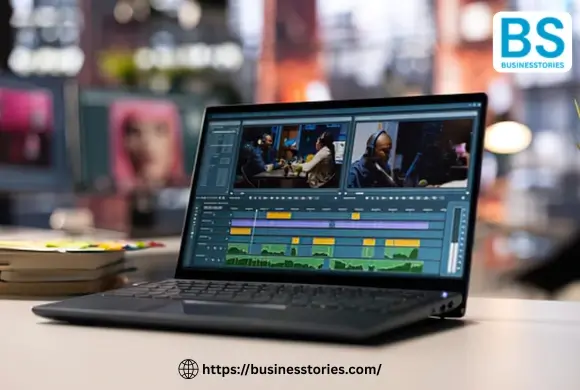
The best video clipping tools simplify the process of cutting, trimming, splitting, and exporting clips, ensuring a smooth learning experience. They should help you move fast while still giving you enough control for clean edits.
Easy trimming and cutting
A strong clipping tool should let you remove unwanted parts in just a few clicks. For example, you may want to delete pauses, mistakes, or long intros. In that case, the timeline should feel simple and responsive. Furthermore, keyboard shortcuts can accelerate the process.
Good export quality
Even simple tools should keep your video looking sharp. Many users clip videos for social media, so export quality matters a lot. Therefore, look for tools that support HD or 4K export, depending on your source file.
Format support and speed
A good editor should support common file types like MP4, MOV, and WebM. In addition, faster export times help when you need to post content quickly. This is especially useful for creators and marketers who publish often.
Best fit for your use case
Not every tool is right for every user. For instance, beginners may want a browser-based tool, while pros may prefer a desktop editor. So, think about how often you edit and how much control you need.
A useful insight here is that the best clipping tool is often not the most powerful one. Instead, it is the one that removes friction from your workflow. That is why simplicity is often more valuable than advanced features for quick edits.
Top 10 Video Clipping Tools for Quick Trimming and Editing
Here are the top tools many creators use for rapid clipping, short-form edits, and simple video cleanup.
1. CapCut
CapCut is one of the most popular video trimming tools for creators who edit short-form content. It is easy to use, and it works well for TikTok, Reels, and YouTube Shorts. You can split clips, remove sections, add text, and export fast.
It stands out because it offers a strong mix of speed and features. For example, beginners can trim a video in minutes, while more advanced users can still add effects and captions. The app is also flexible because it can be used on both mobile and desktop.
2. Canva Video Editor
Canva is not just for graphics. It also offers a simple online video editor for basic clipping and cutting. If you need to make quick edits for presentations, ads, or social posts, this tool is a good choice.
Moreover, it is helpful for teams because the interface is clean and easy to share. You can trim clips, crop frames, and add branding elements in one place. So, it is excellent for users who value simplicity.
3. Adobe Express
Adobe Express is a solid option for quick online edits. It includes tools for trimming clips, resizing videos, and making social-friendly content. Since it runs in the browser, you do not need heavy software.
It is especially useful for marketers who want immediate results. Furthermore, it connects well with other Adobe tools, which is helpful if you already use the Adobe ecosystem.
4. Clipchamp
Clipchamp is a browser-based editor that offers simple clipping and trimming features. Microsoft owns it, so many users trust it for everyday editing. It is a strong choice for beginners and small teams.
In addition, Clipchamp supports direct export to common social platforms. That makes it useful for anyone who wants quick, polished clips without a long setup.
5. VEED.io
VEED.io is known for online video editing and subtitle tools. It is useful if you need to trim videos and also add captions, overlays, or audio cleanup. That makes it a strong pick for content creators.
Furthermore, VEED.io is helpful for teams that work remotely. You can edit in the browser and share projects easily. As a result, it is one of the better online video clipping tools for modern workflows.
6. InVideo
InVideo is ideal for people who want templates plus clipping features. You can trim clips, build short videos, and turn long content into social posts. Marketers and small businesses often use it.
Furthermore, it provides you with access to prebuilt layouts, which saves time. If you need quick marketing content, InVideo can help speed up production.
7. Movavi Video Editor
Movavi is a desktop editor that balances ease of use and solid control. It is popular among users who want more than a basic clipper but less complexity than pro-level software.
Because it supports easy trimming, transitions, and export options, it works well for tutorials and personal projects. In other words, it is a reliable middle-ground choice.
8. iMovie
iMovie is a simple and free choice for Apple users. It lets you trim, split, and arrange clips with little effort. For Mac and iPhone users, it is often the first stop for basic editing.
While it may not be the most advanced tool, it still meets everyday needs effectively. Therefore, it is a smart pick for anyone who wants a free video cutting app on Apple devices.
9. DaVinci Resolve
DaVinci Resolve is more advanced, but it includes excellent clipping and editing controls. It is often chosen by users who want professional results without paying upfront.
While it has a steeper learning curve, it offers great precision. So, if you need detailed timeline control and color tools, this software may be the best long-term choice.
10. Kapwing
Kapwing is a web-based editor made for rapid content creation. It supports trimming, captioning, resizing, and teamwork. Many social creators like it because it is simple and browser-based.
In addition, Kapwing works well for turning long videos into short clips. That makes it especially useful for repurposing webinars, interviews, and podcast videos.
How to Choose the Right Video Clipping Tools
Choosing the right tool depends on your goals, budget, and editing style. Since different users need different things, it helps to compare the basics before you decide.
For beginners
If you are new to editing, pick a tool with a clean layout and simple controls. For example, Canva, Clipchamp, and iMovie are straightforward to learn. Furthermore, they reduce the chance of mistakes.
For social media creators
If you make Reels, Shorts, or TikToks, speed matters most. So, look for tools with auto captions, aspect ratio presets, and speedy export. CapCut, VEED.io, and Kapwing are strong fits here.
For marketers and businesses
If your team creates branded videos, choose a tool with templates, collaboration, and cloud access. In addition, look for export options that match your brand needs. Adobe Express and InVideo work well for branded video creation.
For advanced users
If you want frame-level control, multi-track editing, and pro features, desktop tools are better. DaVinci Resolve and Movavi are strong choices. However, they may take longer to learn.
A helpful tip is to test your top two tools with the same short clip. Then compare the time it takes to trim, export, and share. That small test often shows which editor fits your real workflow best.
Best Use Cases for Video Clipping Tools
Different tools shine in different situations. So, before you choose, think about the type of video content you create most often.
Short-form social content
Creators who post on TikTok, Instagram, or YouTube Shorts need speed and simplicity. Therefore, tools like CapCut and Kapwing are popular. They help cut pauses, add captions, and keep the pace fast.
Marketing and product videos
Businesses often need clean clips for ads, landing pages, or social posts. In that case, Canva, Adobe Express, and InVideo are useful. They help users keep branding consistent while editing quickly.
Tutorials and training
For how-to videos, clear cuts matter. You may need to remove mistakes, long pauses, or extra steps. As a result, tools with more timeline control, such as Movavi or DaVinci Resolve, can be a better fit.
Meetings, webinars, and podcasts
Long recordings often need repurposing. So, look for tools that make clipping straightforward and support quick export. VEED.io and Kapwing are strong here because they save time and support captions.
One unique insight is that clipping tools are not just about editing. They are also about content repackaging. In many teams, one long video can become five or ten smaller assets. That is where the real value appears.
Video Clipping Tools: Features That Matter Most
When you compare video clipping tools, a few features make the most significant difference in daily use.
Timeline simplicity
A clean timeline helps you trim faster. You should be able to zoom in, split clips, and delete sections without confusion. This matters a lot when you edit often.
Subtitles and captions
Captions can increase reach, especially on social media. So, tools that support auto subtitles save time and improve accessibility. This feature is useful for silent viewing, too.
Cloud access
Cloud-based tools let you work from anywhere. In addition, they make sharing easier if you work with a team. That is why browser tools are growing fast.
Fast export
If you create content regularly, export speed matters. Therefore, pick a tool that does not slow you down after editing. Fast turnaround helps you publish more often.
Brand and format support
Marketing teams often need logos, colors, and custom sizes. So, make sure the tool supports your formats and branding needs. That small detail can save a lot of time later.
Conclusion
The best video clipping tools make editing faster, simpler, and less stressful. Whether you are trimming a podcast, cleaning up a tutorial, or cutting clips for social media, the right tool can save time and improve quality.
If you want the easiest path, start with a browser-based tool like Clipchamp, Canva, or VEED.io. If you need more control, try Movavi or DaVinci Resolve. And if your main goal is short-form content, CapCut is one of the strongest options.
In the end, the best choice depends on your workflow. So, focus on speed, export quality, ease of use, and the type of content you make most often. Then test two or three tools before you commit. That simple step can help you find the one that truly fits your needs.
If you create content regularly, the right clipping tool will do more than trim video. It will help you publish faster, stay consistent, and turn long footage into more usable content. That is why choosing the right video clipping tools is worth the effort.
FAQs
Q1. What are video clipping tools used for?
Video clipping tools help you trim, cut, and split video files. They are useful for removing mistakes, shortening long videos, and creating social media clips quickly.
Q2. Which tool is best for beginners?
For beginners, video clipping tools for quick trimming like Canva, Clipchamp, and iMovie are easy to use. They have simple layouts and clear controls.
Q3. Can I clip videos without installing software?
Yes. Many online video clipping tools work in your browser. Options like VEED.io, Kapwing, and Adobe Express let you trim and export videos online.
Q4. What is the fastest tool for social clips?
CapCut is one of the fastest video clipping tools for social media. It works well for short-form videos, captions, and quick exports.
Q5. Do clipping tools support high-quality export?
Yes. Most good video trimming tools support HD export, and some also support 4K. Always check export settings before finishing your project.

System Architect & Web Designer with 15+ years of cross-industry experience delivering scalable IT and innovative digital solutions.