
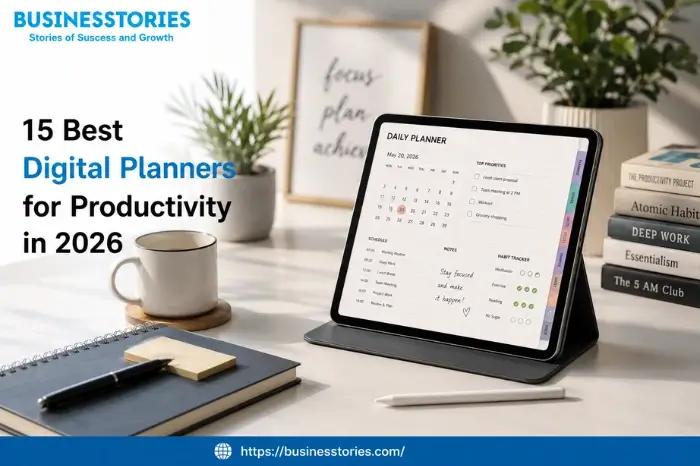
Staying on top of your day is challenging. Most people deal with missed tasks, messy notes, and too many apps. The positive news is that the best digital planners in 2026 can fix all of that. You just need the right tool.
The global market for planning and project apps hit $8.2 billion in 2025. By 2027, it could reach $10.5 billion. That shows how much people value effective planning tools. So if you want to work smarter this year, this guide is for you.
This guide covers 15 top digital planning tools. We looked at features, price, ease of use, and real results. We included app-based tools like Notion and ClickUp, as well as PDF planners for iPad. Let’s get started.
What distinguishes the best digital planners?
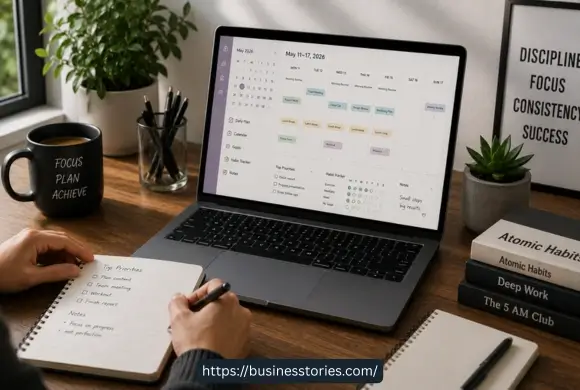
Before we begin, it’s beneficial to understand what to look for. Not every tool fits every person. Here are the key things to check.
Cross-device sync is a must. You should be able to plan on your phone and pick up where you left off on your laptop. Calendar sync is also key. The best tools link with Google Calendar or Outlook, so nothing slips through the cracks.
Habit tracking and goal templates help you stay on track week after week. Custom layouts matter too. Look for tools with list views, calendar views, and drag-and-drop boards. Finally, check the price. Most top planners have a solid free plan, with paid plans often starting at around $5 per month.
One more thing: ease of use for all brain types is big in 2026. Tools built for ADHD users and other neurodiverse users are no longer rare. The best planners today are clear, calm, and simple to use.
15 Best Digital Planners for Productivity in 2026
Here are the top tools we found. Each one has been tested and ranked based on value and real daily use.
1. ClickUp — Best All-in-One Planner for Teams
Best for: Teams, project leads, and power users
ClickUp is one of the most full-featured tools on this list. It puts tasks, docs, goals, time logs, and team boards all in one place. This means you can stop switching between five different apps.
It offers 15+ views, like Kanban boards, Gantt charts, and calendars. You can set task links, build workflows, and run reports. The free plan covers unlimited tasks and members. Paid plans start at $7 per user per month.
The AI tool, ClickUp Brain, can sum up content, link tasks, and help you write. Teams that handle big projects will love this tool.
Unique insight: Set up your Spaces, Folders, and Lists clearly from day one. Teams that do this avoid double work and report far better results.
2. Notion — Best Flexible Planner for Creatives
Best for: Freelancers, remote teams, startups, and content creators
Notion is like building blocks for your work life. You can make it into anything — a simple task list, a team wiki, or a full project hub. Over 100 million users rely on it today.
The 2026 update brought significant changes. Notion now has AI agents, a built-in calendar, meeting notes, and even a mail client. It also links with Slack, GitHub, and Google Drive. The Plus plan costs $10 per user per month and unlocks more storage and team tools.
Unique insight: “Notion is where you think. ClickUp is where you execute.” That line from expert Tiago Forte sums it up well. Use Notion for notes and knowledge. Use ClickUp for tasks and project work.
3. Todoist — Best Simple Planner for Solo Users
Best for: Freelancers, solo workers, and people who love clean apps
Todoist has been around since 2007. It is still the go-to app for personal task planning. You can type “Send report every Friday at 3 pm,” and it sets it up for you. That kind of smart input saves real time.
The free plan is solid for basics. The Pro plan is $5 per month and adds labels, reminders, and links to 80+ other apps. Todoist also has an Eisenhower Matrix to help you sort tasks by what matters most.
Unique insight: Todoist works well with the Getting Things Done system. You dump tasks into the inbox, sort them, then work through them. Most tools do not flow as smoothly.
4. GoodNotes 6 — Best Planner for iPad Users
Best for: Students, teachers, and people who love writing by hand
GoodNotes 6 is the best tool if you want to write by hand but stay digital. Use your Apple Pencil to write notes. GoodNotes will turn them into text you can search later.
The 2026 update made PDF import faster and improved sharing. The GoodNotes Marketplace has dozens of ready-made 2026 planners. You can pick from daily, weekly, or business-style layouts. A free plan gives you three notebooks. A paid plan opens up the full library.
Unique insight: Add the Paperlike screen cover to your iPad. It gives the screen a matte, paper-like feel. Writing on it feels much more like using a real pen and paper.
5. TickTick — Best Budget Planner with Focus Tools
Best for: Users who want tasks, habits, and focus features at a low price
TickTick offers a lot for very little. For just $2.99 per month, you get task lists, a habit log, a Pomodoro focus timer, calendar views, and a priority matrix. This bundle is difficult to beat at this price.
It works on all devices and syncs in real time. With the habit tracker, you can see your streaks, which helps you stay on track. You can also link TickTick to Todoist to bring all your tasks together. The free plan covers the basics well.
Unique insight: The Pomodoro timer is built into each task—not a separate feature. This means you can start a focus session right from your task list without any extra steps.
6. Motion — Best AI Planner for Auto-Scheduling
Best for: Busy pros who want AI to plan their calendar for them
Motion does something most planners don’t: it schedules your day for you. Add your tasks and meetings. Motion then slots each task into the best open time slot. If your plan changes, it reschedules without you doing a thing.
This is great for people who are hit with last-minute meetings all day. Motion checks your priorities, how long each task takes, and when you’re free. Then it builds a real plan in seconds. Plans start at $19 per seat per month, with no free option.
Unique insight: The real win here is not the schedule itself. It is the mental relief of not having to decide, ‘What next?’ all day long. Motion handles that question so you can focus on doing the work.
7. Sunsama — Best Planner for Work-Life Balance
Best for: Pros who want guided planning and clear end-of-day limits
Sunsama is built around one idea: plan your day on purpose. Each morning, it walks you through a short planning session. You pull tasks in from Todoist, ClickUp, Asana, and other tools. Then you block out your day. At the end of each day, Sunsama guides you through a shutdown review to close out your work and reflect.
This slows you down in a positive way. It helps you avoid overwork and burnout. The cost is $17 per user per month on an annual plan. There is no free plan.
Unique insight: Sunsama is one of the few planners that is manual by design. You decide what goes where. That level of control reduces stress for people who don’t want AI to reshuffle their day.
8. Notability — Best Planner for Audio Note Takers
Best for: Meeting-heavy pros and students who record audio while taking notes
Notability is well known for one standout feature: audio sync. Record a meeting and take notes at the same time. Tap any word in your notes later, and the audio jumps to that exact moment. It is a significant help when you need to review what was actually said.
The 2026 update improved page tags for faster search and better sync across devices. It runs on iPad, iPhone, and Mac. It works well when paired with a weekly planner template—your notes and your schedule live side by side.
9. Cyberry — Best Interactive PDF Planner
Best for: Creative pros and lifestyle planners who want beauty and smart features
Cyberry is a stunning PDF planner for iPad users. The 2026 edition got a major upgrade: Apple Shortcuts links, new layouts, and a step-by-step setup guide in Notion. You can create calendar events or set alerts without leaving the planner.
Cyberry links to both Apple Calendar and Google Calendar. It also comes with a Year-at-a-Glance, a Key Dates page, and a 2027 preview for long-term planning. A setup portal lets you pick your colors, stickers, and cover. Best of all, it is a one-time purchase — no monthly fee.
10. Passion Planner Digital — Best Planner for Goal Setting
Best for: Pros who want to link daily tasks to bigger life goals
Passion Planner is different. It starts with your goals, not your task list. The passion roadmap helps you figure out what you truly want and then works backward to daily actions. It also includes monthly review pages and wellness tracking.
This makes it especially useful for people who feel busy but not productive. It links what you do each day to what matters most in the long run. Entrepreneurs and driven creatives tend to love this planner the most.
11. Akiflow — Best Planner for Connecting Multiple Apps
Best for: Pros who use many work apps and want one clean daily view
Akiflow pulls tasks from all your other tools into one place. It links natively with Notion, ClickUp, Asana, Todoist, Gmail, and Google Calendar. Unlike tools that use third-party bridges, Akiflow’s links are built in. A task from ClickUp acts like a native Akiflow task with two-way sync.
This setup is ideal for people who use many apps but want to plan from a single clean view each day. Annual pricing comes in at under $19 per month.
12. Adapt Life Planner — Best Full-Feature PDF Planner
Best for: Users who want one big planner file covering all areas of life
The Adapt Life Planner comes in both landscape and portrait modes. It includes 30+ planning templates, notebooks, paper styles, and tab links for quick navigation. Also includes access to the ADAPT CLUB, which offers 2,500+ stickers and widgets that are updated all year long.
At first, it can feel overwhelming. But once set up, it covers every area of life, work, fitness, money, and personal goals, all in one document.
13. MY PA Business Planner — Best Planner for Entrepreneurs
Best for: Business owners and startup founders who need a pro planning system
The MY PA Business Planner is built for people running a business. It comes in dated and undated versions for both 2026 and 2027. A built-in planner builder lets you set it up however you like. The index page links to key areas like projects, goals, and weekly plans.
It works well for both work and personal planning. Founders who want one clean system to track client work, team goals, and daily tasks will find this planner very useful.
14. Happy Downloads Planner — Best Planner for Lifestyle Tracking
Best for: Users who want trackers for all areas of daily life
Happy Downloads is known for its wide range of templates. Each version includes 12 blank, editable notebooks and nine different note page styles. Templates cover work, wellness, goals, and more. A central index page links all sections for fast access.
The bundle includes both dated and undated versions for 2026. This gives you maximum flexibility depending on how you like to plan.
15. The Elegant Planner — Best Planner for Style and Structure
Best for: Users who want a planner that looks great and works well
The Elegant Planner is for people who want both beauty and order. Its layouts are clean and refined, with clear daily, weekly, and monthly spreads. Unlike many pretty planners, this one does not skimp on function. You still get goal tracking, habit logs, and a clear weekly overview.
It is also a wonderful first digital planner. The clean design and easy layout make it simple to start and keep going, so you never feel lost.
How to Pick the Right Digital Planner for You
With so many choices, it is easy to feel stuck. But the right pick becomes clear when you ask a few simple questions.
First, how do you like to plan? If you enjoy writing by hand, go with GoodNotes or Notability on an iPad. If you prefer typing, try Notion, ClickUp, or Todoist.
Second, what do you need it for? Solo workers do well with Todoist or TickTick. Teams get more out of ClickUp or Notion. Business owners should look at MY PA or Akiflow.
Third, what can you spend? TickTick at $2.99 a month is the best deal. Notion and Todoist have strong free plans. Motion and Sunsama are for power users with bigger budgets.
Finally, just start. Pick one tool and use it for 30 days. The best planner is the one you actually open every morning.
Conclusion
The best digital planners in 2026 are better than ever. From AI tools like Motion to beautiful PDF planners like Cyberry, there is a wonderful option for every type of person. Whether you are a student, a founder, or a busy professional, the right daily planning app will help you do more with less stress.
The main point is this: don’t wait to get organized. Pick one tool from this list. Try the free version. Use it every day for one month. You will be surprised how much clearer your days can feel.
So, take that first step today. Find the digital plan tool that fits your style. Start small. Build a habit. And if you want a smarter way to track your week, an online productivity planner gives you the edge you have been looking for. Your most focused, goal-driven year yet starts with one excellent daily plan.
Frequently Asked Questions
Q1: What is the best free digital planner for productivity?
Notion and ClickUp both have strong free plans. Notion suits creatives and solo workers. ClickUp is better for teams that need task and project tracking tools.
Q2: Which digital planner will work best on an iPad in 2026?
GoodNotes 6 is the top pick for iPad users. It pairs handwriting tools with PDF planner templates, making it ideal for students and visual thinkers.
Q3: Can digital planners help with ADHD and focus?
Yes. ADHD users who need a calm, low-distraction planning space often prefer TickTick for its built-in focus timer and Todoist for its clean layout.
Q4: What is the difference between app planners and PDF planners?
App planners like Notion or ClickUp sync to the cloud and support teamwork. PDF planners like Cyberry or GoodNotes are files you write on with a stylus on your tablet.
Q5: How much do the best digital planners cost in 2026?
Costs vary. Free tools include Notion and ClickUp. Paid plans range from $2.99/month (TickTick) up to $22/month (Sunsama). Most tools offer yearly discounts.

Tabassum Shaik is an Author, Researcher, and SEO Specialist with over 8 years of experience creating informative content on business, startups, entrepreneurship, marketing, technology, and digital trends. She specializes in researching industry trends and transforming complex topics into practical, easy-to-understand insights. Her goal is to help readers stay informed, learn new ideas, and make better business decisions.