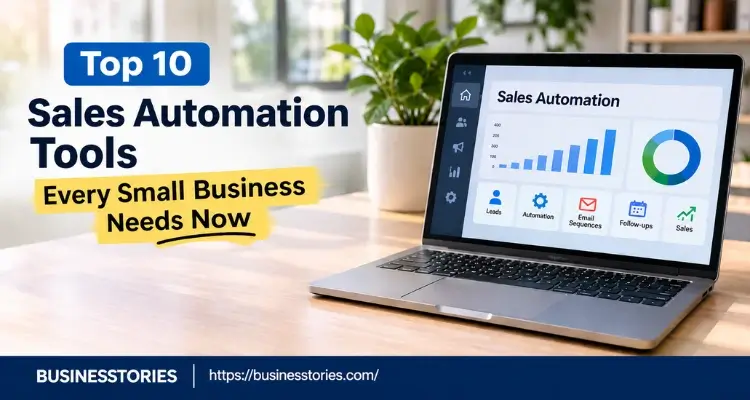
Sellers now spend just 40% of their week selling. That’s the latest figure from Salesforce’s State of Sales report, which surveyed 4,050 sales pros in 22 countries in late 2025. The rest of the week goes to admin, data entry, and internal work. For a small team, that lost time hurts the most. Sales automation tools resolve the problem by taking over repeat work like logging calls, sending follow-ups, and booking meetings.
For most small businesses, the best ones are HubSpot, Pipedrive, Zoho CRM, or Freshsales as the core CRM. Add Apollo.io or LeMList for outreach, and Zapier or Calendly to fill the gaps.
Below are 10 sales automation tools with real November 2026 prices, the upgrade costs that vendors don’t show up front, and a starter stack for each stage.
Key Takeaways
- Start with one CRM that has automation built in. Only add other tools when the current CRM cannot perform the required tasks.
- The free plan is rarely the problem. The issue arises when upgrading to the tier that includes sequences and workflows. On HubSpot, that’s $20 to $90 per seat, plus a $1,500 onboarding fee.
- Check how each tool charges: per seat, per workspace, or per task.
- Cold email tools can hurt your domain. Gmail rejects bulk senders whose spam rate goes above 0.3%.
- Plan where saved hours go. Gartner found that 72% of sales teams don’t reinvest AI time savings into real selling.
What Are Sales Automation Tools, and What Should You Automate First?
Sales automation tools are apps that handle the repeat steps in your sales process. That way, your people spend more time talking to buyers.
Most fall into four groups:
- CRMs with workflows: track leads and deals, then trigger tasks, emails, and reminders (HubSpot, Pipedrive, Zoho CRM, Freshsales, Close, Salesforce).
- Prospecting and outreach: find contacts and send email sequences (Apollo.io, lemlist).
- Scheduling: let buyers book a call without back-and-forth emails (Calendly).
- Connectors: pass data between apps that don’t talk to each other (Zapier).
Before you buy sales automation tools, decide what to automate first. Start with the work your team repeats every day. In our view, three jobs pay back fastest: follow-up reminders, logging emails to the CRM, and booking meetings. A missed follow-up can cost a deal; an automated one costs nothing.
Here’s what most guides miss. Don’t automate a process you haven’t run by hand. If you can’t write your sales steps on one page, a tool will only accelerate a messy process. Our guide to business automation tools covers the same rules for other teams.
Sales Automation Tools Compared: Prices at a Glance
Entry prices for sales automation tools look cheap, but the plan you’ll need is often two tiers up. This table shows both.
| Tool | Best for | Free plan | Entry price* | Watch out for |
| HubSpot Sales Hub | All-in-one CRM | Yes | $20/seat (list) | Sequences need Professional ($90/seat + $1,500 onboarding). |
| Pipedrive | Visual pipeline | No (14-day trial) | $14/seat | Add-ons are billed extra. |
| Zoho CRM | Value for money | Yes (3 users) | $14/user | Set-up takes time |
| Freshsales | Phone-heavy teams | Yes (3 users) | $9/user | Sequences need Pro ($39/user). |
| Close | Inside sales | No (14-day trial) | $9 (Solo, 1 user) | Workflows need Growth ($99/user). |
| Salesforce Starter | Fast-scaling teams | Yes (Free Suite) | $25/user | Pro Suite jumps to $100/user |
| Apollo.io | Lead finding | Yes | $49/user | Credit limits on reveals |
| lemlist | Cold outreach | No (14-day trial) | $55/month per workspace | LinkedIn steps require multichannel ($87/user). |
| Zapier | Joining apps | Yes (100 tasks) | $19.99/month | Each action step counts as a task. |
| Calendly | Booking calls | Yes | $10/seat | Salesforce sync needs Teams ($16/seat) |
*USD per month on annual billing, as listed on vendor pricing pages in October and November 2026. Monthly billing costs more, and prices change, so confirm before you buy.
The 10 Best Sales Automation Tools for Small Businesses
We picked these sales automation tools for teams of one to twenty people. Each one shows its prices in public, offers a free plan or trial, and runs without a full-time admin.
1. HubSpot Sales Hub: Best All-in-One CRM
HubSpot’s free CRM is the easiest on-ramp here. You get contacts, deals, and email tracking at no cost for up to two seats.
The catch is the upgrade path. Starter lists at $20 per seat, though HubSpot often runs new-customer deals. Its automation is light, since it can only trigger tasks and alerts when a deal changes stage.
The Professional tier includes sequences and full workflows. According to HubSpot’s pricing page, that tier costs $90 per seat on annual billing, and it carries a one-time $1,500 onboarding fee.
For a five-person team, that’s a jump from about $100 a month to $450 a month, plus onboarding.
Pick it if you also plan to run marketing in HubSpot. It pairs well with the AI marketing tools that many small teams already use. Skip it if you only need a pipeline and want to stay under $50 per seat.
2. Pipedrive: Best for Visual Pipeline Management
Pipedrive is built around one screen: your deal pipeline. Reps drag deals between stages, and the app nudges them about the next step.
Plans cost $14 (Lite), $39 (Growth), $59 (Premium), and $79 (Ultimate) per seat a month on annual billing. Pipedrive renamed its plans in July 2025, so older reviews may still say “Essential” or “Advanced.”
There’s no free plan, only a 14-day trial, and extras like campaigns cost more as add-ons.
Our take: Pipedrive suits founder-led sales in agencies, consultancies, and B2B services, where deals are few and personal. If you also need marketing email, HubSpot or Zoho will cover more ground for the money.
3. Zoho CRM: Best Value for Growing Teams
Zoho CRM is free for up to three users. Paid editions cost $14 (Standard), $23 (Professional), $40 (Enterprise), and $52 (Ultimate) per user a month, billed annually.
- Zia, Zoho’s AI assistant, comes bundled into the higher editions rather than sold as an extra.
- The trade-off is set-up time. Zoho has many settings, so plan a weekend to configure it.
- Don’t confuse it with Bigin, Zoho’s lighter $7-per-user CRM. Bigin suits a two-person team that just needs a pipeline.
Best for: cost-aware teams in the UK, Europe, Australia, or Asia that want room to grow without switching CRMs later.
4. Freshsales: Best for Phone-Heavy Small Teams
Freshsales, from Freshworks, includes built-in phone and email, even on its free plan for up to three users.
Paid plans cost $9 (Growth), $39 (Pro), and $59 (Enterprise) per user a month, billed annually. The key point is that sales sequences and AI contact scoring arrive on Pro.
Keep an eye on AI costs, though. The Freddy AI Copilot is sold as an add-on, at about $29 per user.
Our take: for phone-first teams, Freshsales Pro gives you calling plus sequences for well under HubSpot’s Professional price.
5. Close: Best for Inside Sales and Calling
Salespeople built close relationships with sales teams. Calling, SMS, and email live in one inbox, so reps don’t switch tabs all day.
Plans cost $9 (Solo, one user), $35 (Essentials), $99 (Growth), and $139 (Scale) per user a month, billed annually. There’s also a 14-day free trial with no card needed.
The fine print: workflows and the Power Dialer start on Growth. So the cheaper Essentials plan is a clean CRM with a phone, but not much automation.
Pick it if each rep makes dozens of calls a day and calling is at the core of your sales. Skip it if most of your deals close over email.
6. Salesforce Starter Suite: Best If You Plan to Scale Fast
Salesforce is the CRM many large firms run on. Starter Suite is its small-business entry point, at $25 per user a month. It’s also the only Salesforce edition you can pay for month to month.
Starter puts leads, deals, and emails in one app. The big plus is the path ahead, since you won’t need to migrate when you hire 50 reps.
The risk associated with upgrading to the next step is significant. Pro Suite, where custom setup and more automation come in, costs $100 per user a month, billed annually.
Our take: choose Starter if you expect to raise funding and build a large sales team within two years. Otherwise, it’s more platform than most small firms need.
7. Apollo.io: Best for Finding and Contacting Leads
Apollo combines a large contact database with email sequences. You search for buyers by role, industry, and company size, then add them to an outreach campaign.
Its free plan is handy for testing. Paid plans cost $49 (Basic), $79 (Professional), and $119 (Organization) per user a month, billed annually. The organization needs at least three seats.
What most reviews skip is that Apollo runs on credits. Email and phone usage can quickly deplete your allowance, which means a busy team may reach their limits rapidly.
Best for: B2B startups that need a steady flow of new leads in the US, UK, and Europe. Pair it with a CRM, as it does not function as one.
8. lemlist: Best for Personalized Cold Outreach
LeMList was one of the first tools built around personalized cold email.
Its pricing changed in May 2026. The email plan is now billed per workspace, not per user. It costs $55 a month on annual billing, with unlimited users and 50,000 emails a month.
The multichannel plan adds LinkedIn steps, calling, and SMS for $87 per user a month, billed annually. That per-workspace email plan is a real win for small teams, since five people can share one bill.
A warning: outreach-focused sales automation tools put your domain at risk. Google’s email sender guidelines require bulk senders to keep spam rates below 0.3%. So use a separate sending domain, warm it up slowly, and keep your lists tight.
9. Zapier: Best for Connecting Your Apps
Zapier links your sales automation tools and other apps when they don’t talk to each other. For example, a web form lead can create a Pipedrive deal and post to Slack.
The free plan gives you 100 tasks a month on two-step Zaps. According to Zapier’s pricing page, Professional starts at $19.99 a month on annual billing for 750 tasks.
Here’s the math most buyers miss. Every action step counts as a task. So a four-step Zap that runs 100 times a day uses about 12,000 tasks a month, which pushes your bill far above the entry price.
Our take: use Zapier for low-volume glue work. If a Zap runs hundreds of times a day, first check whether your CRM can do the job on its own.
10. Calendly: Best for Booking Sales Calls
Calendly ends the “Does Tuesday work?” email chain. Buyers pick an open slot, and the meeting lands on your calendar. The free plan covers one event type. Standard costs $10 per seat per month on annual billing, while Teams costs $16.
For sales, Teams is the plan that matters. It adds round-robin booking, so each lead goes to the next free rep. It also adds the Salesforce integration.
Our take: put a Calendly link in every outreach email and on your pricing page. It’s the cheapest of these sales automation tools, and it shortens the gap between “interested” and “booked.”
How to Build a Sales Automation Stack Without Overpaying
Buy one core CRM first, then add sales automation tools one gap at a time. Most small teams can run a solid setup for under $150 per user a month.
Here’s how we’d build it by stage:
| Stage | Suggested stack | Rough cost per user a month* |
| Solo founder | HubSpot free or Bigin + Calendly Standard | $10 to $17 |
| 2 to 5 sellers | Pipedrive Growth or Freshsales Pro + Calendly Teams | About $55 |
| 5 to 20 sellers, outbound | HubSpot Sales Professional or Close Growth + Apollo Basic | $139 to $148 |
*Annual billing list prices. Excludes onboarding fees, add-ons, and taxes.
Then avoid three common mistakes. Like many startup mistakes, they look small until the bill arrives.
- Buying at the entry price. First, find the tier with the feature you need. Then price that tier for your team size in 12 months.
- Paying for overlap. Many sales automation tools send sequences, including Apollo, HubSpot, and Close. Pick one place for outreach, or your data will split.
- Saving time, then wasting it. Gartner’s May 2026 survey found that AI tools save sellers 4.8 hours a week. Yet 72% of sales teams don’t reinvest that time well. Teams that do are 2.2 times more likely to beat their customer growth goals. So decide ahead of time that freed hours go to calls, demos, and follow-ups.
Final Thoughts: Match the Tool to How You Sell
The right pick depends less on features and more on how you sell. Call-heavy teams belong on Close or Freshsales. Founders who run a few big deals will like Pipedrive. And teams that also run marketing get the most from HubSpot or Zoho.
Choose the pricing tier that you actually need, rather than the one advertised on the banner. With most sales automation tools, the real cost shows up later, in onboarding fees, seat growth, or task limits.
Finally, software only frees up time. The payoff comes from how your team uses those hours. Start small, prove the time savings, then scale.
Frequently Asked Questions
1. What is the best free sales automation tool for a small business?
HubSpot’s free CRM is the strongest free option for most small businesses. It covers contacts, deals, and email tracking for up to two seats. Zoho CRM and Freshsales also offer free plans for up to three users, and Freshsales adds built-in calling.
2. How much do sales automation tools cost per month?
Most small-business sales automation software costs $10 to $100 per user a month on annual billing. Entry plans start lower. But key features like sequences and workflows usually sit in mid-tier plans, which can cost two to five times more.
3. Is a CRM the same as a sales automation tool?
Not always. A CRM stores your contacts and deals. Sales automation tools act on that data by sending emails, creating tasks, or booking meetings. Many modern CRMs, such as HubSpot, Zoho, and Pipedrive, now include both in one app.
4. Can cold email automation hurt my domain reputation?
Yes. Google requires bulk senders to keep spam complaint rates below 0.3% and to offer one-click unsubscribe. Sending too much, too fast, from your main domain can push emails to spam. So use a separate domain and warm it up slowly.
5. Will sales automation replace salespeople?
No. Automation removes admin work, such as data entry and follow-up reminders, but buyers still want to talk to a person before big decisions. Gartner’s 2026 research shows the gains come when teams spend saved hours on real selling.

Tabassum Shaik is an Author, Researcher, and SEO Specialist with over 8 years of experience creating informative content on business, startups, entrepreneurship, marketing, technology, and digital trends. She specializes in researching industry trends and transforming complex topics into practical, easy-to-understand insights. Her goal is to help readers stay informed, learn new ideas, and make better business decisions.