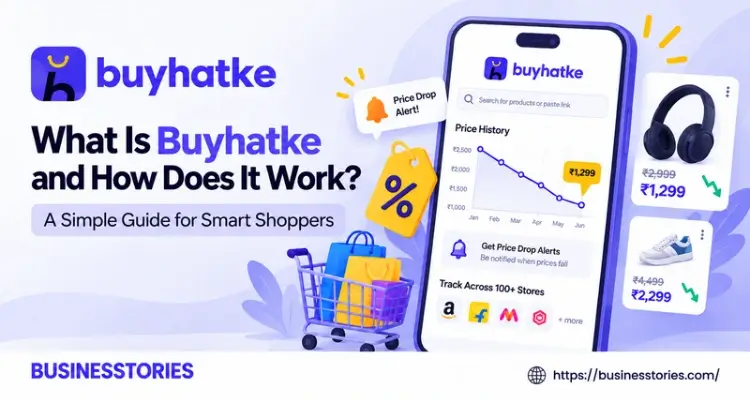
Have you ever bought something on sale, only to see it cheaper a week later? It stings. That’s why more shoppers now want proof before they pay. And that is precisely where Buyhatke comes in.
Simply put, Buyhatke is a free tool that tracks prices, compares stores, and finds coupons for you. In fact, it began as a fix for one founder’s disastrous shopping day. Today, it helps millions of people spot fake discounts before they hit “Buy Now.”
In this guide, you’ll learn what Buyhatke is, how it works, and how to set it up in minutes. Plus, you’ll get a few smart tricks that most reviews skip. So, let’s dive in.
What Is Buyhatke? The Story Behind the Price Tracker
So, what is Buyhatke? In short, it is a shopping intelligence platform from India. It comes as a browser extension, a mobile app, and a website. Its main job is simple: help you pay the lowest fair price.
How It Started
The idea came from a frustrating gift hunt. Co-founder Gaurav Dahake spent three hours online trying to buy an iPod for a friend. Sadly, the gift arrived after the birthday. Worse still, he later found a better deal on another site. That pain stayed with him.
So, he teamed up with Prashant Singh and Srikanth Sethumadhavan. All three were IIT Kharagpur grads. Together, they launched Buyhatke in 2012 with a tiny budget of about ₹2.5 lakh. Then, in 2015, they raised $1 million. Their backers included Japan’s BEENOS and Infosys co-founder Kris Gopalakrishnan.
Where Buyhatke Stands Today
Fast forward to now, and the numbers look entirely unique. According to its website, Buyhatke has over 8 million active users. It also claims its users have saved more than ₹10,000 crore. Moreover, it covers over 100,000 stores.
Its ratings are strong, too. For example, the Chrome extension holds about 4.8 stars. Meanwhile, the Android app sits near 4.6 stars from over 40,000 ratings.
Why It Matters Beyond India
Here’s something many listicles miss. Although Buyhatke grew up on Amazon India and Flipkart, its coupon tool also works on some global stores. In fact, its Chrome listing names Walmart, eBay, and Target.
As a result, shoppers outside India can use it as well. However, its deepest price data still comes from Indian sites. In the end, think of Buyhatke as a second opinion for your cart. It does not sell you anything. Instead, it tells you whether a deal is truly good.
How Does Buyhatke Work? A Closer Look at the Mechanism
Now, let’s see how the tool actually does its job. The idea is simple, but the system behind it is clever.
Step 1: It Watches Prices Every Day
First, Buyhatke keeps checking product prices on many shopping sites. It saves every price change in its records. Over time, these records turn into a price history graph. So, when you open a product page, you can see how its price moved over the past few months.
Step 2: It Compares Stores in Real Time
Next, it looks for the same product in other stores. Then, it shows you all the prices side by side. This way, you don’t have to open ten tabs. You just pick the cheapest one.
Step 3: It Judges the Deal
Thereafter, its Smart Deal Scanner checks whether a “sale” price is real. For instance, it looks for price hikes right before a sale. It also shows the real price after bank offers. Finally, it gives you a quick verdict: buy or skip.
A Real Example of Fake Discounts
Why does this issue matter so much? Take a case that Inc42 reported during a Flipkart app sale. A pair of JBL headphones sold for ₹1,190 for a long time. Then, the price jumped on sale day.
The seller listed it at ₹1,432 with a “42% off” tag. In other words, the “deal” cost more than the normal price.
Similarly, IBTimes found a product whose price doubled from ₹710 to ₹1,520 just before a sale. Without a price graph, most buyers would never know.
How Buyhatke Makes Money
You may wonder how a free tool pays its bills. Mostly, it earns through affiliate commissions, ads, and paid listings from stores. So, when you buy through its links, the store pays it a small fee. Best of all, you pay nothing extra.
Our Take: Think of It as a Price Receipt
Here’s a fresh way to see it. A price graph works like a receipt for the past. It shows what the product really cost before the hype began. Therefore, you can judge a discount on facts, not feelings.
Top 6 Buyhatke Features That Help You Save Money
Buyhatke packs a lot into one free tool. So, here are the six features you will likely use most.
1. Price History Graph
This is the star feature. It shows a product’s price over roughly three months. As a result, you can see if today’s price is low, high, or normal. Furthermore, the graph hints at the best time to buy.
2. Price Drop Alerts
Is the price too high right now? Then, just set a target price. Buyhatke will ping you by email or push alert when it drops. This way, you can stop checking the page every day.
3. Price Compare
This feature shows one product across many stores in one view. For instance, you can test it on Amazon, Flipkart, Croma, or JioMart. Then, you simply buy from the cheapest seller.
4. Auto Coupons
At checkout, you click one button. Thereafter, Buyhatke tests coupon codes and applies the best one for you. This means you can skip the boring hunt for promo codes.
5. Smart Deal Scanner
During big sales, this tool is a lifesaver. It sorts deals by budget, discount, and category. More importantly, it flags puffed-up prices. For example, during Big Billion Days 2025, it marked a pair of Red Tape shoes at ₹1,299 as a real bargain. Why? Because that price sat below its usual average.
6. Spend Lens and More
Spend Lens shows your spending across 100+ stores in one place. It also splits your spending into categories. Beyond shopping, Buyhatke now compares flight fares, hotels, grocery apps, food delivery, and cab rides. There is even a Look-A-Like tool that finds similar items for less.
Which Features Matter Most?
We believe that the first two features are the most significant. The price graph tells you if you should buy. Meanwhile, the alert tells you when to buy. Together, they turn impulse shopping into planned shopping.
A recent Cashify test backs this up. After trying several extensions on the same products, it named Buyhatke the best pick for price history and smart shopping.
How to Use Buyhatke: A Step-by-Step Guide
Getting started takes less than five minutes. Better yet, you can pick from three easy ways.
Method 1: Install the Chrome Extension
- Open the Chrome Web Store and search for “Buyhatke.”
- Click “Add to Chrome” and confirm.
- Pin the icon to your toolbar so it’s easy to find.
- Visit any product page on a site like Amazon or Myntra.
- Look for the Buyhatke panel. It will show the price graph and other store prices.
Method 2: Download the Mobile App
- Get the Buyhatke app from Google Play or the Apple App Store.
- Open your shopping app and find a product.
- Copy the product link, then paste it into the Buyhatke app.
- Check the price history and set an alert if you need one.
Method 3: Use the Quick URL Trick
This is the fastest hack, and few guides mention it. Just add “buyhatke.com/” before any product link. For example, type it right before an Amazon product URL. Then, press Enter. Right away, you’ll see the price history page. Best of all, no install is needed.
Pro Tips to Save More
- Check the graph before every big buy. If today’s price is near the top, wait.
- Set alerts a few weeks before a sale. That way, you’ll know the real price before the hype starts.
- Look at the full price. Always check the final cost after delivery fees and bank offers.
- Try the 30-day rule. First, set an alert and wait 30 days. Then, if you still want it, buy at the lowest price you saw.
A Quick Real-World Workflow
Let’s say you want a new phone.
- First, you open its page on Flipkart.
- Next, you check the Buyhatke graph and see the price dropped ₹3,000 last month.
- So, you set an alert at that lower price.
- Two weeks later, the alert pings you.
- As a result, you save money without any stress.
Is Buyhatke Safe and Worth It? Pros, Limits, and Alternatives
Before you install any extension, it’s smart to ask about safety. So, let’s be honest about the good and the bad.
Is Buyhatke Safe to Use?
Yes, for most people. A registered firm, Buyhatke Internet Private Limited, runs it. It also has a “Featured” badge on the Chrome Web Store. Still, like most shopping extensions, it needs to read the pages you visit. That’s how it finds prices. Therefore, read its privacy policy and turn off features you don’t need in Settings.
The Pros
- It is free to use.
- Shows price history that stores keep hidden.
- It catches fake discounts during big sales.
- It works on desktop, mobile, and the web.
The Limits
However, no tool is perfect. Some users report bugs. For example, a few Chrome reviews say the extension stopped working on some sites. Furthermore, the price graph covers a short window, often about three months.
Plus, the data is most reliable for Indian stores. Finally, since it earns affiliate fees, it is not fully neutral. So, treat its picks as advice, not orders.
Buyhatke vs. Other Price Trackers
How does it stack up against rivals? Here’s a brief look:
- Keepa: Very detailed Amazon price history. However, it focuses on Amazon and does not lower your checkout price.
- Flipshope: Strong on coupons and price tracking. It offers many of the same features as Buyhatke.
- MySmartPrice: Better for gadget reviews and spec comparisons.
In contrast, Buyhatke tries to do it all in one place. That makes it a wonderful all-rounder for everyday shoppers.
Our Verdict
So, is it worth it? For most online shoppers, yes. Yet the real value is not the coupons. Instead, it’s the habit it builds. Once you notice the inflated “sale” prices, you begin to shop with greater patience. And patience, in the end, is the biggest discount of all.
Conclusion
So, what is Buyhatke, and how does it work? In essence, Buyhatke is a free shopping assistant that monitors prices, compares stores, and applies coupons on your behalf. It started in 2012 as a fix for one unfortunate gift purchase. Today, it serves millions of users.
Behind the scenes, it records prices every day and builds a clear price history. Then, it compares sellers and judges whether a deal is genuine. As a result, you can spot fake discounts before you pay. Its best tools are the price graph, price drop alerts, auto coupons, and the Smart Deal Scanner.
Setting it up is a breeze, too. You can add the Chrome extension, get the app, or simply type “buyhatke.com/” before any product link. Of course, it has limits. Its data is strongest on Indian sites, and it earns from affiliate links. Still, for most shoppers, the good far outweighs the negative.
A more intelligent habit is ultimately the greatest victory. You stop trusting flashy banners and start trusting real data. In fact, one quick look at a price graph can save you hundreds, or even thousands, of rupees on a single order.
Ready to stop overpaying? Install Buyhatke today and check the price graph on the next item in your cart. Then, set an alert and let the deal come to you.
Frequently Asked Questions
1. Is Buyhatke completely free to use for price tracking and coupons?
Yes, Buyhatke is free. You can use the price tracker, price drop alerts, and auto coupons at no cost. Instead of charging you, it earns small affiliate fees from stores when you buy through its links.
2. Does the Buyhatke Chrome extension work on Amazon and Flipkart today?
Yes. The Buyhatke Chrome extension works on Amazon and Flipkart, plus Myntra, Ajio, Croma, and many more. Once installed, it shows the price graph and other store prices right on the product page.
3. How many months of data does the Buyhatke price history graph show?
The Buyhatke price history graph usually shows about three months of data. That’s enough to see whether today’s price is low or high. So, you can easily judge if a sale is real.
4. Can Buyhatke help me spot fake discounts during big online sales?
Yes. Its Smart Deal Scanner checks for price hikes before sales like Big Billion Days. It then compares the sale price with past prices and gives a simple verdict, so you know whether to buy or skip.
5. Does Buyhatke work for shoppers outside India at global online stores?
Partly. Its auto coupon feature works on global stores like Walmart, eBay, and Target. However, its price history data is strongest for Indian sites. As a result, shoppers in India are likely to get the most value from it.

Tabassum Shaik is an Author, Researcher, and SEO Specialist with over 8 years of experience creating informative content on business, startups, entrepreneurship, marketing, technology, and digital trends. She specializes in researching industry trends and transforming complex topics into practical, easy-to-understand insights. Her goal is to help readers stay informed, learn new ideas, and make better business decisions.