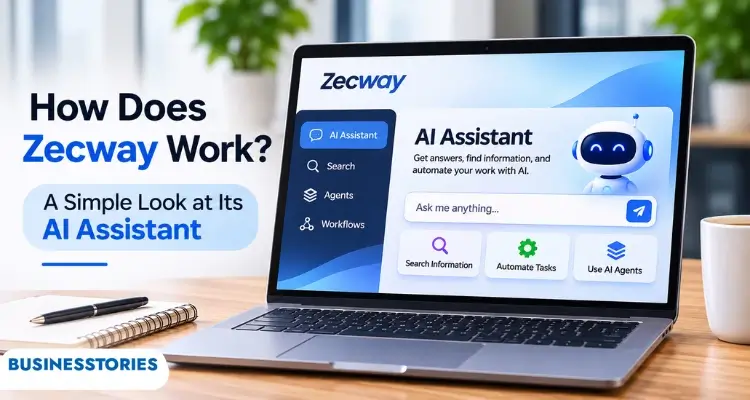
Your team spends about a quarter of its week hunting for answers. That’s not a guess. Atlassian’s State of Teams 2025 report surveyed 12,000 knowledge workers and 200 executives and found exactly that. Zecway is a new tool built to resolve this problem.
In short, it’s an AI workplace search tool that connects the apps your company uses, such as Slack and Google Drive. You type a question into one search bar. It then gives you an answer with sources, and it only shows what you’re allowed to see.
In this guide, you’ll learn what this tool is and how its three layers work. We’ll also show you what an answer looks like, how it compares to rivals, and what to check before you sign up.
Key Takeaways
- It’s an AI “company brain” in early access as of November 2026. You can join without a credit card.
- It works in three layers: search, an AI assistant, and AI agents.
- The company says it checks permissions before any data reaches the AI.
- Pricing, founders, and a full integration list aren’t public yet.
- It suits small teams drowning in tools, but you should test it before you trust it.
What Is Zecway?
Zecway is an AI assistant that answers questions using your company’s own knowledge. Its official website calls it “the company brain.”
Here’s the problem it targets. A typical startup keeps its knowledge in many places. Pricing decks sit in Google Drive. Decisions live in Slack threads. Policies are buried in old docs. So when someone asks a simple question, a colleague has to stop and dig.
The pitch is simple: it pulls all of this information into one place. Instead of opening five apps, you ask one question. Then you get one answer with links to where it came from.
One warning before you search further. The same name also belongs to Zecway Studio, a small marketing agency in Bangalore, India. Business directories link that agency to the same domain that now hosts the AI product.
These are separate offerings, so please ensure you’re reading about the right one.
Here’s what we could confirm about the AI product as of November 2026:
| Detail | What’s public? |
| Product type | AI workplace search and assistant |
| Stage | Limited early access (2026) |
| Cost to join | No credit card needed for early access |
| Named integrations | Slack, Google Drive (shown in demos) |
| Pricing | Not published |
| Founders and location | Not published |
| Target size | Teams of roughly 30 to 500 staff, according to one independent explainer |
In our view, that last gap matters. When a company asks for access to your files, you should know who runs it. We’ll come back to this.
How Does Zecway Work? The Three Layers
It works in three stacked layers: search, an assistant, and agents. Each layer builds on the one below it. As the site puts it, search comes first, the assistant turns answers into work, and agents run tasks without you.
Layer 1: One Search Bar for Every Tool
First, the tool connects to the apps your team already uses. Then it gives you one search bar across all of them. Results appear as you type.
This sounds basic. However, it’s the layer everything else depends on. If a search can’t find the right file, the assistant can’t write a useful answer. So, when you test Zecway, test the search first. Ask questions you already know the answers to.
Layer 2: An Assistant That Cites Its Sources
Next comes the AI assistant. It writes drafts, summaries, and short answers based on your company’s real documents. Crucially, it attaches a source to each claim.
That matters more than it sounds. General chatbots like ChatGPT don’t know your internal pricing or policies. As a result, they may fill gaps with confident guesses. A tool grounded in your files, with citations, lets you check every line in seconds.
Layer 3: Agents That Do Recurring Work
Finally, there are AI agents. You describe a chore, and an agent takes it on. For example, the homepage demo shows an agent that runs every Monday at 9am. It researches on its own, then posts to Slack once a human approves.
Notice the approval step. The tool ensures that a person is involved before the agent takes action. For an early-stage team, that’s the right default. You want help with busywork, not an agent sending messages you never saw.
Here’s what most guides miss: the layers depend on clean data. If your Slack is full of outdated threads, the assistant may cite them. Spend an hour archiving stale channels and docs before you connect anything.
How Zecway Keeps Answers Private
The company says it enforces permissions in its database before anything reaches the AI. In practice, two people can ask the same question and get different answers based on their access.
Why does this matter? Picture a 40-person startup. The founder’s folder holds salary bands and investor notes. A new hire asks, “What do engineers earn here?” A careless AI tool might pull the answer from that folder. A permission-aware tool will not access that file because the new hire lacks permission to open it.
This isn’t a made-up risk. In September 2025, a group of researchers published a paper titled Enterprise AI Must Enforce Participant-Aware Access Control. They showed how AI assistants can leak sensitive data when no one enforces access rules.
Their method now runs inside Microsoft Copilot Tuning. Their position was clear: only strict access control during retrieval reliably stops these leaks.
So this design choice is the correct one. Still, there’s a catch most buyers overlook. Permission-aware search only mirrors the permissions you already have. If your Google Drive shares everything with “anyone at the company,” Zecway will faithfully show everything to everyone.
Here’s a quick pre-launch checklist:
- List your folders that hold salaries, legal files, or investor data.
- Verify who can open each one today.
- Tighten sharing before you connect any AI tool.
- Then test with a junior team member’s account.
Additionally, remember one important point. The homepage says, “Your data stays yours.” However, it doesn’t yet explain storage, retention, or whether data trains any model. Ask for these answers in writing.
What a Zecway Answer Looks Like in Practice
A typical answer is short, direct, and linked to its sources. The homepage shows three examples, and together they paint a clear picture of daily use.
Example 1: Finding a file. Someone asks, “Where’s the latest pricing deck?” The tool replies that Pricing v4.2 was updated Tuesday by a colleague. It also links the deck in Google Drive and the Slack thread that explains what changed. That’s two tools, one answer, and the context you’d normally chase down by hand.
Example 2: Drafting a reply. A user asks for help with the security section of a client questionnaire (an RFP). It drafts a response based on the company’s security policy and a SOC 2 summary. It cites four company sources, and the draft is ready to edit.
Here’s a detail worth flagging. The SOC 2 summary in that demo is the customer’s own document. It is not a claim that Zecway holds SOC 2 certification. We found no public statement either way. If compliance is a priority for your buyers, we suggest contacting the company directly.
Example 3: A weekly agent. An agent runs every Monday at 9am. It does its research, prepares an update, and posts to Slack after a person approves it.
For founders, Example 2 is the big one. Small B2B startups in London, Sydney, or Austin often lose days to security questionnaires. A tool that drafts the first version from your policies could save real time. But you’d still need to check every line before it goes to a client.
Zecway vs Other AI Workplace Search Tools
This startup enters a crowded market led by well-funded players. The closest rival is Glean, which also combines search, an assistant, and agents.
Glean shows how big this category has become. According to Reuters, Glean reached a $7.2 billion valuation in June 2025. That tells you investors see real demand for AI workplace search.
Here’s how the options compare for a small team:
| Feature | Zecway | Glean | General AI chatbot |
| Searches your company tools | Yes | Yes | Only if you upload files |
| Cites company sources | Yes, every claim | Yes | Rarely |
| Permission-aware results | Yes, per its site | Yes | No |
| AI agents | Yes, with human approval | Yes | Limited |
| Stage | Early access | Mature, large customers | Mature |
| Public pricing | No | Sales-led | Yes |
| Best fit | Small and mid-size teams willing to test early | Larger companies | Individual tasks |
So where does it fit? In our view, its opening is small. Big platforms usually sell to large companies through sales teams. A 25-person startup often can’t get a demo, let alone a fair price. A tool focused on teams of 30 to 500 could fill that gap.
On the other hand, early-stage tools carry risk. Integrations may be limited. Features may change. The company may pivot. That’s normal for early access, but it means you shouldn’t build critical workflows on it yet.
If you’re comparing tools more broadly, see our guide to business automation tools and our explainer on how Claude AI works.
Should Your Startup Request Zecway Early Access?
Yes, if your team already feels the “where’s that file?” pain and you can spare a few hours to test it. No, if you need a fully proven, certified tool today.
The upside is clear. Atlassian’s research found that Australian knowledge workers spend about 10 hours a week searching for information (CFOtech, March 2025). Even saving a fraction of that across a 30-person team adds up fast.
However, early access means unanswered questions. Before you connect your company data, ask the vendor these five things:
- Who runs the company? Ask for founder names and a registered business address.
- Where is data stored? Ask about region, retention periods, and deletion on request.
- Is your data used for training? Get the answer in writing.
- Which integrations work today? Demos show Slack and Google Drive. Confirm the rest.
- What will it cost after early access? Ask for a price range before your team depends on it.
Then run a small pilot. Pick one team, such as sales or support. Connect only two tools. Please pose 20 real questions to which you already know the answers. Count how many answers are correct and properly cited.
That simple test tells you more than any feature list. For more on picking software early, read our guide to AI tools for startups.
The Bottom Line on Zecway
This tool tackles a real and costly problem: scattered company knowledge. Its three-layer design makes sense. Search finds the facts, the assistant turns them into cited drafts, and agents handle recurring chores with a human sign-off.
Its strongest design choice is checking permissions before data reaches the AI. Even so, that protection only works as well as your current sharing settings. Clean those up first.
The open questions are just as important. Pricing, founders, and data policies aren’t public yet. Furthermore, the shared name with a Bangalore agency can confuse first-time searchers.
Our verdict: Zecway is worth a small, careful pilot for teams of 30 to 500 people. It’s not yet a tool to trust with your most sensitive files.
Your next step: request early access, connect just two tools, and run the 20-question test above. Have you tried Zecway or a similar AI search tool? Explore more AI company profiles on Businesstories.
Frequently Asked Questions
1. What is Zecway used for?
It helps teams find company information fast. It searches connected tools like Slack and Google Drive, answers questions with cited sources, drafts documents from internal files, and runs scheduled AI agents. It mainly targets teams that store knowledge across many apps.
2. Is Zecway free to use?
Early access is free to join and requires no credit card as of November 2026. However, the company hasn’t published pricing for later plans. Ask what you’ll pay after early access before your team relies on the tool every day.
3. Does Zecway replace Slack or Google Drive?
No, it doesn’t replace your existing apps. Instead, it sits on top of them. Your files stay in Google Drive, and your chats stay in Slack. The tool connects to both and lets you search across all of them from one bar.
4. Is Zecway safe for confidential company data?
The company says it enforces permissions before any data reaches the AI, which is the right design. Still, it mirrors your current sharing settings. Tighten folder access first, and ask the vendor in writing how it stores, keeps, and uses your data.
5. Is Zecway the same as Zecway Studio?
No, they’re different offerings. Zecway Studio is a small marketing agency based in Bangalore, India. The AI product, by contrast, is a workplace search and assistant tool in early access. Check which one a page describes before you act on it.

Senior Business Analyst / Prduct Owner with 12+ years of experience driving data-driven insights, optimizing business processes, and delivering strategic IT solutions.