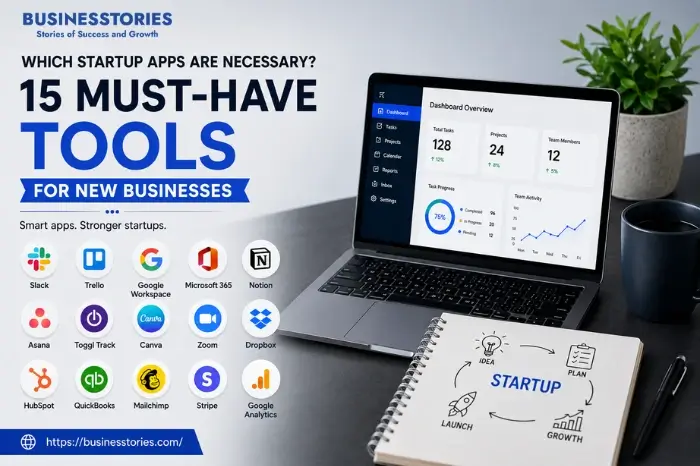
Starting a new business feels exciting, but it also comes with big challenges. You need to manage your time, track your money, talk to customers, and grow your brand, all at once. This is precisely where the right software makes a huge difference. If you have ever asked yourself which startup apps are necessary, you are not alone.
In fact, studies show that 82% of small businesses now use cloud-based tools to run daily operations more smoothly. In this guide, we’ll walk you through 15 must-have startup apps, covering everything from project management to accounting.
Each tool on this list solves a real problem that new business owners face every day. Most of these apps offer free plans or affordable pricing that fits a tight budget. We have organized these tools into clear categories so you can easily find what you need.
By the end, you will have a complete toolkit that helps your startup work smarter, not harder.
Why Choosing the Right Startup Apps Matters
Choosing the right apps early gives you three big advantages.
- First, it builds a solid foundation for your workflows. Instead of patching together messy systems later, you start with clean processes from day one.
- Second, it prevents tool overload. Many startups make the mistake of buying too many apps at once, which wastes money and confuses the team. The average small business uses over 40 SaaS tools. But studies show that 30% of licenses go unused. By picking only essential apps, you avoid this trap completely.
- Third, the right tools reduce human error. Automated invoicing, for example, cuts billing mistakes by up to 60%.
A unique insight we often overlook is the concept of tool stacking: choosing apps that integrate well together. Connecting your project management tool with your accounting software is essential. Your CRM is your email marketing platform. You create a powerful automation engine without coding.
This integration capability should be one of your top criteria. Before you sign up for any tool, check its integration marketplace. The more connections it supports, the more future-proof your setup becomes. To be considered, each app must either save you at least 2 hours per week or generate revenue.
What to Look for in a Startup App
Before we dive into the list, you need a simple framework to evaluate any tool. Here are the five most important criteria for choosing startup apps.
Ease of Use
A tool that takes weeks to learn is not worth your time. Look for apps with clean interfaces, helpful onboarding guides, and responsive customer support. The best startup tools feel intuitive within the first 10 minutes of use. If you need to watch hours of tutorial videos just to send an invoice, move on to a simpler option.
Pricing and Scalability
Most startups start on free plans or low-cost tiers. Check what happens when you need more users, more storage, or advanced features. Some tools offer generous free plans (like Trello and HubSpot), while others become expensive quickly. For the first year, your software stack should cost less than 3% of your monthly revenue.
Integration Capabilities
As mentioned earlier, apps that connect save you from manual data transfer. Zapier reports that businesses using integrated tools save an average of 4 hours per week on repetitive tasks. Always check if a tool integrates natively with the other apps you use. Or, at a minimum, it should support Zapier or Make.com as a bridge.
Mobile Accessibility
Startup founders are rarely at a desk all day. You need tools with excellent mobile apps to approve documents, respond to customers, and check dashboards anywhere. A 2025 report found that 67% of small business owners use their phones daily.
Security and Compliance
Even small startups handle sensitive data like customer emails, payment info, and contracts. Choose tools that offer two-factor authentication (2FA), data encryption, and compliance with standards like GDPR or SOC 2. A data breach at an early stage can destroy customer trust permanently.
15 Must-Have Startup Apps for New Businesses
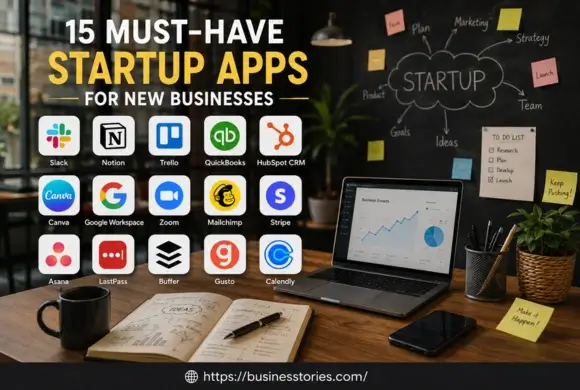
1. Slack — Team Communication
Slack replaces messy email threads with organized channels where your team can chat in real time. It integrates with over 2,600 other apps, including Google Drive, Trello, and Zoom, making it a central hub for your startup.
The free plan supports up to 10 users with 90 days of message history, which is perfect for early-stage teams. One often-overlooked feature is Slack Connect, which lets you create shared channels with clients and freelancers.
This removes the need for endless back-and-forth emails and keeps everyone aligned. Startup teams using Slack report a 32% reduction in internal email volume, according to Slack’s own user survey.
2. Notion—All-in-One Workspace
Notion combines notes, databases, wikis, and project boards into one flexible workspace. For startups, this replaces the need for separate tools like Google Docs, spreadsheets, and task managers.
You can build your company wiki, track OKRs, manage content calendars, and store meeting notes—all in one place. The free plan is generous enough for small teams. Notion templates from the community give you ready-made setups for almost any workflow.
A unique advantage: Notion’s database feature lets you create custom CRMs, applicant tracking systems, or product roadmaps without any coding. This flexibility lets you tailor the tool to your process rather than forcing it.
3. Trello—Visual Project Management
Trello uses Kanban boards, visual columns of cards, to help you see exactly where every task stands. This simple approach makes it one of the easiest project management tools to adopt. Each card can hold checklists, due dates, attachments, and comments, giving you all the context in one place.
The free plan includes unlimited cards and up to 10 boards per workspace, which works well for most startups in their first year. Power-Ups (Trello’s integrations) let you connect calendars, time trackers, and automation tools like Butler.
Butler automations can move cards, assign members, and send notifications based on rules you set, saving manual effort.
One creative use case: startups often use Trello as a lightweight CRM to track leads through a sales pipeline visually.
4. QuickBooks — Accounting and Bookkeeping
QuickBooks handles invoicing, expense tracking, tax preparation, and financial reporting. It remains the gold standard for small business accounting, with over 7 million users worldwide. The Simple Start plan covers income tracking, receipt capture, and basic reports—enough for most early-stage startups.
What truly sets QuickBooks apart is its automation. Recurring invoices, automatic bank feeds, and mileage tracking eliminate hours of manual data entry each month. The app also integrates with payment processors like PayPal and Stripe, so you can accept online payments directly from invoices.
A practical tip: connect your business bank account during setup to automate reconciliation. This one step prevents bookkeeping backlogs that many founders struggle with later.
5. HubSpot CRM — Customer Relationship Management
HubSpot CRM offers a completely free customer database that tracks every interaction with leads and customers. Unlike other CRMs that charge per user, HubSpot’s free plan supports unlimited users, making it ideal for growing teams.
It automatically logs emails, calls, and website visits, so you never lose context on a deal. The visual deal pipeline shows where each prospect is in your sales process, helping you focus on deals that are close to closing.
HubSpot also includes free tools for email marketing, live chat, and meeting scheduling, reducing the need for separate apps.
One underrated feature: the Gmail and Outlook integrations bring CRM data directly into your inbox. So you can view contact history without switching tabs. This seamless experience improves follow-up speed significantly.
6. Canva — Graphic Design
Canva makes professional design accessible to non-designers. With thousands of templates for social media posts, presentations, flyers, and logos, you can create branded content in minutes. The free plan includes over 250,000 templates and 1 million stock photos.
For startups, the Brand Kit feature (available on the Pro plan) is a game-changer. Upload your logo, fonts, and brand colors once, and Canva applies them automatically to every design. This ensures visual consistency across all your marketing materials.
The Canva Print service also lets you order business cards, brochures, and merch directly from the platform.
A unique strength: Canva’s AI-powered tools like Magic Write and Background Remover speed up content creation dramatically. Startups that use Canva report saving an average of $5,000 per year compared to hiring freelance designers for routine graphics.
7. Google Workspace — Productivity Suite
Google Workspace (formerly G Suite) provides professional email, cloud storage, video meetings, and collaborative document editing. The Business Starter plan costs $6 per user per month. You get a custom email address, 30 GB of cloud storage, and access to Google Docs, Sheets, Slides, and Meet.
The real-time collaboration features let multiple team members work on the same document simultaneously, which is something desktop-based suites still struggle to match. Google Drive’s shared drives keep all company files organized and accessible from any device.
An often-overlooked benefit: Google Workspace includes Google Forms, which startups use for customer surveys, order forms, and even simple payment collection.
The Admin Console also gives you enterprise-grade security controls like 2FA enforcement and device management, which are crucial as your team grows.
8. Zoom—Video Conferencing
Zoom has become the standard for virtual meetings, and for good reason. Its reliability, ease of use, and feature set outperform most competitors. The free plan allows unlimited 1-on-1 meetings and 40-minute group calls with up to 100 participants.
This tool is ideal for startups that are pitching to investors or conducting client demos. Zoom’s screen sharing, virtual backgrounds, and recording features create a polished, professional impression.
Breakout rooms are particularly useful for running workshops or team brainstorming sessions. Zoom also integrates with calendar apps to make scheduling effortless.
A tip many founders miss: Zoom’s AI Companion (included in paid plans) generates meeting summaries and action items automatically, so no one needs to take notes manually. This small feature alone can save you 15-20 minutes of follow-up time per meeting.
9. Mailchimp—Email Marketing
Mailchimp helps you build email lists, design newsletters, and automate email campaigns. You can start your email marketing journey with the free plan, which allows up to 500 contacts and 1,000 monthly email sends.
Its drag-and-drop email builder and pre-designed templates make creating professional emails simple. What makes Mailchimp stand out is its audience segmentation. You can send different messages to different groups based on their behavior, purchase history, or engagement level.
This personalization improves open rates by an average of 14%. Mailchimp also now offers a CRM, landing page builder, and social media posting tools, making it a broader marketing platform.
For startups, the customer journey builder visualizes automated email sequences, helping you nurture leads without constant manual effort.
One smart approach: set up a welcome series that triggers when someone joins your list. It builds trust from the very first interaction.
10. Stripe — Payment Processing
Stripe makes it incredibly easy to accept online payments. With a simple API and ready-made checkout pages, you can start receiving payments within hours. Stripe charges 2.9% + $0.30 per transaction with no monthly fees, which aligns your costs directly with your revenue.
It supports over 135 currencies and dozens of payment methods, including credit cards, Apple Pay, Google Pay, and buy-now-pay-later services. The dashboard provides clear revenue analytics, refund management, and fraud protection powered by machine learning.
For subscription-based startups, Stripe Billing handles recurring payments, invoicing, and dunning management automatically.
A lesser-known advantage: Stripe Atlas helps you incorporate your business, open a bank account, and issue stock—all from within the platform. This integration of payment and business formation is unique in the industry.
11. Asana—Advanced Project Management
Asana offers more advanced project management features than Trello for teams that have outgrown simple Kanban boards. You can view projects as lists, boards, timelines, or calendars, switching between views based on what you need.
The timeline view (Gantt chart) is especially useful for startups managing product launches or marketing campaigns with dependencies. Asana’s automation rules handle repetitive tasks like assigning work, updating due dates, and notifying stakeholders.
The free plan supports up to 15 team members, which covers most startups well into their growth phase. Portfolios provide founders with a quick overview of all project statuses, while goals assist in monitoring company-wide objectives.
A practical insight: Asana works well for remote-first startups because every task carries full context—comments, files, and status updates live on the task itself, reducing the need for status meetings.
12. LastPass — Password Management
LastPass securely stores all your passwords and auto-fills them when needed. The free plan covers one device type (computer or mobile), while the Teams plan, at $4 per user per month, adds shared folders and admin controls.
For startups, shared password folders mean the marketing team can access social media accounts without seeing financial logins. The security dashboard flags weak, reused, or compromised passwords and helps you fix them.
LastPass also supports multi-factor authentication (MFA) and single sign-on (SSO) integrations.
One often-overlooked benefit: the emergency access feature lets you designate trusted contacts who can request access to your vault in critical situations. Given that 81% of data breaches involve weak or stolen passwords, according to Verizon’s DBIR, a password manager is not optional. It is essential infrastructure for any startup handling sensitive data.
13. Buffer—Social Media Management
Buffer lets you schedule posts across Instagram, Facebook, Twitter, LinkedIn, and Pinterest from one dashboard. The free plan supports up to 3 channels and 10 scheduled posts per channel, which is excellent for testing the waters.
The clean, simple interface stands in contrast to more complex tools like Hootsuite, making Buffer a favorite among time-strapped founders. Buffer’s analytics show you which posts perform best, optimal posting times, and audience growth trends.
The browser extension lets you share articles or pages to your queue with just one click.
A unique feature: Buffer’s AI Assistant generates post ideas and suggests improvements to your drafts. The Start Page product also lets you build a simple link-in-bio landing page. Gusto is a free alternative to tools like Linktree. For startups with limited marketing bandwidth, Buffer’s set-it-and-forget-it approach to social scheduling is invaluable.
14. Gusto — Payroll and HR
Gusto handles payroll, benefits, and HR compliance for small businesses. The simple plan at $40 per month plus $6 per employee covers full-service payroll with automatic tax filing in all 50 states. It also handles new-hire reporting, W-2s, and 1099s.
For startups hiring their first employees, Gusto removes the stress of tax compliance. The platform also offers health insurance, 401(k), and workers’ comp administration—benefits typically available only to large companies.
Employee self-onboarding lets new hires fill out their own paperwork digitally, saving hours of HR time. Time tracking integrates directly with payroll, and the PTO management feature gives everyone visibility into team availability.
A practical advantage: Gusto’s contractor payments handle international freelancers in over 80 countries, which is essential for startups building distributed teams early on.
15. Calendly—Scheduling Automation
Calendly eliminates the back-and-forth of scheduling meetings. You set your availability preferences once, share a link, and others pick a time that works for both of you. The free plan includes one event type and unlimited meetings.
It integrates with Google Calendar, Outlook, and iCloud to automatically detect conflicts and add new events. For startups, automated scheduling is a quiet productivity multiplier. A 2024 survey found that professionals spend an average of 4.8 hours per month just coordinating meeting times.
Calendly eliminates this waste. Paid plans add features like round-robin scheduling (distributes meetings across team members), payment collection via Stripe, and automated reminders that reduce no-shows by up to 30%.
One creative use: embed Calendly on your website so potential customers can book demo calls directly—no manual coordination needed.
How to Implement Your Startup Toolkit
Now that you have the list, do not try to adopt all 15 tools at once. That leads to exactly the kind of tool overload we warned about earlier. Instead, follow a phased approach tailored to your startup’s current stage.
- Phase 1 (Days 1-7): Start with your communication foundation, Slack and Google Workspace. These two tools handle email, chat, file storage, and document creation. They are the backbone everything else will connect to.
- Phase 2 (Week 2): Add your financial stack—QuickBooks and Stripe. Establish your invoicing and payment acceptance system before you make your first sale.
- Phase 3 (Week 3-4): Layer in your customer-facing tools, HubSpot CRM, and Mailchimp. Start capturing leads and building your email list early, even if you are pre-revenue.
- Phase 4 (Month 2): Bring in project management (Notion or Trello/Asana) and design (Canva). By this point, you will have enough tasks and assets to benefit from structured tracking.
- Phase 5 (Month 3+): Add specialized tools like LastPass, Buffer, Gusto, and Calendly as your team grows and specific needs emerge.
A unique insight: assign one person on your team to be the tool champion for each new app. This person learns the tool deeply, sets it up properly, and trains the rest of the team. Without a champion, tools often get adopted at a surface level and never deliver their full value.
Furthermore, schedule a quarterly tool audit. Review which apps are actually being used and whether any can be replaced, consolidated, or removed. This discipline prevents the subscription creep that drains startup budgets silently.
Which Startup Apps Are Necessary — Our Final Recommendations
Building a startup is challenging enough without wrestling with the wrong software. The 15 tools we have covered represent the essential categories every new business needs: communication, productivity, finance, customer management, design, marketing, security, and HR. Together, they create a technology foundation that scales with you.
If you could only pick five to start with, we recommend Slack, Google Workspace, QuickBooks, HubSpot CRM, and Canva. This core stack covers your most urgent needs without overwhelming you. As your revenue grows, add Stripe for payments and Notion for documentation, and gradually expand based on the phased approach outlined above.
But the framework is consistent: choose tools that save time, integrate well, scale affordably, and solve genuine problems for your business. The best time to set up your startup toolkit is now, before manual processes become habits and messy workarounds become the norm.
Take the first step today. Choose a tool from this list that solves your biggest bottleneck, sign up for the free plan, and use it for 30 days. Small, consistent improvements in how you work compound into massive advantages over time.
Frequently Asked Questions
Q1. Which startup apps are necessary for a solo founder?
For a solo founder, start with Google Workspace for email and docs, QuickBooks for finances, and HubSpot CRM for managing leads. These three tools cover your core operational needs without any extra complexity.
Q2. How many apps should a new startup use initially?
Start with 5-7 essential tools during your first month. Focus on communication, finance, and customer management before expanding. Adding every tool at once leads to confusion and wasted subscription costs.
Q3. Are free startup apps reliable enough for business use?
Yes, many free plans from established companies like Slack, Trello, and HubSpot are fully reliable for early-stage businesses. Upgrade to paid plans only when you need advanced features or hit usage limits.
Q4. What project management tools work best for remote startup teams?
Asana and Trello work well for remote teams because they centralize all task context in one place. Teams stay aligned without constant meetings, and both tools offer generous free plans.
Q5. How do I keep startup app costs under control?
Conduct a quarterly tool audit to identify unused subscriptions. Always start with free plans, consolidate tools that have overlapping features, and negotiate annual billing for discounts of 15-20%.

Tabassum Shaik is an Author, Researcher, and SEO Specialist with over 8 years of experience creating informative content on business, startups, entrepreneurship, marketing, technology, and digital trends. She specializes in researching industry trends and transforming complex topics into practical, easy-to-understand insights. Her goal is to help readers stay informed, learn new ideas, and make better business decisions.