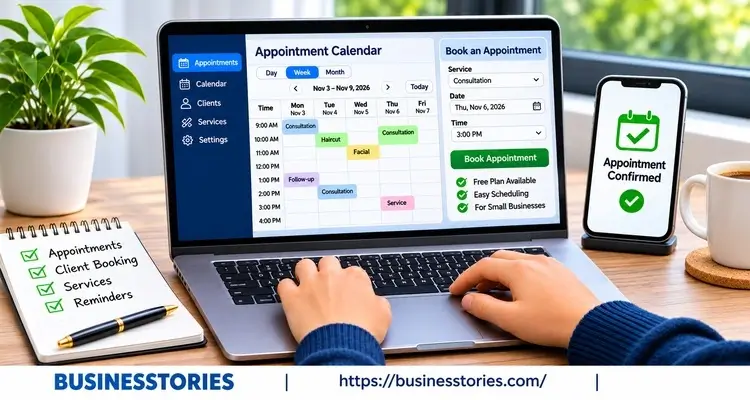
Every missed call can be a missed sale. And every no-show leaves a gap in your day that you can’t fill. That’s why so many owners now turn to appointment scheduling software. It lets clients book on their own, at any hour, while you focus on the work.
But here’s the good news. You don’t have to pay a cent to get started. Many tools offer a free forever plan that covers the basics. The catch? Each free plan has its limits. So the “best” tool really depends on how you work.
In this listicle, we compare eight of the best appointment scheduling software picks with free plans. We also show you the hidden costs, the limits that matter, and a simple way to choose. By the end, you’ll know exactly which tool fits your business.
Why Small Businesses Need Appointment Scheduling Software
Think about how you book clients today. Maybe you trade texts, play phone tag, or write names in a paper diary. That works at first. However, it gets messy fast as you grow.
Online booking for small businesses solves three big problems at once.
It Saves Hours Every Week
First, a booking page works while you sleep. Clients see your open slots and pick one. As a result, you stop sending “Does Tuesday work?” messages back and forth. Plus, the tool syncs with your calendar, so you never double-book.
It Cuts No-Shows.
Next, reminders do the hard work for you. In fact, a 2016 BMJ Open review of 21 studies found that digital reminders made people about 25% less likely to miss a visit. The no-show rate fell from 21% to 15%.
Similarly, an eClinicalWorks study of over 1,000 medical practices found a clear pattern. With no reminder, 33% of patients didn’t show up. Yet with a same-day text, that number dropped to 19%.
It Matches How Clients Want to Book
Finally, people now expect to book online. For example, a Kyruus survey found that 40% of consumers prefer to book appointments online. That’s up 15 points in five years. So if you only take calls, you may lose younger clients to a rival with a “Book Now” button.
A Quick Way to See the Value
Here’s a simple test that many guides overlook. Take your average job price and multiply it by the no-shows you get each month. For instance, a salon with eight no-shows at $40 each loses $320 a month.
Even a small drop in no-shows can pay for a paid plan later. But for now, a free tool can recover part of that money at zero cost.
In short, scheduling software isn’t a luxury anymore. It’s a basic tool, just like a phone or a card reader.
Best Free Appointment Scheduling Software for Solo Owners and Teams
Let’s start with the four tools that offer the most on their free plans. We looked at the free tier only, not paid features.
1. Cal.com: Best Free Plan Overall
Best for: Freelancers, coaches, and consultants.
Cal.com gives a lot away for free. Its free plan covers one user. Yet you still get unlimited event types, unlimited bookings, reminders, and payments through Stripe and PayPal.
Most rivals lock these behind a paywall. Furthermore, Cal.com is open source, so tech-savvy owners can even host it themselves.
Watch out for: The free plan only covers one person. So once you hire staff, you’ll need to upgrade.
2. Square Appointments: Best for In-Person Services
Best for: Barbers, trainers, and repair shops that take card payments.
Square has no monthly fee on its free plan. Instead, it earns money when you take payments. For example, Square charges 2.6% + 15¢ for in-person card payments and 3.3% + 30¢ online.
Furthermore, Fit Small Business rated it the best free scheduling software overall after testing 13 tools.
Watch out for: The free plan covers one location. Some features, like no-show fees, need a paid plan.
3. Setmore: Best Free Plan for Small Teams
Best for: Small teams of up to four people.
Setmore lets up to four staff share one free account. That’s rare. Plus, clients can pay through Square, Stripe, or PayPal. So it’s a smart pick for a small clinic or a two-chair salon.
Watch out for: The free plan caps you at 200 appointments a month. Additionally, text reminders are only available with a paid plan.
4. Fresha: Best for Beauty and Wellness
Best for: Salons, spas, and nail studios.
Fresha takes a different route. It has no subscription and lets you add unlimited staff. Instead, Fresha makes money from payment fees (2.29% + $0.20) and add-ons. It also lists your business on its marketplace, which can bring in new clients.
Watch out for: Fresha charges a one-time 20% fee on new clients; it sends you through its marketplace (a minimum of $6). So track where your bookings come from.
More Free Appointment Scheduling Tools Worth a Look
These four tools are also solid. However, each has a tighter free plan, so check the limits against your needs.
5. Calendly: Best for Simple Meetings
Best for: Consultants who sell one type of call.
Calendly is the name most people know. As a result, clients trust the booking link right away. Its free plan gives you one event type and one calendar connection. So it works well if you only offer, say, a 30-minute discovery call.
Watch out for: Payments and many automated features need a paid plan. In addition, you can’t add a second meeting type for free.
6. Google Calendar Appointment Schedules: Best No-Signup Option
Best for: Owners who already live in Gmail.
You may already own this tool. According to Google, a personal account can create one booking page with unlimited appointments at no charge. And since it sits inside Google Calendar, there’s nothing new to learn.
Watch out for: You get one booking page only. Furthermore, payments and email reminders need a paid Google Workspace plan.
7. Zoho Bookings: Best for Zoho Users
Best for: Businesses that already use Zoho CRM or Zoho Mail.
Zoho Bookings offers a free plan for one staff member. It includes a booking page, calendar sync, and email alerts. Moreover, it links neatly with other Zoho apps. So if your client data already lives in Zoho, this feature keeps things in one place.
Watch out for: Group bookings and extra staff need a paid plan. Zoho also changes plan details often, so check the latest terms.
8. SimplyBook.me: Best for a Free Booking Website
Best for: Owners with no website yet.
SimplyBook.me gives you a ready-made booking website, not just a link. That’s handy if you don’t have a site of your own. In addition, it supports many languages, which helps if you serve clients abroad.
Watch out for: The free plan stops at 50 bookings a month and one provider. Furthermore, you must renew the free plan manually each month.
How to Choose the Best Appointment Scheduling Software
With so many choices, it’s easy to freeze. So use these five steps to narrow things down in under an hour.
Step 1: Count Your People and Places
First, write down how many staff take bookings and how many locations you run. This single piece of information eliminates half of the options. For example, a team of three can skip Cal.com and Zoho’s free plans. Meanwhile, Setmore, Square, and Fresha stay in the race.
Step 2: Estimate Your Monthly Bookings
Next, look at last month’s calendar. Did you have more than 50 bookings? If so, SimplyBook.me’s free plan won’t last. Over 200? Then Setmore’s cap will bite too. Always plan for growth, not just today.
Step 3: Decide How You Get Paid
Then ask a simple question. Do you need deposits or upfront payments? If yes, pick a tool that handles payments for free, like Cal.com, Square, or Fresha. Otherwise, a basic tool like Calendly may be enough.
Step 4: Check the Reminder Type
After that, check how each tool sends reminders. Text messages tend to work better than email. However, many free plans only send emails. So if no-shows hurt you most, put free text reminders at the top of your list.
Step 5: Book Yourself as a Test
Finally, here’s a step that is often overlooked. Open your new booking page on your phone and reserve a test slot. Time how long it takes to load the page. If it takes more than a minute, your clients may give up.
Also, review the confirmation email. Does it look professional? Does it show your name, not just the app’s logo?
Pro tip: Before you commit, check if you can export your client list. If you switch tools later, you’ll want to take your data with you. Furthermore, test the tool for a full week before you share the link widely.
The Hidden Costs of Free Appointment Scheduling Software
Free doesn’t always mean zero cost. In fact, most free plans make money in one of three ways. Therefore, it is beneficial to understand these methods before signing up.
Payment Processing Fees
To begin with, tools like Square and Fresha have no monthly fee. Instead, they take a cut of each payment. For example, on a $60 haircut, a fee of 2.29% + $0.20 costs you about $1.57. That seems small. However, with over 300 bookings a month, this fee accumulates to approximately $470.
Marketplace Commissions
Next, some apps send you new clients and charge for it. Fresha’s one-time 20% fee on new marketplace clients is a good example. That can still be a fair deal. After all, a new regular client may return for years. Just make sure you know which clients carry the fee.
Time and Upgrade Pressure
Finally, free plans often leave out the features that save the most time. Text reminders, team calendars, and custom branding are common examples. As a result, you may spend more time on manual follow-ups.
Branding and Data Limits
On top of that, many free plans add the app’s logo to your booking page. For a new brand, the result can look less polished. Some tools also limit how you can export your client records. So before you build a large client list, check that you can take it with you if you leave.
Our Take: Use the “Ceiling Test”
Here’s a fresh way to look at it. Think of each free plan’s limit as a growth signal, not a wall. For example, if you hit Setmore’s 200-booking cap, your business is busy. At that point, a paid plan often costs less than one or two no-shows a month.
So start free, track your numbers, and upgrade only when the data says so.
Conclusion
Picking the right appointment scheduling software doesn’t have to be hard or costly. As we’ve seen, many strong tools offer a free plan that covers the basics. And the right one depends on your team size, booking volume, and how you get paid.
Let’s recap the top picks. Cal.com offers the richest free plan for solo owners. Square Appointments suits in-person services that take card payments. Setmore is the best free option for teams of up to four. Meanwhile, Fresha is a natural fit for salons and spas.
Furthermore, remember that “free” often has a price. Payment fees, marketplace commissions, and missed text reminders can all cost you. So read the fine print before you commit.
Most of all, don’t wait for the “perfect” tool. Even a basic booking page beats phone tag. Plus, research indicates that reminders alone can cut no-shows by about a quarter. That’s real money back in your pocket.
Here’s your next step: Pick two tools from this list that match your team size. Then sign up for both free plans today. Book a test slot on each, and keep the one that feels easiest for your clients. Within a week, you’ll know which free appointment scheduling software truly fits your business.
Free Appointment Scheduling Software: FAQs
1. What is the best free appointment scheduling software for one person?
Cal.com is a strong pick for solo owners. Its free plan includes unlimited event types, bookings, reminders, and payments. In contrast, many rivals limit these features. So it’s the best free appointment scheduling software for one-person businesses.
2. Can a free appointment booking app send text reminders to clients?
Some can, but most can’t. For example, Fresha includes a small number of free texts each month. However, Setmore and many others only send text reminders on paid plans. So check this feature before you sign up.
3. Which free online booking tool works best for a small team of staff?
Setmore works well for small teams. Its free plan supports up to four staff members. Plus, it handles online payments through Square, Stripe, or PayPal. Just note the 200-appointment monthly limit on the free plan.
4. Is Google Calendar effective enough as a free appointment booking app?
Yes, for simple needs. A personal Google account gives you one free booking page with unlimited appointments. However, payments and email reminders need a paid Workspace plan. So it suits solo owners with one service type.
5. When should a small business upgrade from a free scheduling app plan?
Upgrade when you hit your plan’s booking cap or need text reminders. Furthermore, consider it when you add staff. Often, a paid plan costs less than the revenue lost from a few monthly no-shows.

Test Lead with 12 years of IT experience specializing in quality assurance, test strategy, and delivering high-performance software solutions.