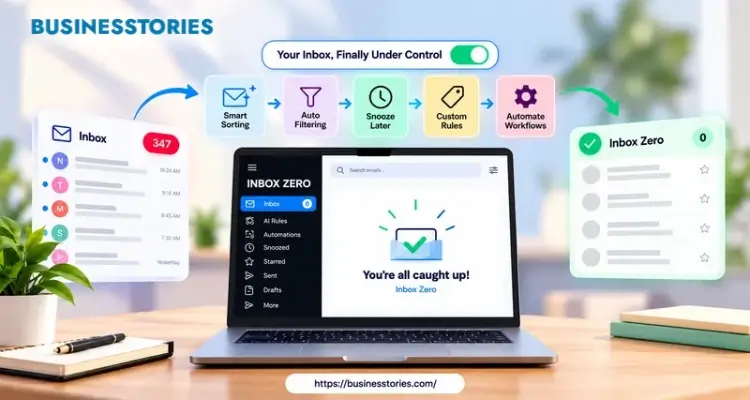
Email eats your day. In fact, McKinsey found that workers spend about 28% of their week on email. In other words, that’s more than a full day, every single week. So it’s no surprise that tools like Superhuman got so popular. But Superhuman costs $30 a month, and it has no free plan. That’s where this Inbox Zero review comes in.
Inbox Zero is an open-source AI email tool. It sorts your mail, drafts replies, and clears out clutter. Best of all, its email app is free to use. In this listicle, you’ll learn what it does, what it costs, and whether it’s the right Superhuman alternative for you. Let’s dive in.
What Is Inbox Zero? A Quick Look
First, let’s clear up the name. “Inbox zero” is an old idea. It simply means you keep your inbox empty or close to it. However, Inbox Zero is also the name of a real product. It’s an AI email assistant built by founder Elie Steinbock, and its code is public on GitHub.
Here’s the key point. Inbox Zero doesn’t force you to leave Gmail or Outlook. Instead, it works on top of the inbox you already use. It reads new mail, adds labels, and writes draft replies. Then you open Gmail as normal and find your inbox already sorted.
On top of that, the team now offers a free email app. It runs on the web, Mac, Windows, and iPhone. It’s quick, and it’s built for the keyboard. For example, you press E to archive, H to snooze, and Z to undo. So if you love Superhuman’s speed, you’ll feel right at home.
The project also has strong support from developers. In fact, its GitHub repo has close to 11,000 stars. Plus, it hit #1 on Product Hunt with over 1,000 upvotes. So those numbers matter. They show that many tech-savvy users trust this tool with their email.
Safety is another big plus. Inbox Zero is SOC 2 Type II certified. Furthermore, the company says it never uses your data to train AI models.
Why Open Source Matters for Your Inbox
Yet most email tools are black boxes. You entrust your inbox to the system and trust it to work properly. With Inbox Zero, though, you can read the code yourself. Or you can ask a developer friend to check it for you.
Such openness is rare among AI email assistants. As a result, it’s a strong pick for anyone who cares about privacy. After all, your inbox holds your contracts, your bank alerts, and your private chats. You should know who’s reading it.
Inbox Zero Review: 6 Features That Stand Out
Now let’s look at what you actually get. Here are the six features that matter most in daily use.
1. AI Sorting That Labels Every Email
As soon as an email lands, Inbox Zero labels it. For instance, it uses tags like To Reply, Newsletter, Marketing, and Calendar. If the defaults don’t fit, you can write your own rules in plain English.
For example, you might type, “Archive all receipts and label them Finance.” That’s it. No complex filters needed.
2. Draft Replies Written in Your Voice
Now, the draft feature is the star feature. When an email needs a reply, Inbox Zero writes a draft for you.
- First, it studies your past emails and your calendar.
- So when you open your inbox, the reply is already waiting.
- Then you just check it, tweak it, and hit send.
3. Bulk Unsubscribe and Bulk Archive
Most of us have years of junk mail. Fortunately, Inbox Zero shows you which senders you never open. Then you can unsubscribe or archive them in a few clicks. Better yet, unsubscribing is free for everyone on the iPhone app.
4. Cold Email Blocker
Furthermore, sales pitches pile up fast. However, the cold email blocker spots them and moves them out of your way. As a result, your inbox only shows the mail that matters.
5. Reply Zero Follow-Up Tracking
Do you ever forget to follow up? Reply Zero tracks emails you still owe a reply to. It also tracks emails where you’re waiting on others. Plus, it can ping you in Slack or Teams, so nothing slips.
6. Meeting Briefs and Email Analytics
Before an outside call, Inbox Zero sends you a short brief on who you’re meeting. Meanwhile, its analytics show who emails you most and what clogs your inbox.
Our tip: Run bulk unsubscribe before you turn on AI drafts. Fewer emails mean the AI learns from cleaner data. In turn, its labels and drafts get sharper much faster.
Inbox Zero vs Superhuman: Which Is the Better Deal?
Both tools promise the same thing: less time in email. Yet they take very different paths.
Superhuman is a separate email client. In other words, using Superhuman means transferring all your email activities into its app. It’s famous for speed and keyboard shortcuts. In 2025, Grammarly bought Superhuman, and later it even renamed itself after the email app.
Inbox Zero, by contrast, works inside the tools you already use. You can keep Gmail or Outlook. Or you can try its free app. The choice is yours.
Here’s how the two compare on price:
| Feature | Inbox Zero | Superhuman |
| Free option | Free email app; free self-hosting for personal use | No free plan |
| Entry plan | $20/month ($18 yearly) | $30/month ($25 yearly) |
| Next plan up | $35/month ($28 yearly) | $40/month ($33 yearly) |
| Open source | Yes. | No |
| Works with | Gmail, Outlook | Gmail, Outlook |
So what does this comparison mean for you? For one person, Inbox Zero saves about $10 a month. But for teams, the gap grows fast. For example, 10 seats of Superhuman Business cost $4,800 a year on monthly billing.
Meanwhile, 10 seats of Inbox Zero Starter cost just $2,400. That’s half the price for a cheaper AI email assistant that does more automation.
Where Superhuman Still Wins
To be fair, Superhuman has a more polished app. It also bundles Grammarly tools in some plans. If you are looking for a single premium app and do not have concerns about the price, Superhuman remains a strong option.
The Hidden Cost of Switching Apps
Now, here’s something most reviews skip. Switching email apps has a real cost. First, you must learn new shortcuts, move your settings, and change old habits. In fact, that can take weeks.
Inbox Zero avoids the hassle because you can keep your current inbox. In short, the cheapest tool is often the one you don’t have to learn.
Is Inbox Zero Really Free? Pros, Cons, and the License Catch
The title says “free,” so let’s be honest about it. In this case, “free” means three different things.
First, the email app is free. You get the fast client, the shortcuts, and one inbox for all your accounts.
Second, self-hosting is free for many users. Since the code is public, you can run it on your server. However, there’s a catch. The license adds extra terms to the standard AGPL. In short, any business with five or more users must buy an enterprise license. Personal use, schools, and small teams stay free.
Third, the AI features are not free. Sorting and drafting require a paid plan after a 7-day trial. Furthermore, note that the trial asks for a credit card.
So is it truly a free, open-source email client and a Superhuman alternative? Yes, for solo users and small teams. That’s true if you only need the client or can self-host. For bigger firms, though, compare it with the $20 to $50 plans instead.
For example, a solo freelancer could run the free app and pay nothing whatsoever. Meanwhile, a 20-person agency would need either a hosted plan or an enterprise license. So the right answer depends on your team size.
Pros
- Free, fast email app with keyboard shortcuts.
- Works inside Gmail and Outlook, so there’s no need to switch.
- Open-source code you can check for yourself.
- SOC 2 Type II, with no AI training on your data.
- About half the price of Superhuman for teams.
Cons
- AI features need a paid plan.
- Only supports Gmail and Outlook.
- Self-hosting takes some tech skills.
- The license limits free use for larger firms.
Overall, that’s a fair trade for most people. Still, read the license file before you roll it out at work. It takes five minutes and can save you a costly surprise.
How to Get Started With Inbox Zero in 5 Easy Steps
Ready to try it? Good news: setup takes just a few minutes. Plus, you can cancel anytime during the trial. Follow these steps.
Step 1: Connect Your Email
Go to getinboxzero.com and sign in with Google or Microsoft. It takes two clicks. Then allow access to your inbox. If you want speed for now, you can start with the free email app instead.
Step 2: Clean Up First
Next, open the bulk unsubscribe tool. Remove any newsletters that you no longer read. Then, bulk archive old mail you no longer need. As a result, the AI has far less noise to sort through later.
Step 3: Review the Smart Labels
Now review the default labels. Keep the ones that fit your work. Then add your own rules in plain English if you need them. For example, you could write, “Label emails from my accountant as Finance.”
Step 4: Turn On AI Drafts
Once your inbox is tidy, switch on reply drafts. At first, read each draft with care. If a draft sounds off, take a moment to fix it before sending it. That way, the AI learns from your edits, and over time you’ll edit less and less.
Step 5: Track Your Results for One Week
Finally, use the analytics page. Watch how many emails you handle and how long it takes. For instance, note how long your inbox takes on day one. Then compare it with day seven. If you save real time during the trial, the paid plan is likely worth it.
Pro tip: Give it a full week before you judge it. The AI needs a few days to learn your tone. So don’t cancel after day one.
Final Verdict: Is Inbox Zero Worth It?
So, what is the conclusion of this Inbox Zero review?
- In short, it’s one of the smartest ways to tame email in 2026.
- It sorts every message, drafts replies in your voice, and clears out years of clutter.
- And it does all these tasks in the Gmail or Outlook inbox you already know.
- Next, price is where it really shines. Superhuman starts at $30 a month and has no free plan.
- Inbox Zero, on the other hand, gives you a free email app and AI plans starting at $18 a month.
- For teams, that can cut costs in half.
- Additionally, the open code and SOC 2 Type II status provide you with a unique sense of security. Of course, it’s not perfect.
- The AI features cost money, and larger firms need an enterprise license to self-host.
- Furthermore, it only works with Gmail and Outlook.
Still, for solo founders, freelancers, and small teams, it’s the best Superhuman alternative right now. You get speed, smart automation, and privacy without the premium price tag.
Your next step is simple. Start the free 7-day trial today. Connect one inbox, run a bulk unsubscribe, and turn on AI drafts. Then give it one full week. If your inbox feels lighter, you have your answer. So take back your time, and start your journey to Inbox Zero now.
Frequently Asked Questions
1. Is Inbox Zero a good free Superhuman alternative for Gmail users?
Yes. Inbox Zero offers a free, keyboard-first email app that works with Gmail. Its AI sorting and reply drafts need a paid plan, but it still costs far less than Superhuman’s $30 monthly price.
2. How much does Inbox Zero cost compared to Superhuman every month?
Inbox Zero’s AI plans start at $20 a month, or $18 billed yearly. In contrast, Superhuman starts at $30 a month. So you save about a third, and the gap grows for teams.
3. Is the Inbox Zero AI email assistant safe to use with my work inbox?
Yes. Inbox Zero is SOC 2 Type II certified and does not train AI models on your data. Furthermore, its open-source code lets anyone check exactly how your emails get handled.
4. Can I self-host Inbox Zero for free on my server or home laptop?
Yes, for personal use. You can self-host the open-source code with Docker. However, any business with five or more users must buy an enterprise license from Inbox Zero first. Small teams stay free.
5. Does Inbox Zero work with Outlook accounts as well as Gmail ones?
Yes. Inbox Zero works with Gmail, Google Workspace, and Outlook. You can link both types and manage them in one inbox. However, it does not support Yahoo or iCloud mail yet.

Author & Researcher with 8 years of experience across IT and non-IT industries, delivering insightful and data-driven content.