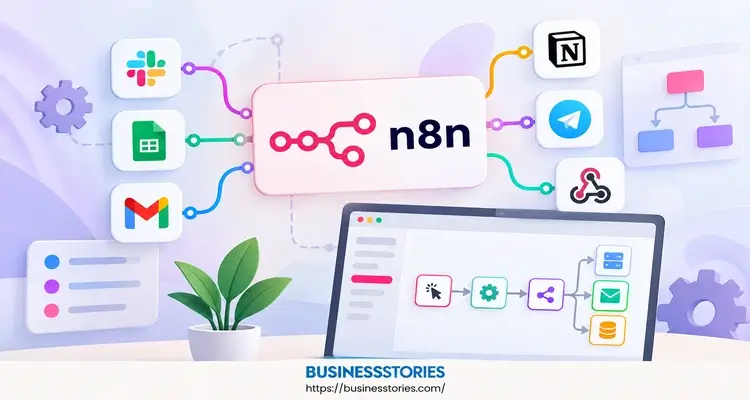
Are you finding yourself spending hours transferring data between applications? If so, you are not alone. In fact, most teams lose time every week to small, boring tasks. That is precisely where n8n comes in. So, what is n8n? Put simply, it is a tool that links your apps and lets them work together on their own.
For example, it can save new leads to a sheet, send a Slack alert, and draft an email reply. You can create these flows on a visual canvas, so you don’t need coding skills.
In this listicle, you will learn what n8n is, how it works, and what it costs. Then, you will get clear steps to build your first workflow today.
What Is n8n? The Simple Answer
At its core, n8n is a workflow automation tool. It connects the apps you already use and moves data between them. As a result, the tasks you once did by hand now run in the background.
Where the Name Comes From
The name looks odd at first. However, there is a simple story behind it. It is short for “nodemation,” which blends “node” and “automation.” The two n’s mark the first and last letters, and the 8 counts the letters in between. Most people pronounce it as “n-eight-n.”
Who Built It
Jan Oberhauser founded n8n in Berlin in 2019. Since then, the company has grown very fast. For instance, it raised a $180 million Series C in October 2025 at a $2.5 billion valuation, led by Accel.
Then, in May 2026, SAP made a strategic investment that valued n8n at $5.2 billion. That is more than double the price from less than a year before.
The growth numbers are just as striking. In 2025 alone, n8n reported a 10x revenue growth and a 6x increase in users. Furthermore, its annual recurring revenue passed $40 million that year.
Why It Feels Different
Many tools in this space are closed boxes. In contrast, n8n uses a fair-code license. That means its source code is always visible, and you can host it on your server. So, your data stays where you want it.
Here is a fresh way to think about it. Most people treat automation tools as replacements for apps. But n8n works best as glue. It does not replace your CRM or your inbox. Instead, it fills the gaps between them. Once you see it that way, you will spot dozens of small jobs it can take off your plate.
In short, n8n combines the speed of no-code with the freedom of coding. That mix is why both small founders and big brands now rely on it.
How n8n Works: Triggers, Nodes, and Workflows
Now, let’s examine the inner workings. The encouraging news is that the idea is simple. Every n8n workflow is a chain of steps called nodes. Each node does one job, and then it hands the data to the next node.
Trigger Nodes Start the Flow
First, every workflow needs a trigger. This event initiates the process. For example, a trigger can be:
- A new email landing in Gmail
- A form submission on your website
- A set time, like every Monday at 9 a.m.
- A webhook, which is a message another app sends to n8n
Action Nodes Do the Work
Next come the action nodes. These pull data, change it, or send it somewhere. For instance, one node might read a new order. Then the next node adds it to Google Sheets. Thereafter, a third node posts a note in Slack.
On top of that, you can add logic nodes. These let you split a flow with if/else rules, loop through lists, or merge data from two places. So, your workflow can make simple choices on its own.
The Code Node for Extra Control
Sometimes the visual nodes are not enough. In that case, you can drop in a code node and write a few lines of JavaScript or Python. This is what makes n8n a true low-code automation platform. You get drag-and-drop for most tasks, plus code when you need it.
How Data Moves
Each node passes data as simple items, a bit like rows in a table. Because of this structure, you can click any node and see the exact data going in and out. This makes fixing errors much easier.
Here is a useful tip that few listicles share. Since n8n bills by full workflow runs and not by steps, you should design wide flows instead of splitting them up. In other words, one rich workflow with ten steps costs the same as one with two steps. Many teams waste money by breaking one job into many tiny workflows.
Finally, you can watch every past run in the executions log. So, if something breaks, you will know where and why.
Top 5 n8n Features That Make It Stand Out
So far, you know the basics. Now, let’s explore the features that make this open-source automation tool so popular.
1. 400+ Built-In Integrations
First, n8n connects to over 400 apps. These include Gmail, Slack, Notion, HubSpot, Airtable, and many more. Plus, the HTTP Request node can reach almost any app with an API.
2. Native AI Agents
Next, n8n has a built-in AI agent node. You can plug in models from OpenAI, Anthropic, Google, or local models. Then, you give the agent tools, memory, and rules. As a result, you can build AI workflow automation that reads emails, sorts tickets, or answers questions from your docs.
What makes this special is control. You decide how much freedom the AI gets. For example, you can let it draft a reply, but you require a human to approve it first.
3. Self-Hosting
Also, you can run n8n on your own server at no cost. This matters a lot for firms in health, finance, or law. After all, firms in health, finance, or law often cannot allow their data to leave their systems.
4. Templates to Start Fast
Besides that, n8n offers a large library of ready-made workflow templates. So, you rarely need to start from a blank canvas.
5. MCP and Microsoft 365 Support
Lately, n8n has moved deeper into AI tools. In April 2026, it expanded its own MCP server, so AI assistants can build and run workflows. Then, in May 2026, it added a way to deploy n8n agents in Microsoft 365 apps, such as Teams and Outlook.
Real Results From Real Teams
These features are not just theory. For example, Delivery Hero saves 200 hours a month with a single IT workflow. Likewise, Vodafone credits 33 n8n workflows with saving 5,000 person-days and avoiding £2.2 million in costs.
n8n Pricing: Cloud Plans vs. Self-Hosting
Price is often the deciding factor. Luckily, n8n keeps things fairly simple. You have two paths: pay for the cloud version or host it yourself.
The Cloud Plans
If you want zero setup, the cloud plans are the simplest route. Here is how they look (billed yearly):
| Plan | Price per Month (€) | Executions per Month |
| Starter | 20 | 2,500 |
| Pro | 50 | 10,000 |
| Business | 667 | 40,000 |
| Enterprise | Custom | Custom |
Each plan includes unlimited users and workflows. In fact, in April 2026, n8n removed its limits on active workflows. So, the only thing that changes the price is how many runs you use. Furthermore, you can test any cloud plan with a 14-day free trial.
The Free Self-Hosted Option
On the other hand, the Community Edition is free. You install it on your own server, and you get unlimited runs. For example, many people run it on a small cloud server that costs just a few dollars a month.
How n8n Compares to Zapier
This platform is where n8n shines. Zapier counts every step as a task. However, n8n counts the entire run as a single execution. In n8n, a 10-step flow that runs 1,000 times counts as 1,000 executions. In Zapier, that same flow would use far more of your quota.
The Hidden Cost Nobody Mentions
Here is an honest take. “Free” self-hosting is not truly free. Instead, you pay with your time. You must handle updates, backups, and security fixes. So, if no one on your team enjoys server work, the cloud plan may be cheaper in real terms.
A helpful guideline is to start with the cloud plan. Begin with the cloud Starter plan to familiarize yourself with the tool. Then, once your usage grows, compare the cost of Pro with the cost of running your own server.
How to Build Your First n8n Workflow in 6 Steps
Ready to try it? Good, because the best way to learn n8n is to build something small. Let’s create a flow that saves new form leads to Google Sheets and pings you on Slack.
Step 1: Pick Your Setup
First, choose how you want to run n8n. For a quick start, sign up for the cloud free trial. Alternatively, developers can run it on their own machine with a single command.
Step 2: Create a New Workflow
Next, click “Create Workflow.” You will see a blank canvas. Give it a clear name, like “New Lead Alert.”
Step 3: Add a Trigger
Then, click the plus sign and pick a trigger. For this example, select the n8n Form Trigger. Add fields for name, email, and company.
Step 4: Add Your Action Nodes
Thereafter, add a Google Sheets node. Please connect your Google account and select the appropriate sheet. Map each form field to a column. Then, add a Slack node that posts “New lead: {name}” to your sales channel.
Step 5: Test It
Now, click “Test Workflow” and fill in the form. Verify that a new row shows up and that Slack receives the message. If a node fails, click it to see what went wrong.
Step 6: Turn It On
Finally, switch the workflow to Active. From now on, it runs by itself every time someone fills in the form.
Tips for Beginners
To simplify your life, remember these tips:
- Start small. One simple flow teaches more than a big plan.
- Name every node. This makes fixing errors much faster.
- Use templates. Copy a template, then change it to fit your needs.
- Add an error workflow. That way, you receive an alert when a run fails.
Once this flow works, you can add an AI step. For instance, an AI agent node could score each lead before it reaches your team.
Conclusion
So, what is n8n? In short, it is a flexible tool that links your apps and runs tasks for you. It uses triggers to start a flow and nodes to do the work. Furthermore, it gives you a rare mix of no-code speed and full code control.
Beyond that, n8n stands out in a few key ways.
- First, it connects with over 400 apps.
- Second, its AI agent node lets you build smart workflows while keeping a human in the loop.
- Third, you can host it yourself and keep full control of your data.
On top of that, its pricing counts whole runs, not single steps. As a result, complex flows stay affordable as you grow.
The market has clearly noticed. With SAP backing it at a $5.2 billion valuation, n8n is no longer a niche tool for coders. Instead, it is fast becoming core business software. The real value, however, lies beyond the hype. Rather, it is in the hours you get back each week. Even one small workflow can save you time on day one.
So, here is your next step. Pick one boring task you repeat every week. Then, sign up for the free trial and use the six steps above to automate it. Once you see how easy it is, you’ll want to automate even more tasks with n8n.
Frequently Asked Questions
1. What is n8n, and is n8n free to use?
Yes, n8n is free to use. The self-hosted Community Edition costs nothing and gives you unlimited runs. However, you must manage your server. If you prefer no setup, the paid cloud plans start at €20 per month.
2. Do you need real coding skills to build workflows with n8n?
No, you do not need coding skills to start. The visual workflow builder lets you drag and connect nodes. That said, basic JavaScript or Python is helpful when you want to add custom logic through the built-in Code node.
3. How is n8n different from Zapier for small business automation needs?
The most significant difference is pricing. Zapier charges for each step, but n8n charges for each full run. Can n8n build AI agents that work with ChatGPT and Claude models? So, it often suits small business automation with complex workflows better.
4. Can n8n build AI agents that work with ChatGPT and Claude models?
Yes, it can. The built-in AI Agent node works with models from OpenAI, Anthropic, Google, and local tools. You can give agents memory and tools, then add human approval steps to keep their actions safe and accurate.
5. Is self-hosted n8n safe enough to store sensitive business data?
Self-hosting can be very safe because your data never leaves your servers. Still, you are responsible for updates, backups, and access controls. So, keep your self-hosted n8n instance patched and protected at all times.

Tabassum Shaik is an Author, Researcher, and SEO Specialist with over 8 years of experience creating informative content on business, startups, entrepreneurship, marketing, technology, and digital trends. She specializes in researching industry trends and transforming complex topics into practical, easy-to-understand insights. Her goal is to help readers stay informed, learn new ideas, and make better business decisions.