
Have you ever worried about who can access your data in the cloud? Many teams move fast to the cloud but later discover blind spots. Tools for monitoring cloud security help you spot misconfigurations, risky permissions, and strange activity before problems grow.
In this guide, you will find clear rankings of the top 10 tools. We also share simple ways to choose the best option for your team. Moreover, we include real examples and practical tips. By the end, you will feel confident about protecting your cloud environment. So, let’s begin.
Why You Need Strong Tools for Monitoring Cloud Security Today
Cloud systems change quickly. New containers start in seconds, and permissions often grow without notice. As a result, native dashboards from AWS, Azure, or Google Cloud typically do not meet expectations. They do not give you one clear view across multiple clouds.
Cloud security monitoring closes this gap. It continuously checks configurations, tracks who has access, and watches for unusual behavior. As a result, you can identify issues early rather than waiting for a crisis to occur.
Recent studies indicate that misconfigurations cause most cloud breaches. In addition, identity problems like overly broad permissions play a role in over 60% of incidents. Furthermore, the average detection time without effective monitoring stretches into weeks. Every extra day raises costs and risk.
However, the real goal is not to create thousands of alerts. Instead, you want smart tools that highlight only the dangers that matter. This focus reduces noise and helps your team act fast.
Here is a unique insight: many companies buy impressive tools but forget to build simple habits around them. Even the best cloud security monitoring tools become useless if no one reviews the alerts each week. So, treat the tool as the start of a routine, not the finish.
Cloud posture management and runtime protection work together. When you combine them, you see both what could go wrong and what is going wrong right now. Moreover, this combination saves time during audits because many tools map findings directly to standards like SOC 2 or NIST.
In short, effective monitoring turns security from a periodic chore into a daily habit. Therefore, choosing the right tools for monitoring cloud security matters more than ever in 2026.
What Features Should You Look for in Cloud Security Monitoring Tools?
Before you compare products, know the features that truly help.
- First, look for agentless scanning. This method reads your cloud data through APIs without installing software on every server. Consequently, you gain full visibility in hours instead of weeks.
- Second, demand attack path analysis. Excellent tools establish connections between various elements. For example, they link an open storage bucket, a weak password, and high permissions into one clear risk. Thus, you fix the biggest threats first instead of drowning in low-priority alerts.
- Third, strong identity and entitlement management is essential. Many breaches start when attackers use stolen or excessive access rights. So, choose tools that map who can do what and flag dangerous combinations.
- Fourth, check for straightforward compliance automation. Tools that match findings to frameworks like CIS, PCI, or HIPAA cut audit preparation time dramatically. Additionally, they can generate reports with a single click.
- Fifth, make sure the platform offers runtime threat detection. This feature watches live workloads and catches active attacks inside containers or serverless functions.
Moreover, think about pricing carefully. Some tools charge per workload and become expensive when you scale containers. Therefore, always ask vendors how costs behave during traffic spikes.
A fresh perspective many listicles miss: test how the tool fits your team’s daily workflow. If engineers ignore the dashboard after three days, the tool fails no matter how many features it has. So, prioritize ease of use and clear alerts over long feature lists.
Finally, run a real trial with your actual environment. It provides a comprehensive security model that covers levels and helps you see whether your team will actually use the platform. As a result, you avoid expensive mistakes.
Discover the best cloud-based project management tools designed for remote teams to boost productivity and collaboration.
10 Best Tools for Monitoring Cloud Security in 2026
#1. AWS CloudTrail

AWS CloudTrail records every action that happens inside your AWS account. It also logs the actions performed, their timestamps, and the services used.
This includes information on who performed each action, when it was done, and which services were used. Therefore, you get a complete audit trail of all API calls.
Key Features:
- Real-time event logging
- Integration with Amazon S3 and CloudWatch
- Ability to create trails for specific regions or all regions
- Strong search and filtering options
- Compliance reporting support
Use Cases:
You can use AWS CloudTrail when you need to investigate security incidents. For example, if someone changes permissions, you can quickly see who made the change. In addition, many companies use it for compliance audits because it keeps detailed records.
Security teams also use it alongside other tools to detect unusual activity. However, it works only inside AWS, so multi-cloud teams often pair it with other solutions.
#2. Microsoft Azure Security Center (Now Microsoft Defender for Cloud)

Microsoft Defender for Cloud helps you protect resources across Azure and other clouds. Moreover, it gives you a security score that shows how safe your environment is. As a result, you can resolve problems before attackers find them.
Key Features:
- Continuous security assessment
- Threat protection for workloads
- Multi-cloud support (AWS and GCP connectors)
- Secure score with actionable recommendations
- Integration with Microsoft Sentinel for advanced analytics
Use Cases:
This tool works best for companies that already use Microsoft Azure. For instance, a retail company can monitor virtual machines and storage accounts in real time. It also assists with SOC 2 or ISO 27001 compliance checks.
Therefore, many teams choose it because the free tier covers basic needs, and paid features add deeper protection.
#3. Google Cloud Security Command Center (SCC)
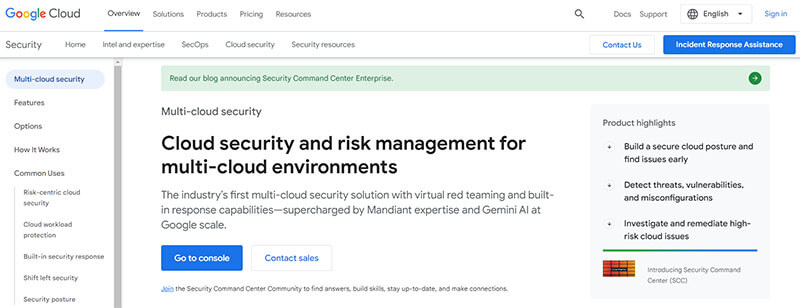
Google Cloud Security Command Center (SCC) gives you one central place to see security risks across Google Cloud. Furthermore, it finds misconfigurations and threats automatically. So, you can respond faster and reduce risk.
Key Features:
- Centralized security dashboard
- Asset inventory and discovery
- Vulnerability scanning
- Integration with Forseti Security and other tools
- Built-in compliance reporting for standards like PCI DSS and HIPAA
Use Cases:
Teams that run most of their workload on Google Cloud use SCC every day. Moreover, a fintech startup can use it to track sensitive data and fix weak settings quickly. In addition, it helps large enterprises meet strict regulatory requirements.
Consequently, SCC becomes very useful when you want native Google Cloud protection without adding many extra tools.
#4. Palo Alto Networks Prisma Cloud

Prisma Cloud is a complete cloud-native security platform. It covers posture, workloads, identities, and code. Therefore, it gives you visibility from development to runtime.
Key Features:
- Cloud Security Posture Management (CSPM)
- (CWPP) Cloud Workload Protection
- Cloud Infrastructure Entitlement Management (CIEM)
- IaC scanning and secrets detection
- Over 100 compliance frameworks
Use Cases:
Large enterprises with complex multi-cloud setups love Prisma Cloud. For example, a global bank used it to secure AWS, Azure, and GCP at the same time. Moreover, DevSecOps teams use it to scan code before deployment. This helps them identify issues early in the pipeline. However, smaller teams may initially find it complex.
#5. Splunk

Splunk is a powerful platform that collects and analyzes machine data. Moreover, it turns logs into useful security insights. Therefore, it helps security teams find threats hidden in large volumes of data.
Key Features:
- Advanced log search and correlation
- Real-time monitoring and alerts
- Machine learning for anomaly detection
- Strong visualization dashboards
- Integration with CloudTrail, Azure logs, and more
Use Cases:
Big companies with large SOC teams use Splunk for in-depth investigations. In addition, you can track user behavior across clouds and spot insider threats. Furthermore, many organizations combine it with native cloud logs to create custom security rules. So, it works well when you need strong analytics instead of simple dashboards.
#6. Datadog Security Monitoring
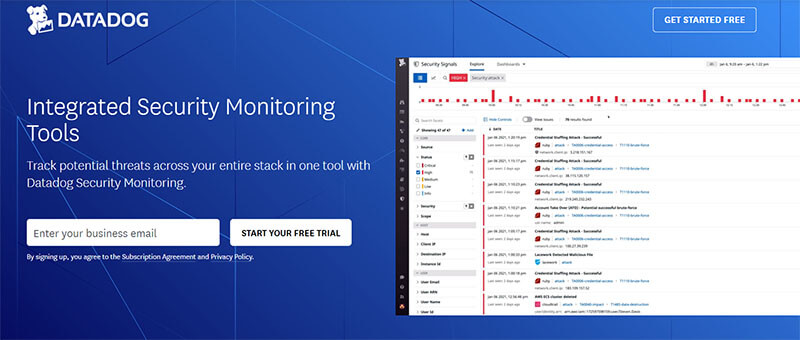
Datadog Security Monitoring combines observability with security. Moreover, it watches logs, metrics, and traces together. As a result, you get context-rich alerts that are easy to understand.
Key Features:
- Threat detection based on logs and cloud signals
- Integration with Datadog’s observability platform
- Real-time monitoring and custom rules
- Cloud SIEM capabilities
- Easy-to-use dashboards
Use Cases:
Teams that already use Datadog for performance monitoring choose this tool. For instance, a SaaS company can see both application performance and security threats in one place. It also facilitates collaboration between engineering and security teams. Therefore, it reduces confusion and speeds up response time.
#7. Trend Micro Cloud One
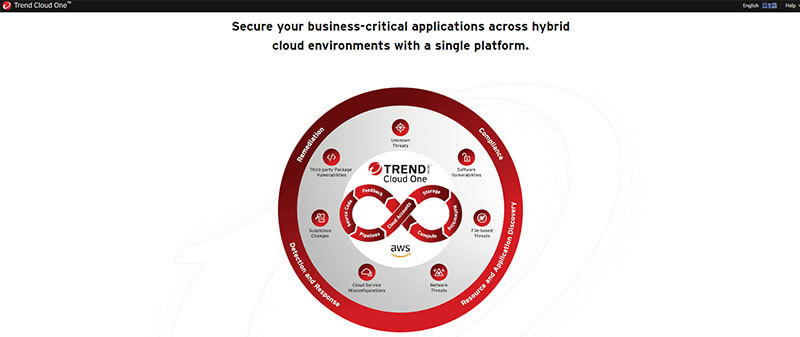
Trend Micro Cloud One protects workloads running in the cloud. Furthermore, it offers strong antivirus, intrusion prevention, and file security. Thus, its focus is on stopping threats at the workload level.
Key Features:
- Workload protection for VMs, containers, and serverless
- Vulnerability scanning
- File integrity monitoring
- Network security and activity monitoring
- Centralized management console
Use Cases:
Companies that run many virtual machines or containers use Cloud One. Moreover, it helps during migration to the cloud because it protects both old and new environments. In addition, security teams use it to stop malware and ransomware before they spread. Consequently, it becomes a beneficial choice for workload-heavy environments.
Cloud-Based Hosting Benefits for Businesses. Unlock Faster Growth and Performance with Afly Pro’s Secure Hosting Solutions Today.
#8. Qualys Cloud Security
Qualys Cloud Security gives you visibility and control over cloud assets. Moreover, it continuously scans for vulnerabilities and misconfigurations. Therefore, you can maintain a strong security posture.
Key Features:
- Agentless scanning
- Asset discovery and inventory
- Vulnerability management
- Compliance reporting
- Integration with major cloud providers
Use Cases:
Security teams that need regular scanning and reporting choose Qualys. For example, a healthcare provider can use it to meet HIPAA requirements. In addition, it helps find internet-facing risks quickly. So, it works well for teams that want one platform for both vulnerability and posture management.
#9. Snyk
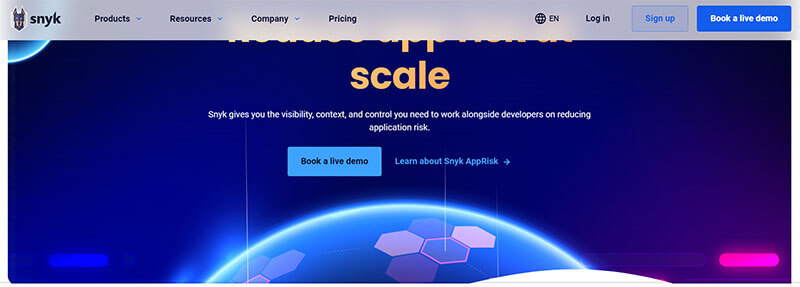
Snyk focuses on developer security. Moreover, it finds and fixes vulnerabilities in code, open-source libraries, containers, and infrastructure as code. Therefore, it brings security into the development process.
Key Features:
- Code scanning (SAST and SCA)
- Container and IaC security
- Developer-friendly fixes and pull requests
- Cloud security posture checks
- Integration with CI/CD pipelines
Use Cases:
DevSecOps teams use Snyk to shift security left. For instance, developers can find problems while writing code rather than after deployment. In addition, it helps companies reduce supply chain risks. Consequently, engineering teams find it easy to adopt, as it integrates seamlessly into their workflow.
#10. CloudGuard by Check Point
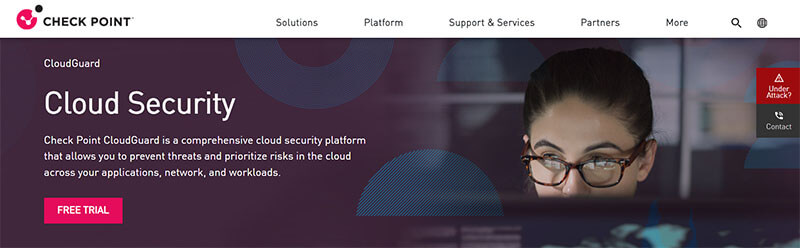
CloudGuard combines network security knowledge with cloud protection. Moreover, it offers posture management, network security, and threat prevention in one platform. So, it suits companies that already use Check Point products.
Key Features:
- Multi-cloud posture management
- Network security and micro-segmentation
- CIEM for identity risks
- Automated threat prevention
- Strong compliance and policy enforcement
Use Cases:
Organizations with existing Check Point firewalls often choose CloudGuard. Furthermore, they use it to secure Kubernetes clusters and cloud networks together. In addition, it helps during compliance audits because of its detailed reporting. Therefore, it becomes a natural extension for teams already in the Check Point ecosystem.
Conclusion
Cloud security monitoring matters a lot. Indeed, it helps keep private data safe. It also cuts the risk of breaking rules. In addition, most firms now rely on outside cloud services. So, strong monitoring is a must.
These tools also add real value. For instance, they watch your systems closely. Moreover, they spot threats fast. They also help you adhere to regulations across multiple cloud platforms.
Choosing the right tool, however, necessitates careful thought. First, look at your setup. Then, check which tools fit best. Also, consider how well each tool will integrate with your systems.
When you pick the right tools for monitoring cloud security, good things happen. This means your team gains a clear view of the cloud. Then, you can spot threats early and act fast. Overall, this strategy builds a strong defense.
Cloud use keeps growing each year. So, guarding cloud systems is now a top concern for many firms. After all, trust depends on it. In short, these tools are not just nice to have. Rather, they are a must. Indeed, every firm that uses the cloud needs them to stay safe and strong.
FAQs
1. What is the main difference between CSPM and CNAPP?
CSPM focuses on finding misconfigurations and compliance issues. On the other hand, CNAPP combines CSPM with workload protection, identity management, and more into one platform. Therefore, CNAPP gives broader protection.
2. Can small businesses use free tools for monitoring cloud security?
Yes, the free tier of Microsoft Defender for Cloud or basic AWS tools can help small teams. However, as you grow or add clouds, paid options usually become necessary for better prioritization and multi-cloud views.
3. How much do effective tools for monitoring cloud security cost?
Prices vary widely. Some start around $20–$30 per host per month, while enterprise platforms often use custom quotes. So, always request pricing based on your exact workload size.
4. Do these tools work across AWS, Azure, and Google Cloud?
Most modern tools do. Wiz, Orca, Prisma Cloud, and others connect to all three major providers. As a result, you get one dashboard instead of three separate views.
5. How can I tell if a tool is actually working well?
Look at whether your team resolves issues faster and whether alerts feel useful instead of overwhelming. Moreover, measure whether the mean time to remediate drops after you start using the platform.

Tabassum Shaik is an Author, Researcher, and SEO Specialist with over 8 years of experience creating informative content on business, startups, entrepreneurship, marketing, technology, and digital trends. She specializes in researching industry trends and transforming complex topics into practical, easy-to-understand insights. Her goal is to help readers stay informed, learn new ideas, and make better business decisions.