
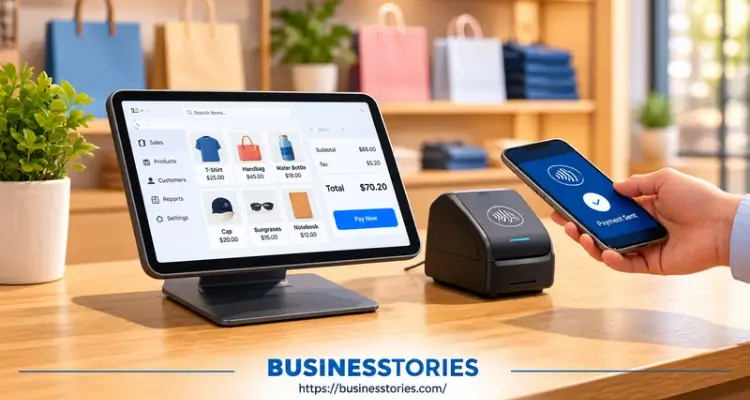
Every sale you make passes through one tool. So that tool had better be excellent. Still, picking the best POS for small business use can feel challenging. There are dozens of brands, and each one claims to be the perfect fit.
Here is the good news. You do not need to be a tech expert to choose well. Instead, you need a clear list of needs, a basic grasp of fees, and a short test plan.
In this listicle, we break it all down.
- First, you will learn what a Point-of-Sale (POS) system does.
- Next, we discuss the important features and the hidden costs that you might overlook.
- Then we compare six top picks for 2026.
- Finally, you get a simple five-step plan to choose with confidence.
What Is a Point-of-Sale (POS) System and Why It Matters?
A Point-of-Sale (POS) system is the tool you use to ring up sales and take payments. However, modern systems do far more than that. They track stock, store customer details, run staff reports, and even link to your online store.
Think of it as the control room of your business. Every sale feeds data into it. As a result, you can see what sells, when it sells, and who is buying it.
Hardware vs. Software
A POS has two parts. The hardware includes card readers, tablets, receipt printers, and cash drawers. Meanwhile, the software runs your sales, stock, and reports.
Most small firms now use cloud-based POS software, which means your data lives online. So you can check your sales from your phone, even when you are away from the shop.
Why It Matters More Than Ever
The market is big, and it keeps growing. For example, money.co.uk estimates that the global POS market will reach approximately $44.6 billion by 2026. In the U.S. alone, there are well over 33 million small businesses, and many of them are moving to digital tools.
Furthermore, customers now expect choice at checkout. They want to tap a card, use a phone wallet, or buy online and pick up in store. A weak system can’t keep up, and that costs you sales.
The Hidden Value: Your Data
Here’s an insight many listicles miss. Your POS is not just a till. It is also the place where your business memory lives. Over the years, sales history, customer lists, and product data build up inside it.
So the real question is not just, “Which POS is good today?” Instead, ask, “Can I take my data with me if I leave?” A system that lets you export clean data protects you for the long run. In short, consider your POS to be a home for your data, not just a cash box.
Must-Have Features in a Small Business POS System
Not every feature is worth paying for. Still, a few are must-haves for almost any small shop, café, or service business. Use this list as your starting checklist.
1. Easy-to-Use Interface
Your staff will be using the POS throughout the day. So it must be simple. If a new hire can’t learn the basics in one shift, the system is too complex. Startups.co.uk actually devoted 455 hours to testing 11 UK systems. Its team picked Square as the top choice, largely because it was so easy to use.
2. Inventory Management
Good POS inventory management tells you what is in stock and what is running low. As a result, you avoid both empty shelves and dead stock. Shops with thousands of items need deeper tools, such as purchase orders and supplier lists.
3. Flexible Payment Options
Your POS should accept chip cards, tap-to-pay, and mobile wallets like Apple Pay and Google Pay. Furthermore, check whether it supports split bills and tips if you run a café or salon.
4. Sales Reports and Analytics
Clear reports show your best sellers and your busiest hours. Then you can plan staff shifts and stock orders around real data rather than guesswork.
5. Customer Management and Loyalty
A built-in customer list lets you reward repeat buyers. For instance, a simple “buy nine, get one free” deal can bring people back more often.
6. Integrations
Your POS should connect with your accounting, payroll, and online store tools. Otherwise, you will waste hours copying numbers by hand.
7. Offline Mode
Offline mode is the feature most buyers forget. If your internet drops, can you still take card payments? Many cloud systems can, but some only work online. Please ask each vendor this question directly.
One dead Saturday afternoon could cost more than a full year of software fees.
How Much Does a POS System Cost? The Real Price Explained
Price is the area that catches most small business owners off guard. The monthly plan looks cheap. However, the actual bill often ends up being significantly higher. To budget well, you need to look at four types of costs.
Software Fees
Many providers now offer a free plan. For example, Square has a free tier, with paid plans at $49 and $149 per month per location, according to Dupple’s 2026 review. On the other hand, retail tools like Lightspeed run from about $89 to $289 per month.
Payment Processing Fees
This is the big one. Every card sale carries a fee, often between 1.8% and 3% plus a few cents. Square’s free plan, for instance, charges about 2.6% + 15¢ for in-person sales. That sounds small. Yet a shop with $40,000 in monthly card sales would pay roughly $1,100 a month in fees alone.
Hardware Costs
A basic card reader can cost as little as $59. Meanwhile, a full register kit can top $1,000. Some providers lease you the hardware instead, but leases often cost more over time.
Contracts and Add-Ons
Watch out for long contracts. For example, some Clover resellers use three-year deals with early exit fees of $295 to $595. Similarly, restaurant systems often charge extra for online ordering, loyalty, and payroll.
As a result, many single-site restaurants on Toast end up paying $150 to $500 a month once add-ons stack up.
A Simple Math Trick
Here’s a quick way to compare offers. Please consider your anticipated monthly card sales. Then multiply that number by the rate gap between two providers. For example, at $20,000 a month, a rate that’s just 0.5% lower saves you $100 a month, or $1,200 a year.
That saving can easily cover a paid software plan. So, never pick a POS based on its monthly fee alone. Instead, look at the total cost of ownership over three years. That one habit puts you ahead of most buyers.
Best POS for Small Business: 6 Top Picks for 2026
Now let’s look at the top systems. These picks show up again and again in rankings from NerdWallet, Startups.co.uk, and other review sites. Each one suits a different type of business.
1. Square: Best Overall for Most Small Businesses
Square is the go-to starting point. It offers a free plan with no contract, plus low-cost hardware. Furthermore, it is quick to set up, so you can start selling within an hour. NerdWallet names it the best overall POS system. In addition, money.co.uk reports that Square holds about 28% of the global POS market.
Best for: new shops, cafés, salons, and pop-ups.
2. Toast: Best for Restaurants
Toast was built for food service from day one. Its hardware is tough, and its kitchen screens handle busy rushes well. The core paid plan costs about $69 a month. However, add-ons can raise the bill fast.
Best for: cafés, bars, and full-service restaurants.
3. Shopify POS: Best for Online and In-Store Sellers
Do you sell online and in person? Then Shopify POS keeps one catalogue and one stock count for both. POS Lite comes free with any Shopify plan. Meanwhile, POS Pro costs $89 a month per location.
Best for: retail brands with a strong web store.
4. Clover: Best for Custom Features
Clover’s big strength is its app market. If you need booking, loyalty, or a niche tool, Clover likely has an app for it. There’s likely an app for it. Still, prices vary by reseller, so read the contract closely.
Best for: service businesses and shops with special needs.
5. Lightspeed: Best for Complex Inventory
Lightspeed shines when you manage hundreds or thousands of items. It handles product variants, supplier orders, and stock forecasts. On the downside, it can feel like too much for a small, simple store.
Best for: boutiques, bike shops, and speciality retail.
6. Helcim: Best for Low Processing Costs
Helcim charges no monthly software fee. Instead, it uses interchange-plus pricing, so your rate drops as your sales grow. Its in-person rate starts at about 1.83% + 8¢. However, its POS features are lighter than Square’s.
Best for: higher-volume sellers who want lower fees.
Quick Comparison Table
| POS System | Best For | Starting Price |
| Square | Most small businesses | $0/month |
| Toast | Restaurants | $0/month (Starter Kit) |
| Shopify POS | Online + in-store sales | Included with the Shopify plan |
| Clover | Custom features | About $16/month |
| Lightspeed | Complex inventory | $89/month |
| Helcim | Low processing fees | $0/month |
Note: Prices reflect mid-2026 reviews and can change. Always check the provider’s own site before you buy.
How to Choose the Right POS System: 5 Simple Steps
Knowing the options is only half the job. Next, you need a clear way to decide. Follow these five steps, and you’ll dodge the most common buying mistakes.
Step 1: List Your Must-Haves
First, write down what your business truly needs. A café needs tips, table orders, and a kitchen screen. By contrast, a gift shop needs strong stock tools. Split your list into “must-have” and “nice-to-have.” This simple step stops you from paying for features you’ll never use.
Step 2: Set a Three-Year Budget
Next, estimate your total cost over three years. Include software, hardware, processing fees, and add-ons. As we saw earlier, processing fees usually cost more than the plan itself. So base your numbers on your real monthly card sales.
Step 3: Shortlist Three Providers
Then pick three systems that fit your list and budget. Lightspeed’s own buyer tips suggest comparing at least three. That way, you can weigh each one fairly. Plus, you gain leverage to ask for extras or better rates.
Step 4: Run a Real-World Test
Most providers offer a free trial or demo. But don’t just click around alone. Instead, ask your staff to ring up 20 fake orders during a mock rush. Furthermore, test refunds, discounts, and split bills.
Finally, switch off your Wi-Fi and see what happens. This “busy hour test” shows problems that a sales demo never will.
Step 5: Check Security, Support, and the Exit
Last, look at safety and support. The PCI Security Standards Council says its PCI DSS rules apply to any business that accepts card payments. So choose a provider that handles encryption and compliance for you.
Furthermore, change every default password on day one. According to the PCI Council, leaving vendor default passwords in place is a basic but common cause of small merchant breaches.
Thereafter, ask about support hours. Can you receive help on weekends, when you’re busiest? Finally, review the exit terms. Can you export your data? Is the hardware locked to one processor?
The best POS is the one you can leave without pain. Funny enough, that freedom often makes it the one you never want to leave.
Conclusion: Find the Best POS for Small Business Success
Choosing the best POS for small business needs isn’t about finding the most renowned brand. Instead, it’s about finding the right fit for how you sell, who you serve, and how you plan to grow.
Let’s recap.
- First, a Point-of-Sale (POS) system is more than a till. It’s the home of your sales data, stock, and customer records.
- Second, the must-have features include ease of use, inventory tools, flexible payments, reports, integrations, and offline mode.
- Third, the real cost hides in processing fees and contracts, not in the monthly plan. So always compare the total three-year cost.
As for top picks, Square suits most new businesses. Meanwhile, Toast leads for restaurants, Shopify POS wins for online sellers, and Lightspeed handles complex stock. Clover and Helcim also fill key gaps. Still, no single brand wins for everyone, so match the tool to your needs.
Above all, test before you buy. Run a mock rush with your team. Pull the Wi-Fi plug. Read the exit terms. These small steps can save you thousands of dollars and plenty of stress.
Start today by writing your must-have list. Then book demos with your top three providers this week. Your future self and your checkout line will thank you.
Frequently Asked Questions
1. What is the best POS for a small business on a tight budget today?
For most small businesses on a tight budget, Square is a strong pick. It has a free plan, no contract, and cheap card readers. Loyverse and Helcim are also excellent low-cost POS options worth comparing.
2. How much does a POS system cost a small business every single month?
A small business POS system can cost $0 to $300 a month in software. However, card processing fees of about 1.8% to 3% per sale often cost more than the plan itself, so budget for both.
3. Do small businesses need to follow PCI rules when they use a POS?
Yes. PCI DSS rules apply to any business that accepts card payments, no matter its size. So pick a PCI-compliant POS provider, change default passwords, and keep your software up to date to protect customer data.
4. Which point-of-sale system works best for a small restaurant today?
Toast is the top restaurant POS for most small eateries, thanks to its kitchen screens and tough hardware. SpotOn and Square for Restaurants are also solid choices, especially if you want simpler pricing and fewer add-ons.
5. Can a cloud-based POS system keep working if the internet goes down?
Many cloud-based POS systems have an offline mode that stores card payments and syncs them later. However, not all do. So always ask the vendor and test offline payments yourself before you sign up.

Tabassum Shaik is an Author, Researcher, and SEO Specialist with over 8 years of experience creating informative content on business, startups, entrepreneurship, marketing, technology, and digital trends. She specializes in researching industry trends and transforming complex topics into practical, easy-to-understand insights. Her goal is to help readers stay informed, learn new ideas, and make better business decisions.