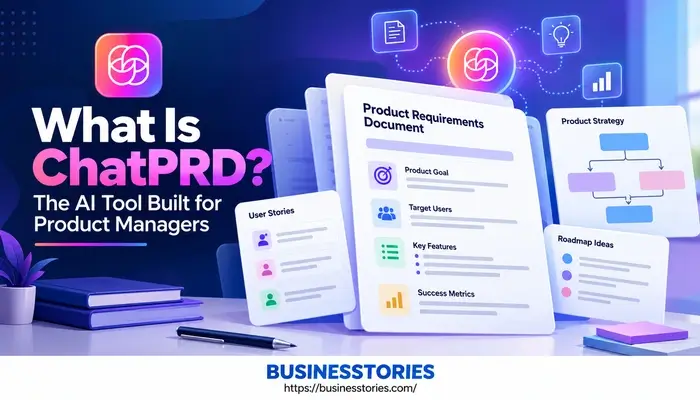
Creating a product requirements document can take an entire afternoon. First, you collect notes from meetings. Then, you shape them into goals, user stories, and specs. After that, you chase feedback from design and engineering. So it is no surprise that many product managers now turn to AI for help. ChatPRD is one of the most popular tools built for this job.
In fact, its makers designed it only for product managers and their teams. In this listicle, you will learn what is ChatPRD, how it works, what it costs, and whether it fits your workflow. Furthermore, you will get simple steps to write your first PRD with it today.
What Is ChatPRD? A Simple Explanation
In simple terms, ChatPRD is an AI copilot for product managers. You type an idea, paste meeting notes, or upload a rough draft. Then, the tool turns that input into a clear product document. For example, it can create PRDs, one-pagers, user stories, tech specs, and go-to-market briefs.
However, ChatPRD is more than a writing tool. It also acts like a coach. When you share a draft, it reviews your work the way a chief product officer might. As a result, it points out gaps, weak goals, and missing edge cases before your team spots them.
Who Built ChatPRD?
Claire Vo created ChatPRD. She is a three-time chief product officer who has led product at companies such as LaunchDarkly and Optimizely. Interestingly, she first built the tool for her team over one long weekend. Soon after, people far outside her team wanted to use it too.
Today, ChatPRD says more than 100,000 product managers use it. Furthermore, the company claims users had made over 750,000 product documents by June 2026. According to one independent analysis, that was about double its early-2026 count.
Why Does a PM-Specific Tool Matter?
Here is a view you rarely see in other reviews. Product managers now use AI almost everywhere. For instance, a General Assembly survey found 98% of PMs use AI at work. Yet two-thirds admitted to using unapproved tools, and only 39% got proper job-specific training.
So the real problem is not access to AI. Instead, the challenge lies in using AI safely and effectively. A focused tool like ChatPRD helps here because it builds PM best practices into every answer.
Plus, it gives leaders one approved tool to roll out to the whole team. In short, it turns scattered “shadow AI” use into a shared, visible workflow.
7 Key ChatPRD Features Product Managers Love
ChatPRD packs a lot into one workspace. Below are the seven features that matter most for daily product work. Together, they explain why so many teams treat it as their AI copilot for product management.
1. Fast PRD Generation
First, ChatPRD turns rough input into a full first draft. You can paste meeting notes, describe a feature in one line, or upload a research file. Within minutes, you receive goals, user stories, success metrics, and open questions.
2. CPO-Level Coaching and Review
Next, the review mode checks your draft for gaps. For example, it might ask how you will measure success or what happens when a payment fails. This kind of feedback helps newer PMs grow faster.
3. 20+ Ready and Custom Templates
Furthermore, ChatPRD offers more than 20 templates. These cover PRDs, one-pagers, user stories, and GTM briefs. Better yet, you can upload your own template so every doc matches your team’s format.
4. Projects That Remember Context
Similarly, Projects lets you save facts about your company, product, and role. As a result, you do not need to explain your product again in every chat.
5. Integrations With Your Daily Tools
Moreover, ChatPRD links to Notion, Slack, Google Drive, Confluence, and Linear. On the team plan, a linear agent can even draft issues based on your specifications. So your PRD does not sit alone in a folder.
6. MCP Connectors
In 2026, ChatPRD added MCP connectors for GitHub, Notion, Linear, Atlassian, and Granola. Unlike exports, these bring live context into your chat. For instance, you can ask it to search your Linear issues for the payment epic.
7. Hosted MCP for Coding Tools
Finally, ChatPRD runs its own MCP server. So engineers can open ChatPRD docs inside Cursor, VS Code, Claude Code, and Windsurf. Here is the big shift: your PRD now becomes the prompt that AI coding agents read.
Therefore, a vague spec no longer confuses just one engineer. Instead, an AI agent can be steered to build the wrong thing. That makes clear requirements worth more than ever.
How to Use ChatPRD: Step-by-Step for Beginners
Getting started with ChatPRD takes only a few minutes. Just follow these simple steps to write your first AI-generated PRD.
Step 1: Sign Up for Free
First, go to chatprd.ai and create a free account. That way, you can try the basics before you pay.
Step 2: Set Up Your Profile
Next, add details about your company, your role, and your product area. This step matters more than most people think. After all, the tool can only tailor its advice when it knows your context.
Step 3: Start With Real Input
Then, paste in something real. For example, use notes from a customer call or a short feature idea. Real input produces far better drafts than a vague one-line prompt. Furthermore, add the target user and the problem you want to solve. Those two details shape every section that follows.
Step 4: Pick a Template
Thereafter, choose a template, such as a PRD or a one-pager. If your team has its own format, upload it on a paid plan.
Step 5: Ask for a Review
Now, switch from writer to critic. Ask ChatPRD to review the draft and list missing pieces. In our view, this stage is the most useful step. Many PMs only use AI to write. However, the review step is where you catch the gaps that cause delays later.
Step 6: Edit, Then Export
Lastly, please revise the draft in your words. Then send it to Notion, Google Drive, or Confluence, or share it in Slack.
Pro tip: Treat the first draft as a starting point, not the final answer. Indeed, a Product Focus survey found that 85% of product managers use their expertise to check AI output. That habit keeps your docs accurate and on track.
ChatPRD Pricing: Is It Worth the Cost?
ChatPRD follows a freemium model. So you can test it before you spend anything. Here is a brief look at the main plans.
| Plan | Price | Best For |
| Free | $0 | Trying basic PRD drafts |
| Pro | About $15/month or $179/year | Solo PMs and founders |
| Team | $24/seat monthly or $20/seat yearly | Teams of two or more |
| Enterprise | Custom | Large firms needing extra security |
What Each Plan Includes
The free plan lets you chat and create basic drafts, but it has usage limits. Meanwhile, the Pro plan removes those limits. It also unlocks premium AI models, projects, file uploads, custom templates, and key integrations. Plus, MCP connectors need a Pro plan or higher.
The team plan adds a shared workspace, comments, approvals, and the Linear agent. Besides that, admins can manage access in one place. On the other hand, Enterprise adds tighter security controls and hands-on support.
Is ChatPRD Worth the Money?
Let us do some quick math. Suppose ChatPRD saves you just two hours a month. Even so, the Pro plan is likely to be self-sustaining. ChatPRD claims PMs save 10+ hours a week, though that is the company’s own number. Still, IdeaPlan’s 2026 data says PMs who use AI weekly save 5 to 8 hours, mostly on docs and research.
For a team, the math works the same way. Five PMs saving three hours a week each adds up to about 60 hours a month. The team pays $120 monthly, which is $24 per seat. So even a small time saving can cover the bill many times over.
Note: Prices change often. So always check the official pricing page before you buy, since plans and limits shift as new features launch.
ChatPRD vs ChatGPT and Other Alternatives
A common question is simple. Why should you consider ChatPRD when ChatGPT or Claude can also write a PRD? It is a fair point, and the answer depends on how you work. So let us break it down.
The Prompt Engineering Problem
With a general chatbot, you become the prompt engineer. You must supply the PM structure, the follow-up questions, and the review checklist yourself. By contrast, ChatPRD has that product know-how built in. As a result, beginners receive solid drafts without long prompts.
Think of it like hiring help. A general chatbot is a smart intern who needs clear briefs. In contrast, ChatPRD acts more like a senior PM who already knows what a successful spec needs. That gap matters most for new PMs.
Privacy and Data Handling
Furthermore, ChatPRD states that it does not sell your data. Its help docs add that it uses OpenAI APIs that do not train on what you submit. For teams with unreleased plans, that clear policy can make approval easier.
Notion AI as an Alternative
Notion AI is the clear choice if your team already uses Notion. It costs about $10 per member each month. However, you must bring your own PRD structure. In short, choose Notion AI for convenience and ChatPRD for built-in PM expertise.
When a General Tool Is Enough
To be fair, not every PM needs ChatPRD. For example, if you write one spec a quarter, ChatGPT may be enough. Likewise, if you mainly need sprints and tickets, look at Jira or Linear instead. After all, ChatPRD writes the spec but does not run delivery.
Here is a simple test. Count the product docs you write each month. If the answer is three or more, a PM-specific AI tool usually wins on speed and consistency.
Pros, Cons, and Who Should Use ChatPRD
Every tool has trade-offs. So before you sign up, weigh the good and the not-so-good.
Pros
- Built for PMs: The tool understands terms such as non-goals and acceptance criteria.
- Fast drafts: You get a solid first draft in minutes, not hours.
- Coaching: The review mode helps junior PMs build positive habits.
- Strong integrations: It works with Notion, Linear, Slack, GitHub, and more.
- Active updates: The team ships new features almost every week.
Cons
- Not a delivery tool: You still need Jira or Linear for sprints.
- Mostly one-way links: Many integrations push docs out rather than sync both ways.
- Needs excellent input: Drafts can sound generic if your notes are thin.
- No public API: One review notes it lacks an API for custom builds.
Who Should Use ChatPRD?
ChatPRD fits best for new product managers who want a coach on demand. It also suits startup founders who must write specs without a PM team. Likewise, busy senior PMs who juggle many docs will save real time.
However, if your company prohibits the use of external AI tools or if you rarely write documents, you should avoid it. In that case, a useful template and a general chatbot may serve you well. Also, check with your security team before you upload any private product plans.
A Fresh Way to Think About It
Most reviews call ChatPRD a writing tool. However, its best use may be as a thinking partner. A blank page invites lazy thinking. In contrast, a sharp critic asking, “How will you measure this?” pushes better choices.
So use ChatPRD to argue with your ideas, not just to type them faster. Try the tool today: paste a spec you already shipped and ask what it missed.
Final Thoughts: Is ChatPRD Right for You?
So, what is ChatPRD in one line? It is an AI copilot that helps product managers write better docs faster while coaching them along the way. Built by three-time CPO Claire Vo, it now serves over 100,000 PMs worldwide.
Throughout this listicle, you’ve seen what makes it stand out.
- First, it drafts PRDs, one-pagers, and user stories in minutes.
- Second, it acts like a senior product leader when reviewing your work.
- It also connects to tools such as Notion, Linear, Slack, and GitHub.
- Plus, its MCP server lets your specs flow straight into AI coding tools.
That last point matters a lot. After all, your PRD is now often the brief an AI agent follows.
Of course, ChatPRD is not perfect. It will not run your sprints, and it still needs your judgment. Even so, for anyone who writes product docs often, it can free up hours each week for real strategy work.
Start with the free plan today. Then pick one real feature you are working on and turn your notes into a draft. Finally, ask ChatPRD to review it and see what gaps it finds. You might be surprised by what it catches.
Frequently Asked Questions About ChatPRD
1. Is ChatPRD free to use, or do product managers need a paid plan now?
Yes, ChatPRD has a free plan for basic PRD drafts. However, the Pro plan unlocks unlimited chats, premium models, custom templates, and integrations. Teams can also pick a team plan for shared workspaces and approvals.
2. How is ChatPRD different from ChatGPT for writing your product PRDs?
ChatGPT is a general chatbot, so you need to write detailed prompts yourself. In contrast, ChatPRD has product management best practices built in. As a result, it asks the right follow-up questions and reviews drafts like a CPO.
3. Can ChatPRD integrate with Notion, Linear, and Slack for your team?
Yes. ChatPRD connects with Notion, Linear, Slack, Google Drive, Confluence, and GitHub. Furthermore, its MCP connectors pull live context into chat, while its hosted MCP server lets engineers open product docs inside coding tools.
4. Who created ChatPRD, and why did she build it for product managers?
Claire Vo, a three-time Chief Product Officer, created ChatPRD. She first built it for her team over one weekend. Soon after, it grew into an AI copilot that over 100,000 product managers now use.
5. Can ChatPRD fully replace a product manager when writing a new PRD?
No. ChatPRD speeds up drafting and spots gaps, but it cannot replace human judgment. You still need to check facts, set strategy, and align your team. So treat its output as a strong first draft.

Senior Business Analyst / Prduct Owner with 12+ years of experience driving data-driven insights, optimizing business processes, and delivering strategic IT solutions.