Software development has changed fast. Today, AI coding tools do far more than finish a line of code. They read entire codebases, write multi-file features, debug errors, and even deploy code. If you still write every line by hand, you are leaving a lot of speed on the table.
The numbers are clear. About 84 percent of developers now use or plan to adopt AI coding tools. Even more striking, GitHub reports that over 51 percent of all code committed to its platform in early 2026 was AI-assisted. The market has grown to $12.8 billion in 2026, up from $5.1 billion in 2024.
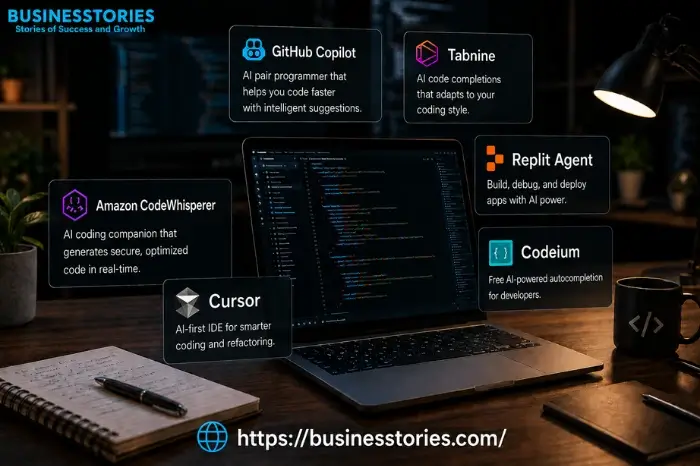
But so many options exist that choosing feels challenging. This guide breaks down the top AI coding tools in 2026: what each one does, who it suits, and what it costs. Whether you are a solo developer, a startup team, or an enterprise engineer, there is a tool here for you.
Why AI Coding Tools Matter More Than Ever in 2026

A few years ago, AI coding assistants were mostly just autocomplete. That has changed. Today, tools fall into three clear tiers.
- The first tier covers inline suggestion tools like GitHub Copilot and Tabnine. These sit in your editor and predict the next line as you type. They are fast, low-friction, and great for routine work.
- The second tier covers AI assistants like Cursor in Composer mode. These tools understand broader context. You can ask them to refactor a function, write tests, or explain code. They wait for your input at each step.
- The third tier covers AI agents like Claude Code. These tools take a goal and work on their own. They read files, write code, run tests, check errors, and keep going. This is the biggest leap in developer speed yet.
The right tool depends on where you want help. Many developers in 2026 use two or three tools together. A common setup is Cursor for daily editing and Claude Code for complex tasks. Understanding this landscape first helps you spend your money wisely.
The Top 10 AI Coding Tools in 2026
1. Claude Code — Best for Autonomous, Terminal-Native Coding
Claude Code is built by Anthropic. It runs in your terminal, reads your whole codebase, and handles complex multi-file tasks with very little guidance needed. It scores 80.8% on SWE-Bench Verified, the gold standard for real-world coding benchmarks.
Developers use it for large refactors, long debug sessions, and tasks that span many files. It is the strongest top AI coding agent on the market right now.
Pricing: $20–$200/month depending on plan. Best for: Developers who want deep codebase reasoning and full autonomy.
2. Cursor — Best All-Round AI IDE
Cursor is a standalone AI-first code editor. It is built on a VS Code fork, but it is not just VS Code with a plugin. The whole editor is redesigned around AI. It keeps track of your entire codebase, not just one file. You can describe changes in plain English and apply them right away.
Its Supermaven autocomplete is excellent for routine work. Composer mode handles changes across many files at once. Agent mode tackles full features. At $20/month, the Pro plan provides you with access to powerful models like GPT-5.4 and Claude Opus 4.6.
Pricing: Free tier available; Pro at $20/month; Business at $40/user/month. Best for: Developers who want the best overall AI-native editor experience.
3. GitHub Copilot — Best for Value and Broad Compatibility
GitHub Copilot holds about 37 percent of the market. It works inside VS Code, JetBrains, Neovim, and more. The $10/month Pro plan gives you 300 premium requests, a coding agent, code review, and access to models including Claude Sonnet 4.6. That is a strong value.
The Pro+ plan at $39/month unlocks Claude Opus 4.6. For teams already using GitHub, its native link to repos, issues, and pull requests saves real time every day.
Pricing: Free tier with limits; Pro at $10/month; Pro+ at $39/month. Best for: Developers who want solid AI help without switching their editor.
4. Windsurf (by Codeium) — Best Free AI Editor
Windsurf has one of the strongest free tiers out there. Its Cascade engine scans and maps your whole codebase on its own. That gives it a real edge on large projects with 500 or more files. It also includes a terminal AI that explains and fixes command errors. The agentic features are solid, though they are not quite as strong as Cursor or Claude Code for very complex work.
Pricing: Free with unlimited basic completions; Pro at $15/month. Best for: budget-conscious developers who want a free, capable option.
5. Tabnine — Best for Enterprise Security and Compliance
Tabnine is built for teams with strict data rules. It runs on your servers. It keeps no data. Also meets SOC2 and GDPR standards. Its code completion is fast, accurate, and private. It works quietly in the background without taking over.
It does not do autonomous multi-step task execution like Cursor. It’s a reliable code completion tool, not an agent. For regulated industries, that trade-off is worth it.
Pricing: $39–$59/user/month (enterprise-focused, no free tier). Best for: Enterprise teams with strict data and compliance needs.
6. Amazon Q Developer — Best for AWS Teams
If your team builds on AWS, Amazon Q Developer is a natural fit. It knows IAM policies, SDK calls, and CloudFormation snippets. That level of AWS context is something general-purpose tools cannot match. It also adds security scanning for your code. Outside of AWS, it offers less value. But for AWS-native teams, it is difficult to beat.
Pricing: Free tier available; Pro at $19/user/month. Best for: Development teams building primarily on AWS.
7. Replit AI — Best for Beginners and Browser-Based Work
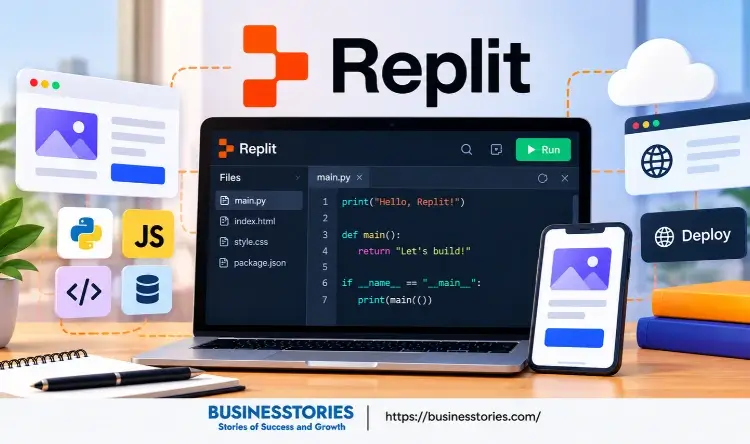
Replit removes all setup friction. There is no install, no configuration, and no local environment to manage. You open a browser and start coding. Replit AI helps you write, debug, and deploy projects in one place. It is especially popular with students and non-technical builders who want to ship fast without complex setup.
Pricing: Free basic access; Pro at $25/month. Best for: Beginners, students, and rapid prototyping without local setup.
8. Gemini Code Assist — Best for Google Cloud Teams
Google’s Gemini Code Assist brings Gemini models into your coding flow. It works especially well for teams on Google Cloud. It understands your cloud infrastructure context better than a general tool. It’s also available as a model option inside GitHub Copilot Pro, which gives it a wider reach.
Pricing: Free for individuals; included with Google Cloud subscriptions. Best for: Teams building on Google Cloud infrastructure.
9. Aider — Best Open-Source Option
Aider is a terminal-based, open-source AI coding tool. It uses a pay-per-token model, so there is no monthly fee. It connects with Claude, GPT-5.4, and other models. You can see exactly what it does and why. For developers who do not want monthly subscriptions or vendor lock-in, Aider is a very flexible choice.
Pricing: Free (you pay token costs directly to the model provider). Best for: Developers who want open-source tools with full control.
10. JetBrains AI Assistant — Best for JetBrains Users
JetBrains AI Assistant is built directly into IntelliJ IDEA, PyCharm, WebStorm, and the rest of the JetBrains suite. If your team uses JetBrains editors, the assistant is the smoothest fit you can get. It handles code completion, refactoring, and docs. You never have to leave your current setup.
Pricing: Included with JetBrains All Products Pack or as an add-on. Best for: Developers already working inside the JetBrains ecosystem.
How to Choose the Right AI Coding Tool for Your Workflow
Choosing the right tool involves answering a few straightforward questions. First, can you switch editors? If not—which is common in enterprise teams—GitHub, Copilot, and Tabnine have the widest editor support. If you can switch, Cursor and Windsurf offer much deeper AI integration.
Second, how large is your codebase? For projects under 100 files, most tools work well. But for large projects with 500 or more files, Windsurf’s auto-indexing and Claude Code’s planning approach give a clear edge.
Third, how much do you want to stay in control? Cursor lets you approve each AI step. Claude Code and Windsurf lean toward doing more on their own. Think about what fits your style.
Finally, match the tool to your cloud provider. AWS teams get real benefits from Amazon Q Developer. Google Cloud teams benefit from Gemini Code Assist.
The most productive developers in 2026 do not pick just one tool. Instead, a common setup is Cursor for daily editing, Claude Code for complex work, and a free-tier tool like Windsurf or GitHub Copilot for inline help. This setup covers every part of your dev work.
What’s Next for AI Coding Tools
The direction is clear. AI coding tools are moving toward full autonomy. Tools like Devin already take well-defined tasks and run them for hours on their own. As models improve, the developer’s role will shift toward reviewing and guiding AI output—not just writing code.
Context handling is also getting better. Early tools suffered from “context rot.” The AI deteriorated as sessions extended, burdened by outdated or stale information. Newer tools manage context more smartly, so they stay useful over long work sessions. This makes them far more reliable for production projects.
Security and compliance are catching up too. Enterprise tools now offer audit logs, policy controls, and on-premises options. This removes a major blocker for regulated industries that could not adopt AI tools before.
For developers, this opportunity is a real chance to get ahead. Teams that learn and integrate these tools now are building a lasting speed advantage that only grows over time.
Conclusion
The world of AI coding tools in 2026 is richer and more capable than ever. From simple inline suggestions to fully AI agents, there is a tool for every workflow, budget, and team size.
To recap: Claude Code leads on benchmark performance. Cursor wins as the best all-round editor. GitHub Copilot offers the best value if you want AI in your current setup. Windsurf is the top free starting point. Tabnine is the right call for enterprise compliance. And tools like Amazon Q and Gemini Code Assist deliver real benefits within their cloud ecosystems.
The best move is to start today. Pick the tool that fits your current workflow. Use it for two weeks. Track how it affects your speed. Then add a second tool where you see gaps.
Do not wait for the “perfect” option. Waiting means missing months of real speed gains. So, pick your AI coding tool, open your editor or terminal, and start shipping smarter.
Frequently Asked Questions
What are AI coding tools, and how do they work?
AI coding tools use large language models to help you write, debug, and refactor your code. They read your codebase and generate accurate, context-aware suggestions in real time.
Which AI coding tool is best for beginners in 2026?
Replit AI is the best starting point for beginners. It needs no local setup, runs in a browser, and takes you from writing code to setup, with no configuration needed.
Are AI coding tools safe for enterprise use?
Yes. Tabnine runs on your own servers. It keeps no data and has no retention policy. GitHub Copilot Enterprise adds audit logs and policy controls for big teams.
Can AI coding tools replace human developers?
No. These tools boost speed, but they still need human guidance and review. Developers focus on what to build and how. AI takes care of writing the code.
What is the most affordable AI coding tool in 2026?
GitHub Copilot Pro at $10/month offers the best value among paid plans. Windsurf and GitHub Copilot also have free tiers that work well for most everyday coding tasks.

System Architect & Web Designer with 15+ years of cross-industry experience delivering scalable IT and innovative digital solutions.