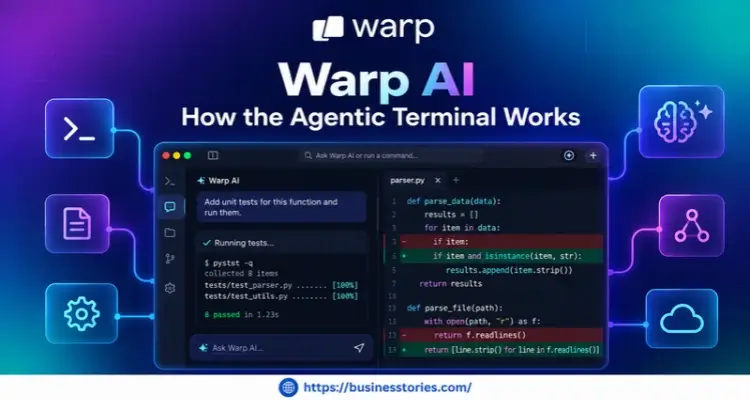
The terminal has looked the same for decades. You type a command, read the output, and hope you got it right. Warp AI changes that. It turns the plain black window into a smart workspace. Here, AI agents can plan, run, and fix code alongside you.
In fact, Warp says more than 700,000 developers use it each month. On top of that, over half of the Fortune 500 now run it. So what is Warp AI, and how does the agentic terminal really work?
In this listicle, you will learn what Warp is and how its agents think. Next, you will see how it compares to a normal terminal. You’ll also receive straightforward instructions for setting it up, along with a brief overview of the cost. Let’s dive in.
What Is Warp AI? The Short Answer and the Long One
Warp AI is the set of AI tools built into Warp, a modern terminal written in Rust. At first, Warp was just a faster, nicer terminal. Over time, however, it grew into what the team calls an Agentic Development Environment, or ADE. In plain words, it is a place where you and AI agents work side by side.
Zach Lloyd, a former Google engineer, started the company. Today, Sequoia Capital and GV back it. Since then, the product has moved fast.
Here is a quick timeline:
- April 2022: Warp launches as a fresh take on the terminal.
- March 2023: Warp AI arrives as a chat helper inside the app.
- June 2024: Agent Mode lets you run dev tasks in plain English.
- June 2025: Warp 2.0 relaunches the app as an ADE.
- February 2026: Oz launches to run cloud agents at scale.
- April 2026: Warp makes its core app open source on GitHub.
Plus, the numbers behind it are strong. For example, Warp’s own agent ranked #1 on Terminal-Bench and #5 on SWE-bench Verified. These tests, in short, evaluate how effectively an AI can complete actual coding and shell tasks. Furthermore, the company says its users save about one hour per day.
Now, here is the aspect that most listicles overlook. Warp’s real edge is not the chat box. Instead, it is context. That’s because every command you run lands in a neat “block” with its output. As a result, the agent can read your recent work like a notebook.
After all, a normal chatbot only sees what you paste into it. Warp, by contrast, sees what just happened in your shell. It knows the command you ran, the error you got, and the folder you are in. This is why its fixes often seem accurate.
So, the short answer is simple. Warp AI is an AI-powered terminal that can talk, plan, and act. The long answer is bigger, though. Warp is slowly turning the terminal into a control room, where you guide many agents at once instead of typing every line yourself.
How the Warp Agentic Terminal Works: 5 Key Parts
To see how Warp works, it helps to break it into parts. Think of them as a loop: see, ask, act, remember, and scale. Once you spot the loop, the whole tool makes sense.
1. Blocks Turn Output Into Context
First, Warp groups each command and its output into a block. You can copy, share, or search a block in one click. More importantly, you can attach a block to an agent chat. So, when a build fails, you just point the agent at the failed block. Then it reads the error and suggests a fix.
2. Terminal Mode and Agent Mode
Next, Warp provides you with two modes.
- Terminal mode is a clean shell for normal commands.
- Agent mode is a chat view for longer conversations with the agent.
Better yet, Warp can guess which one you mean. For instance, if you type “summarize the dependencies in this project,” it tags the text as a prompt. You can also press Cmd+I to switch by hand.
3. Full Terminal Use
Then comes action. Unlike many tools, though, the agent does not just suggest commands. With Full Terminal Use, it can drive live apps, watch the output, and run commands for you. Meanwhile, a feature called Active AI spots errors and offers fixes before you even ask.
4. Warp Drive for Shared Know-How
After that, memory matters. Warp Drive stores your team’s workflows, notebooks, prompts, rules, and settings. It also holds links to MCP servers, which plug outside tools into the agent. Therefore, every person and agent follows the same playbook.
5. Oz for Cloud Agents
Finally, Oz moves agents off your laptop. It launched on February 10, 2026. Agents run in safe, walled-off cloud boxes, so you can run hundreds at the same time. Since May 2026, Oz can also run Claude Code and OpenAI Codex next to the Warp Agent.
Here is the takeaway. Most AI coding tools stop at “ask.” Warp, however, covers the full loop. That is what makes it a true agentic terminal and not just a chatbot glued to a shell.
Warp AI vs. a Traditional Terminal: What Really Changes
You may wonder whether you need an AI terminal for developers. After all, your old terminal works fine. So let’s compare them side by side.
| Feature | Traditional Terminal | Warp |
| Output | One long scroll of text | Neat blocks you can share |
| Help with errors | You search the web. | The agent reads the error. |
| Plain English | Not supported | Built in with Agent Mode |
| Team sharing | Copy and paste | Shared Warp Drive |
| Running agents | Not built in | Local and cloud agents |
Let’s make this real with an example. Say your app fails to install a package. In a classic terminal, you copy the error and paste it into a search engine. Then you read a few forum posts and try a fix. If it doesn’t work, you begin again.
In Warp, the flow is shorter:
- First, you open Agent Mode.
- Next, you ask, “Why did this install fail?”
- The agent reads the failed block, finds the cause, and suggests a command.
- You check it, and then you approve it.
- As a result, a ten-minute hunt can shrink to a minute or two.
Still, Warp is not perfect. For one thing, it uses more memory than a tiny, bare-bones terminal. Furthermore, many AI tools need the cloud to work. And you need a free account the first time you open it. On the plus side, you can turn off all AI features in Settings if you just want a quick terminal.
Now for a bigger point. Warp’s team argues that typing code is no longer the slowest part of software development. Instead, the challenging part is the human work around the code. That means writing clear specs and checking that things behave as planned.
This idea is relevant for you. With Warp, your key skill shifts. You will spend less time recalling command flags. Rather, you will spend more time writing clear asks and reviewing what the agent did. In other words, you become less of a typist and more of a team lead.
How to Get Started With Warp AI: 6 Simple Steps
Ready to try it? The good news is that setup takes about ten minutes. Just follow these steps.
Step 1: Install Warp
- First, download Warp from warp.dev.
- Furthermore, it works on macOS, Linux, and Windows. On a Mac, you can also run this command:
- brew install –cask warp
- On Linux, Warp offers packages for apt, dnf, and other package tools.
- On Windows, simply run the installer.
Step 2: Sign In and Pick Your Shell
Next, create a free account and sign in. Warp works with the shell you already use, such as zsh, bash, fish, or PowerShell. So you do not need to relearn your habits.
Step 3: Start With a Safe Prompt
Then, open a project folder and press Cmd+I. Ask something that only reads files, like “Explain what this project does.” This way, you can see how the agent thinks before it changes anything.
Step 4: Add Your Rules
After that, set a few rules. In short, rules tell the agent how your team works. For example, you might write “Use pnpm, not npm” or “Never push to main.” As a result, the agent makes fewer silly mistakes.
Step 5: Review, Then Approve
Now assign the agent a small real task, such as fixing a failing test. At first, keep its freedom low and approve each command. As trust develops over time, you can gradually allow it to operate independently for more steps.
Step 6: Save Wins in Warp Drive
Finally, save any useful prompt or command chain as a workflow in Warp Drive. That way, you and your teammates can reuse it with one click.
Most guides often overlook this tip. Treat the agent like a new hire. You wouldn’t give a new hire the keys to production on their first day. Instead, you would start with small, low-risk tasks. The same rule works here. So build trust in stages, and you will get far better results.
Warp Pricing and Who Should Use It
Before you commit, it helps to know the cost. The good news is that the Warp terminal is free. Even better, starting May 21, 2026, the free plan allows you to run the Warp Agent with your own API key. This feature is commonly referred to as “bring your own key.”
Here is how the paid plans looked in October 2026:
- Free: The full terminal, plus your API key for AI.
- Build ($20/month): Includes $20 of agent usage each month.
- Max ($200/month): This plan includes $200 of usage, which is ten times the amount offered in the Build plan.
- Business ($50 per seat): Adds team tools like single sign-on and zero data retention.
- Enterprise: Custom pricing for large firms.
However, it’s important to remember one thing. In early October 2026, Warp switched its plans from credits to dollars. Because of this, many older reviews now show the wrong numbers. So always check the live pricing page before you buy.
Who Should Use Warp AI?
Warp is a wonderful fit if you live in the command line every day. For example, backend coders, DevOps teams, and data folks will feel the gains fast. Teams also benefit, since Warp Drive keeps everyone on the same page. The agent explains commands in plain English, so beginners can gain too.
Who Might Skip It?
On the other hand, Warp may not suit everyone. If you want the lightest terminal possible, a simpler app may be better. Likewise, if your rules ban cloud AI tools, you will lose much of the value.
Here is a smart money tip. Start on the free plan with your own key for one week. Then check how much you really spent. If your bill is close to $20, the Build plan is likely worth it. That way, you pay for what you truly use and not for what you think you will use.
Conclusion
So, what is Warp AI? In short, it is a modern terminal that has grown into an agentic development environment. It started as a faster, nicer shell. Today, however, it lets AI agents plan, run, and fix code right where they are.
We covered a lot, so let’s recap.
- First, Warp’s real power comes from context, since blocks let the agent see what just happened.
- Second, the tool operates in a loop with blocks, modes, Full Terminal Use, Warp Drive, and Oz.
- Your role is transformed from typing commands to writing clear requests and verifying results.
- Fourth, you can set it up in about ten minutes. Finally, the terminal itself is free, and paid plans start at $20 a month.
Above all, the main message is simple. The terminal is no longer just a place to type. Instead, it is becoming a control room for your AI helpers. Developers who learn to guide agents well will likely move faster than those who don’t.
So here is your next step. Download Warp today and try one safe, read-only prompt on a project you know well. Then add a rule or two and give the agent a small task. Within a week, you will know if Warp AI fits the way you work.
Frequently Asked Questions
1. Is Warp AI free to use, or do you need a paid plan to get started?
Yes, the Warp terminal is free. Additionally, since May 2026, users on the free plan can run the Warp Agent using their own API key. Paid plans start at $20 per month for more included agent usage.
2. How is Warp AI different from a regular terminal like iTerm or Bash?
A regular terminal only runs commands. Warp, however, groups output into blocks and adds AI agents. As a result, the agent can read your errors, suggest fixes, and run tasks in plain English.
3. Can the Warp agentic terminal run Claude Code or OpenAI Codex too?
Yes. Warp can drive third-party coding agents like Claude Code and OpenAI Codex. In addition, its Oz platform has been able to run these agents in the cloud since May 2026.
4. Is Warp AI safe to use on private code and sensitive company projects?
Warp lets you approve each agent action and turn off AI in settings. Furthermore, the business plan adds single sign-on and zero data retention. Still, before using any cloud AI tool, check your company’s rules.
5. Does the Warp AI terminal work on Windows, Linux, and macOS computers?
Yes. Warp works on all three systems. You can install it with Homebrew on a Mac, use a package manager on Linux, or run the installer on Windows. It supports zsh, bash, fish, and PowerShell.

Senior Business Analyst / Prduct Owner with 12+ years of experience driving data-driven insights, optimizing business processes, and delivering strategic IT solutions.