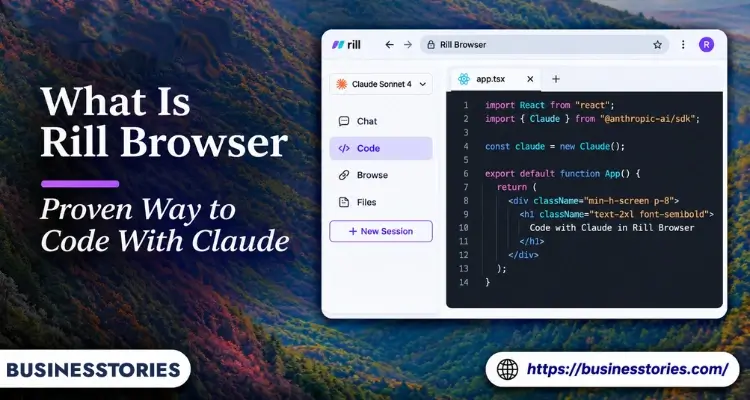
You’re reading a docs page and spot the fix your app needs. You copy the link, switch to the terminal, paste it, provide the context, and wait for a response. By that time, the idea has already lost some of its urgency. Rill Browser is built to kill that commute.
In short, Rill Browser is a free Mac browser that runs your own Claude Code or Codex agent beside every page. You press ⌘E on any page, describe a task, and the agent picks the right project and starts work. Meanwhile, you keep browsing.
It launched on Product Hunt in October 2026 and is still in beta. So “proven” needs care here. The agents behind it have a proven track record. Rill itself is brand new.
In this guide, you’ll learn what Rill does, how it works, what it costs, where your data goes, and who should skip it.
Key Takeaways
- Rill Browser is free: AI features run on the Claude Code or Codex plan you already pay for, with no API keys.
- One shortcut does the heavy lifting: Press ⌘E on any page, and Rill sends the task to the right local project.
- It’s Mac-only for now: You need an Apple Silicon Mac running macOS 14 or later.
- Safety rules exist, but some are soft: New tasks start read-only. However, the “stop before paying” rule is an instruction to the agent, not a hard lock.
- It suits a narrow group: If you don’t use Claude Code or Codex daily, it’s simply a tidy Mac browser.
What Is Rill Browser, Exactly?
Rill Browser is an AI-native web browser for Mac that treats coding agents as first-class users. Instead of adding a chatbot to a sidebar, it hands real project work to Claude Code or Codex.
The official Rill site sums it up in one line: it’s the browser where Claude Code and Codex work beside you. Crucially, Rill doesn’t ship its AI model. Instead, it calls the agents already installed and signed in on your Mac.
Who Built It and When
Rill went live on Product Hunt in early October 2026. According to its Product Hunt page, it finished as the #1 product of the day and #2 of the week for October 6, 2026. It also passed 400 upvotes.
The lead maker, who posts as William, explained the origin in the launch thread. He wrote that he has ADHD and hates “code-switching.” He’d get ideas while browsing for fun, then rarely act on them.
Rill serves as his solution: capturing the idea on the page and promptly handing it to an agent.
Why choose a browser instead of an extension?
This is the question most reviews skip. Users on Product Hunt asked it directly. William’s answer was simple. Extensions can only act inside the browser. Rill wants agents to work in your code projects too, so it needed to be the browser itself.
That choice has a cost, though. As one commenter noted, Rill doesn’t support Chrome extensions. If you rely on a password manager extension, that matters. We’ll come back to it.
How Rill Browser Works: From ⌘E to Finished Task
Rill Browser works in three moves: you capture a task on a page, Rill routes it to a project, and your agent works in the background. Here’s the flow, based on Rill’s own docs.
- Install and sign in. Drag Rill into Applications. Then sign in to Claude Code, Codex, or both. Rill walks you through it.
- Press ⌘E on any page. Attach the page or a text selection, then type what you want done.
- Let Rill pick the project. It scans your Claude Code and Codex history and guesses where the task belongs. If it’s unsure, it asks.
- Keep browsing. The agent works in the background. It pings you with questions and notifies you when it’s done.
- Review the result. You see tool steps and file changes. In Git repos, you can undo each edit.
Two Kinds of Tasks
Rill splits work into project tasks and web tasks. A project task touches your local code. For example, you might spot a new API in a changelog and ask the agent to add it to your app.
A web task stays in the browser. A competitor’s review site gives the example of a flight search. Here, the agent browses in its tabs. Notably, those agent tabs don’t use your logins. You can take over any agent tab when you want.
Why the Agent Part Matters
The “proven” piece of Rill is the agent, not the browser. In the 2025 Stack Overflow Developer Survey, as reported by InfoWorld, 70% of developers who use AI agents said that agents cut the time spent on development tasks.
Yet only about a third of developers used agents at all. Rill bets that making agents easier to reach will close that gap. If you’re new to these agents, start with our Claude AI guide.
The Detail Most Guides Miss
Project routing is the clever part. Most AI browsers only know the page you’re on. Rill also knows your coding history. As a result, it can connect “this docs page” to “that repo” without you naming it. That’s the real time-saver, not the chat box.
Rill Browser Features at a Glance
Beyond ⌘E, Rill Browser bundles a set of browsing tools that use your agent to organize your day. Here’s what the official site lists.
| Feature | What It Does |
| Tasks from any page | Press ⌘E to send a task or question from the page you’re on |
| Auto project routing | Matches each task to a project using your agent history |
| Agent tabs | Agents browse in separate tabs, without your logins. |
| Ask about a page. | Opens the answer in a panel beside the page |
| Compare tabs. | Builds a table from up to six tabs, quoting each page |
| AI tab sorting | Groups tabs by what you were doing. |
| Day journal history | Shows history by day and lets you search by description |
| Project map | Lists every project your agents touched, with finished work marked |
| Voice (beta) | Hold Fn and speak to send a task |
Browser Basics
Rill also covers the everyday stuff. Passwords live in the Mac Keychain and open with Touch ID. You get private windows, too. Plus, you can import sign-ins from Chrome, Arc, or Safari.
However, there are gaps. A review by Tabbit, a rival browser, notes that passkeys aren’t supported in the version it checked. And as mentioned, Chrome extensions don’t work.
On Product Hunt, William said 1Password’s Mac app works through universal autofill, and extension support is being looked at.
Where It Shines
The six-tab compare is a sleeper feature. Say you’re choosing between three payment APIs. You open their pricing pages, select the tabs, and get a quoted table. Then you press ⌘E and ask your agent to build with the winner. Research and coding happen in one window.
Rill Browser Pricing and Requirements
Rill Browser itself costs nothing, but the AI features need a paid Claude Code or Codex plan. So the real price is the agent plan you already have.
Rill’s site is clear: there’s no new subscription and no API key. Your agent usage simply counts against your existing limits. That means heavy use can push you toward a bigger plan.
What the Agent Plans Cost
Here’s what the agent side costs in USD, based on current reporting.
| Agent | Entry Plan | Heavier Plans |
| Claude Code (Anthropic) | Pro, $20/month | Max 5x at $100, Max 20x at $200 |
| Codex (OpenAI) | ChatGPT Plus, $20/month | Pro tiers from $100/month |
MacRumors reported in April 2026 that OpenAI added a $100 Pro tier, mirroring Anthropic’s $20, $100, and $200 ladder. Prices change often, so check before you upgrade.
System Requirements
- A Mac with Apple silicon (M1 or later)
- macOS 14 or later
- You need Claude Code 2.1.261+ or Codex CLI 0.144.4+ to access the agent features.
There’s no Windows, Linux, Intel Mac, or mobile version listed. Still, Rill works as a plain browser even if you never connect an agent. Using Rill without connecting an agent means you miss out on its intended benefits.
The Hidden Cost
Here’s our take: the browser is free, but your attention isn’t. Agents running in parallel can burn through usage fast. So start with one project and watch your limits for a week before you hand over everything.
If you hit the cap often, compare the cost of a bigger plan with the hours Rill actually saves you. For many solo builders, the $20 tier will be enough.
Is Rill Browser Safe? Privacy and Guardrails
Rill Browser keeps your history and passwords on your Mac, but its AI features do send page content to Anthropic or OpenAI. Knowing what goes where is the key to using it well.
Rill’s site lists several guardrails. New tasks are read-only until you allow edits. Web tasks stop before steps that pay, order, send, post, or delete, unless you say otherwise. Furthermore, agents can’t type into password, card, or one-time-code fields.
What Actually Leaves Your Mac
The Tabbit review summarizes Rill’s own data notes. Keep in mind that Tabbit competes with Rill and didn’t test it hands-on.
- Tab sorting sends tab titles, URLs, and domains, but not page text.
- History summaries send up to 280 characters of page text per visit.
- Page questions send your selection or up to 18,000 characters.
- Exact-word history searches stay on your Mac.
- Web tasks send page content and screenshots to the agent provider.
The Caveat Few Mention
The “stop before payment” rule is an instruction to the agent. It isn’t a technical block. Rill’s own site also admits that treating pages as untrusted text reduces prompt-injection risk but doesn’t remove it.
So what should you do? Turn off tab sorting and day summaries in Settings if you browse client data. Additionally, never allow a web task to run unattended on a page that contains a checkout button.
For teams, the safest start is project tasks only. Keep edits off until you trust the results, then switch them on one repo at a time.
Rill Browser vs Other AI Browsers
Rill Browser isn’t trying to beat Comet or Dia at research. Instead, it’s built for one job: turning what you read into code work for an agent you already use.
On Product Hunt, William drew the line clearly. Other AI browsers add AI to browsing. Rill hands heavier coding-agent work off to browsing. The table shows how that plays out.
| Browser | Main Strength | Platforms | AI Source |
| Rill | Page-to-code tasks via your agent | Apple Silicon Mac | Your Claude Code or Codex plan |
| Perplexity Comet | Research and cited answers | Mac, Windows, mobile | Built in |
| Dia | Chatting with your open tabs | Mac | Built in |
| ChatGPT Atlas | Retired | None | N/A |
What Atlas Teaches Us
Atlas is a useful warning. OpenAI’s Help Center confirms the browser was scheduled to stop working on August 9, 2026. OpenAI is moving those agent features into ChatGPT and Codex.
In other words, standalone AI browsers are risky bets. Rill reduces that risk a little because it doesn’t own the AI. If Rill vanished, your Claude Code or Codex setup would still work. You’d only lose the browser layer.
Your projects, history, and agent plans would remain intact. That’s a smarter design than most AI browsers offer.
Who Should Skip It
Skip Rill if you’re on Windows or an Intel Mac. Skip it if you live on Chrome extensions. And skip it if you don’t already pay for an agent. In those cases, Comet or Dia is a better fit.
Alternatively, consider a cloud option similar to the one mentioned in our Replit AI story.
Conclusion
Rill Browser solves a small, real problem: the gap between spotting an idea online and getting an agent to act on it. One shortcut closes that gap, and project routing makes it feel smart rather than gimmicky.
Still, be clear-eyed. It’s a free beta, Mac-only, and fully dependent on your Claude Code or Codex plan. Its privacy notes are detailed, yet some safety rules rely on the agent behaving. And the Atlas shutdown shows how fast this category shifts.
Our view? If you already code with Claude Code or Codex every day on an Apple Silicon Mac, Rill Browser is worth a week’s trial. It costs nothing, and the ⌘E habit could save you dozens of tab switches a day.
Your next step: download Rill, connect one agent, and send it a single task from a docs page you’re reading today. Tried it already? See how it fits your workflow, or read our guide to AI coding tools.
Frequently Asked Questions About Rill Browser
1. Is Rill Browser free to use?
Yes, Rill Browser is free, with no paid tier. However, its AI features run on your existing Claude Code or Codex plan. So any agent usage counts against that plan’s limits, and heavy users may need a bigger tier.
2. Does Rill Browser work on Windows?
No, not right now. Rill Browser runs only on Apple Silicon Macs with macOS 14 or later. There’s no Windows, Linux, or Intel Mac version listed, and the makers haven’t shared a date for other platforms.
3. Do I need Claude Code or Codex to use Rill?
You need one of them for the AI features. Without an agent, Rill still works as a normal Mac browser with private windows and Keychain passwords. But the main reason to use Rill is sending tasks to your agent.
4. Is Rill browser safe for my passwords?
Rill stores passwords in the Mac Keychain and opens them with Touch ID. Agents can’t type into password or card fields. Still, AI features send page content to Anthropic or OpenAI, so avoid running tasks on sensitive pages.
5. What is the difference between Rill and Perplexity Comet?
Comet is a research browser with built-in AI and cited answers. Rill has no built-in AI. Instead, it sends coding tasks from any page to your Claude Code or Codex agent, which then works inside your local projects.

Senior Business Analyst / Prduct Owner with 12+ years of experience driving data-driven insights, optimizing business processes, and delivering strategic IT solutions.