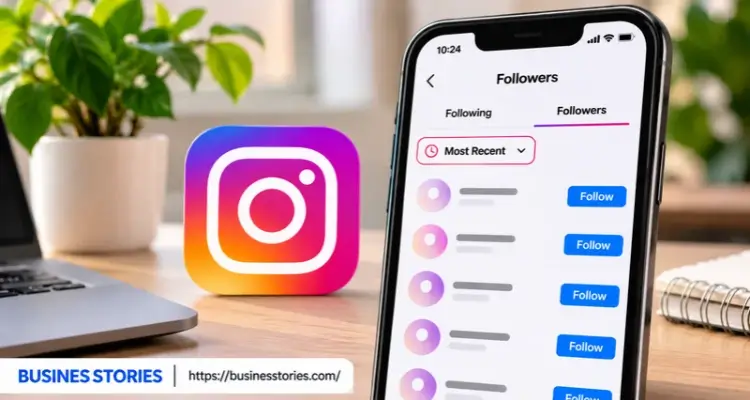
Someone new just followed you. Naturally, you want to know who it is. So you open the app and tap your follower count. However, Instagram shows no dates, no labels, and no “new” badge. The good news is that recent followers Instagram data is not hidden.
Instead, it is spread across a few places. For example, your follower list, your alerts, and your Insights each hold one part of the picture. In fact, Instagram now has well over 3 billion monthly users. Therefore, understanding who has recently joined your audience is more important than ever.
In this listicle, you will learn six simple ways to see your latest followers. Plus, you will see how to find your own recent follows. Finally, you will learn why risky tracker apps are best avoided.
Understand How Instagram Orders Your Followers
Before you start, it helps to know how the list works. After all, if you misread the order, you will misread your followers.
For your account, the Followers list usually puts the newest people at the top. So the first few names are often your recent Instagram followers. However, Instagram does not show the date anyone followed you. As a result, the order is your only clue.
Meanwhile, the list is easy to disturb. For instance, typing in the search bar switches the order to relevance, not time. Furthermore, tapping into a profile and coming back can reshuffle what you see. So always read the top of the list first before you touch anything else.
The following list works in a different way. In this case, Instagram gives you a real sort button.
- You can pick Default,
- Date Followed: Latest, or Date Followed: Earliest.
Because of this, checking your own recent follow Instagram activity is easy.
Here is a quick summary:
| List | Can you sort by date? | Best use |
| Your Followers | No (newest usually on top) | Spot new followers. |
| Your Following | Yes (Latest or Earliest) | Find accounts you just followed. |
| Someone else’s Followers | No | A rough look only. |
A Fresh Way to Think About the List
Here is an idea most guides skip. Think of the follower list as a queue, not a log. A log keeps every entry with a time stamp. On the other hand, a queue only shows who is in line right now.
So if someone follows you and then leaves, they simply drop out of the queue. Nothing tells you they were ever there. Once you see the list this way, you stop expecting it to tell the full story. Instead, you pair it with the other methods below.
Check Your Followers List on the App or Web
This is the fastest way to see your recent followers Instagram.
On Your Phone
- First, open Instagram and tap your profile picture at the bottom right.
- Next, tap Followers at the top of your profile.
- Finally, look at the first 10 to 20 names. These are most likely your newest followers.
On a Computer
The steps are almost the same on the web.
- First, go to instagram.com and log in.
- Then click your profile and choose Followers.
- After that, a pop-up window opens with your list.
However, the web view may show only a short list. So if you need to scroll deep, the phone app works better.
Check Requests and the Flagged Folder
If your account is private, new people first show up as follow requests. In that case, please check your requests before reviewing the list.
Furthermore, look for a flagged or potential spam section in your followers list. Instagram sometimes moves new follows there when they look odd. In fact, on public accounts, flagged follows are declined after 30 days if you do not approve them.
So a really new follower can quietly vanish if you never look.
A Quick Example
Say you posted a Reel on Monday. By Tuesday, your count went up by 12. So you open Followers right away and take a screenshot. The top 12 names are your best guess at who came from that Reel. That way, you have a record before the order shifts.
Build a Free Follower Diary
Instagram keeps no follower history for you. So build your own. Once a week, take a screenshot of the top of your followers list. Over time, these images turn into a simple follower diary. Plus, they cost nothing and need no outside app.
Use Notifications to Catch New Followers Fast
Your alerts are the only place where Instagram tells you, in plain words, that someone just followed you. As a result, they are a great way to track new followers in real time.
Turn On Follower Alerts
- First, go to your profile and tap the three lines at the top right.
- Then open Settings and Activity and tap Notifications.
- Next, choose Following and Followers.
- Finally, ensure New Followers is turned on.
Once the option is set, you get an alert that says “[username] started following you.”
Check the Heart Icon
Next, tap the heart icon at the top of your home feed. Here, Instagram groups recent activity by time, such as “Today,” “This week,” and “This month.” So you can scroll back and see roughly when each person followed you.
Try “See Shared Activity.”
Open the profile of someone who follows you. Then tap the three dots at the top right. On some versions, you will see shared activity. Depending on your app, the feature can show when you two are connected.
Know the Limits
However, alerts have limits too. For example, busy accounts get hundreds of alerts a day. In that case, new follows get buried under likes and comments. Also, older alerts fade from the list over time. So use alerts for quick checks. Then use Insights for the bigger picture.
Turn Alerts Into Feedback
Use the timing of follow alerts to judge your posts. Say you post at 6 p.m. and see a burst of follow alerts by 7 p.m. That tells you the post is pulling people in.
On the other hand, if follows trickle in slowly all week, your profile itself may be doing the work. This small habit turns a simple alert into real feedback.
Track New Followers With Instagram Insights
If you run a business, a brand, or a creator page, Insights is your best friend. It does not name new followers. However, it shows exactly how many people followed and unfollowed you.
Switch to a Professional Account.
Insights only works on Creator or Business accounts. Luckily, the switch is free, and you can undo it later.
- First, open Settings and Activity.
- Then tap on Account type and tools.
- Next, tap Switch to Professional Account and follow the steps.
Read Your Follower Numbers
- First, go to your profile and tap Professional Dashboard.
- Then tap Insights or See all.
- Next, open Followers or Total Followers.
- Finally, pick a time range, such as the last 7 or 30 days.
Here you will see follows and unfollows as two separate numbers. That split matters a lot. For example, a flat total can hide heavy churn, like 200 new follows and 190 unfollows in one week. In other words, your posts reach people, but many of them leave.
Find the Post That Brought Followers
Furthermore, open any of your posts and tap View insights. This shows how many followers came from that one post. As a result, you can see which content brings in new fans.
Mini Case Study
Picture a small bakery account. In one week, Insights shows 85 new followers. Meanwhile, the post data shows that 60 of those followers came from one behind-the-scenes Reel. As a result, the owner creates more Reels similar to that one. Soon, her weekly followers climb.
Keep a Five-Minute Weekly Log
Here is a tip few guides share. Instagram only keeps Insights for a set window of time. So every Monday, write down your total followers, follows, and unfollows in a simple sheet. After a few months, you will have a growth record that Instagram itself does not keep.
Use the Sort Button and Data Download for Exact Dates
Sometimes the question is not “Who followed me?” Instead, it is “Who did I just follow?” Luckily, this is the one place where Instagram gives you a true date sort.
Sort Your Following List
- First, go to your profile and tap Following.
- Then tap the two-arrow icon next to Sort by Default.
- Next, choose Date Followed: Latest.
- Now your newest follows sit at the top.
Also, you can choose Date Followed: Earliest to see the accounts you followed long ago.
Here is why it helps:
- Find a lost account. For example, you followed a shop at an event but forgot its name. Just sort by latest, and it will be right there.
- Clean up your feed. Sort by earliest, and then unfollow old accounts that no longer post.
Download Your Data for Real Dates
If you want actual dates for your followers, ask Instagram for your data.
- First, open Settings and Activity, then Accounts Center.
- Next, tap Your information and permissions, then Export your information.
- Then tap Create export and pick your Instagram profile.
- Thereafter, select only Followers and Following to keep the file small.
- Finally, set the date range to all time and submit it.
Instagram emails you when the file is ready. Inside, open the connections folder, then followers_and_following. The followers file lists each person, often with the date they followed you. So this is the most exact way to see when people joined.
Compare Two Exports
Here is a clever twist. Each export is a snapshot of one moment. So two exports taken a month apart show you two things at once.
- First, the new names reveal fresh followers.
- Second, the missing names reveal silent unfollowers.
Best of all, you need no outside app and no shared password.
Check Someone Else’s Recent Followers Instagram Safely
Many people also want to see who recently followed a friend, a rival, or a brand. Here is the honest answer. You can get a rough idea, but not an exact one.
Steps to Follow
- First, open the account’s profile. The account must be either public or private, and you need to follow it.
- Then tap Followers.
- Next, skip the top group of mutual followers. Instagram pushes people you both know to the top.
- Finally, scroll past those names. The rest of the list often has newer accounts near the top.
However, the order on other accounts is less reliable than on yours. Furthermore, there is no sort button and no dates. So treat what you see as a hint, not a fact. Also, a private account you do not follow shows nothing at all. And of course, respect people’s privacy while you look.
Why You Should Skip Tracker Apps
Many apps promise to show anyone’s newest followers. But they carry real risks. For one, Instagram’s official tools have not let outside apps read full follower lists since 2018. As a result, most of these apps either scrape data or simply guess.
Plus, many of them ask for your password. Instagram itself warns that apps that break its rules may put your account at risk. In short, you could face a locked account for data that may be wrong anyway.
A Smarter Way to Watch Rivals
Here is a safer idea for brands. Instead of digging through a rival’s list, track their public follower count once a week. Then note what they posted that week. Over time, you will see which posts drive their growth.
For example, a jump after a giveaway shows what their audience likes. That insight is far more useful than a list of strangers’ names. Even better, it is completely allowed.
Conclusion: Make Recent Followers Instagram Tracking a Simple Habit
Finding your recent followers Instagram list does not need hacks or paid apps. Instead, it needs the right mix of free tools.
- First, your followers list shows the newest people at the top, so read it before you scroll or search.
- Next, follow alerts, and the heart icon tells you when people joined.
- Then, Insights shows how many follows and unfollows you get each week.
- Furthermore, the following sort and the data export give you real dates when you need them.
The big lesson is simple. Instagram shows you who is here now, not what happened over time. So the smartest move is to keep your own record.
A weekly screenshot, a five-minute insights log, or a monthly data export can turn scattered clues into a clear growth story. As a result, you will know which posts bring in fans and which ones push them away.
Meanwhile, stay away from apps that ask for your password. They break Instagram’s rules and can put your account at risk.
Your next step: Open Instagram right now and check the top of your followers list. Then turn on new follower alerts. Finally, set a weekly reminder to log your numbers. Small habits like these will help you understand your audience and grow it with confidence.
Frequently Asked Questions
1. How do I see my recent followers Instagram without using any app?
Open your profile and tap Followers. Your newest followers usually appear at the top of the list. Also, turn on new follower alerts so Instagram tells you each time someone starts following your account.
2. Why are my recent Instagram followers not showing in the right order?
Searching the list or opening a profile can reshuffle the order. Furthermore, Instagram tests new layouts often. So read the top of your followers list first, before you tap or search for anything else.
3. Can I see the exact date someone followed me on Instagram right now?
The app does not show follow dates directly. However, you can export your data through the Accounts Center. The followers file in that download often lists the date each person followed your Instagram account.
4. Is it safe to use apps that track recent Instagram follow activity?
Most tracker apps are risky. Many ask for your password, and Instagram warns that rule-breaking apps can harm your account. Instead, use free built-in tools like alerts, insights, and the official data export.
5. How can I check who has recently followed someone else on Instagram?
Only roughly. Open their public profile and tap Followers. Then skip past the mutual followers at the top. The remaining list often leans newer, but Instagram gives no dates or sort button for it.

Author & Researcher with 8 years of experience across IT and non-IT industries, delivering insightful and data-driven content.