Introduction
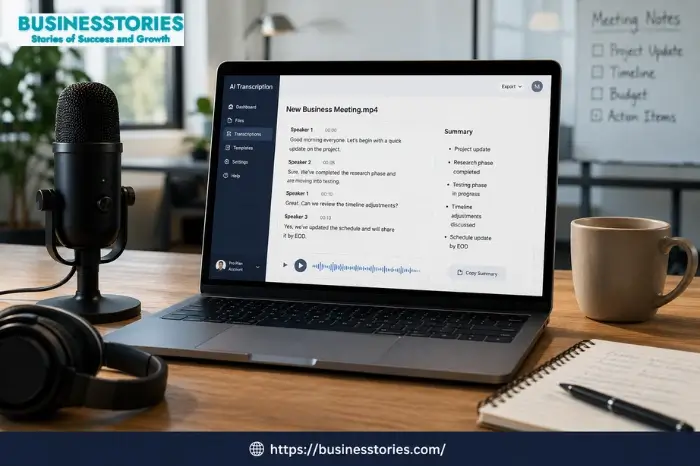
Typing out a one-hour meeting takes forever. Luckily, you don’t need to do that anymore. AI transcription tools turn speech into clean text in minutes. So, you get more time for work that matters.
In 2026, you have many choices. Some tools focus on meetings. Others work best for podcasts or interviews. So, how do you pick the right one? In this guide, we cover 12 of the best AI transcription tools. We look at price, accuracy, and key features for each. By the end, you’ll know which tool fits your work and budget.
What Are AI Transcription Tools and Why Do They Matter?
First, let’s cover the basics. This will let you know what to look for.
AI transcription tools use speech recognition. In simple terms, they “listen” to audio or video. Then, they turn it into written text. Most tools also offer speaker diarization. This means the tool can tell speakers apart. Otter.ai, Fireflies.ai, and Rev are particularly strong at multi-speaker transcription. However, accuracy can drop when people talk over each other.
So, why does this matter for your business? First, it saves time. A task that took hours now takes minutes. Next, it helps with access. Transcripts help deaf or hard-of-hearing people. They also help non-native speakers follow along. Finally, transcripts are searchable. So, you can search for a word instead of replaying a whole video.
Prices vary a lot. AI transcription often costs $0.05 to $0.25 per minute. Human transcription costs $0.72 to $1.50 or more per minute. Meanwhile, monthly plans like Otter, Trint, and Fireflies cost $10 to $60 per month, based on the plan.
Accuracy has improved a lot too. Top models like Whisper now hit 95 to 98 percent accuracy on clear audio. Still, no tool is perfect. Accuracy above 99 percent isn’t guaranteed, so legal documents still need a human review.
Here’s a tip most guides skip. Many buyers only check accuracy scores. However, file limits frequently lead to more daily challenges. For example, cloud tools often cap files at 1 to 5 GB. So, long video files can cause issues. Before you choose a tool, check its format and storage limits too.
Now, let’s look at the top tools for 2026.
Best AI Transcription Tools for Meetings
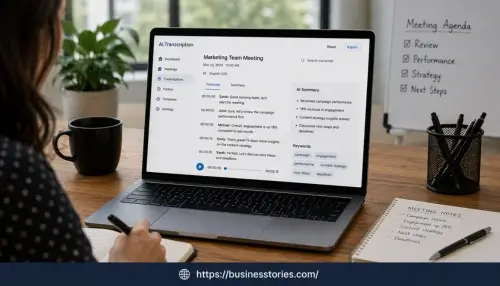
If meetings eat up your time, this section is for you. These tools join your calls. Then, they transcribe everything and create summaries.
1. Otter.ai
Otter.ai is a top meeting tool. The basic plan is free with 300 minutes per month. The Pro plan costs $8.33 monthly (billed yearly) or $16.99 monthly, with 1,200 minutes. For bigger teams, the business plan costs $19.99 monthly (yearly) or $30 monthly, with unlimited minutes and a 4-hour meeting cap.
However, watch for one change. The Pro plan’s minutes dropped from 6,000 to 1,200 per month, with no price cut. So, check costs before you renew.
Furthermore, free users should plan. Otter blocks access to old free-tier recordings after 30 days. So, an upgrade may help if you need long-term records.
2. Fireflies.ai
Fireflies.ai is Otter’s main rival. It has a free plan with 800 minutes per month. The $10 Pro tier offers 8,000 minutes. That beats Otter on value. But its real strength is integrations. It connects to Salesforce, HubSpot, Slack, Notion, Asana, and Trello. As a result, notes flow into your CRM with no manual work.
One example shows real impact. A 10-person Dutch firm used Fireflies. Deal-stage updates from calls boosted their lead conversion by 25%. This shows these tools do more than save typing time.
Fireflies also score well in accuracy. It has the highest benchmark accuracy at 92.8% across 500+ hours of testing.
3. tl;dv
Want a strong free plan? Try tl;dv. It bundles AI summaries, video clips, and CRM tools for free. Paid plans start at $18 to $29 per month.
4. Fathom
If money is tight, check out Fathom. It offers an unlimited free plan for Zoom, Meet, and Teams. The paid Team plan adds analytics and integrations.
Quick tip: if you run mostly internal meetings, start free. Try Otter, Fireflies, or Fathom for two weeks. Then, check your unused minutes. This stops you from paying for minutes you won’t use.
Best AI Transcription Tools for Podcasts and Video Creators
Creators have different needs from office teams. Podcasters want clean exports, many languages, and editing tools.
5. Sonix
Sonix is a fantastic pick for creators. Sonix’s AI transcription hits up to 99% accuracy, which cuts down on fixes. It also uses smart processing to tell speakers apart and handle accents.
Unlike most tools, Sonix is pay-as-you-go, at roughly $10 per audio hour or less in bulk. In fact, Sonix charges around $10 per hour on Standard and $5 per hour on Premium. Plus, it supports many formats, like FLAC, OGG, and WebM. This helps if you work with all kinds of files.
6. Descript
Descript works a bit differently. It transcribes audio and video. Then, you can edit the text to edit the media. It also offers AI voice cloning and screen recording. So, Descript gives creators the best all-in-one mix of transcription plus editing.
If you cut podcasts or remove filler words, Descript saves real time. That said, skip it unless you also edit video. Its real strength is editing, not plain transcription.
7. Rev
When accuracy matters most, pick Rev. Its automated plan costs about $0.25 per minute. Human editors push accuracy close to 99%. For a one-hour file, the automated plan costs around $15. The full human plan costs around $75. So, Rev gives you top accuracy with human review. This makes it great for legal work.
8. Happy Scribe
For multilingual work, try Happy Scribe. It supports over 60 languages and handles both transcription and translation in one step. Most tools can’t do this.
Here’s an insight many guides miss. People assume high accuracy always costs more. But that’s not always true. Sonix’s pay-per-minute model can beat subscriptions for light use. Quick step: add up your monthly audio hours. Under 5 hours? Pay-as-you-go tools like Sonix often cost less.
Best AI Transcription Tools for Developers and Businesses
Some businesses skip consumer apps. Instead, they need an API for their own product. Here are the best picks.
9. AssemblyAI
AssemblyAI is a developer favorite. It costs around $0.37 per hour of audio, pay-as-you-go. For speaker detection, it has the best diarization API, with a 2.9% error rate, at around $0.17 per hour. So, AssemblyAI wins for developers thanks to its strong APIs.
10. Deepgram API
Deepgram is another solid API pick, especially for big jobs. It handles 50+ speakers and costs around $0.58 per hour. It costs more than AssemblyAI. Still, it handles large, messy files well.
11. Whisper (Open-Source)
If privacy matters most, look at Whisper. OpenAI’s Whisper set the accuracy standard. It now powers most commercial tools. Even better, the open-source model runs free on your own hardware. The API offers pay-per-minute access. So, if you need top accuracy or can’t send audio off-site, start with Whisper.
12. Riverside
For perfect speaker splits, Riverside has a smart fix. It records each speaker on a separate track. This gives 100% accuracy for speaker ID. So, it works great for remote podcast interviews.
Here’s a fresh angle. Many firms pick “the most accurate API” without testing real costs. But demo accuracy rarely matches messy, real audio. Quick step: test the API with your own audio first, noise included. The gap can surprise you.
How to Choose the Right AI Transcription Tool for Your Needs
With 12 tools here, how do you choose? Follow this simple plan.
Step 1: Find your main use case: Are you transcribing meetings or podcasts or building a product? Each goal points to a different tool group.
Step 2: Check your monthly volume: Light use? Pay-as-you-go tools like Sonix or Rev make sense. Daily meetings? A subscription like Otter or Fireflies pays off faster.
Step 3: Test with your worst audio: Try the same 10-minute clip on two or three tools. Compare error rates. Use noisy audio with multiple speakers to see real results.
Step 4: Think about integrations: Live in Salesforce or HubSpot? Fireflies can save hours each week since it connects right to these tools.
Step 5: Consider privacy: All major tools meet GDPR rules. But bots like Fireflies and Otter are “visible” when they join calls. So, keep this in mind for client meetings.
Finally, don’t underrate the payoff. Most firms see payback within 2 to 3 months after they start using these tools. This holds when it cuts hours spent on notes.
Comparison matrix for these AI transcription tools
1. Meeting Assistants (Automated Note-Taking & CRM Sync)
Best for professionals, sales teams, and corporate operations looking to record, transcribe, and extract action items from live calls.
| Tool Name | Key Use Case | Primary Strengths | Standard Pricing Structure | Target Audience |
| Otter.ai | Live meeting note-taking & real-time captions. | Best-in-class English accuracy; live chat assistant during calls; great mobile app. |
Free (300 min/mo, 30-min cap)
|
Business pros, educators, and journalists. |
| Fireflies.ai | Meeting intelligence & conversational analytics. | Deep CRM/work tool integrations; advanced conversation analytics (talk-time, sentiment). |
Free (800 min storage)
|
Sales teams, marketing, and scaling startups. |
| tl;dv | Sales coaching & call intelligence. | Multi-meeting analysis (trends across multiple calls); sales playbooks & scorecards. |
Free (Unlimited recording; 10 AI notes/month)
|
Sales and customer success teams. |
| Fathom | Discretion & seamless productivity. | Invisible meeting bot; incredibly generous 100% free plan for individuals with unlimited recording. |
Free (Unlimited use)
|
Solopreneurs, consultants, small teams. |
2. Media & Audio/Video Content Editors
Best for podcasters, video editors, researchers, and content creators who need to edit audio via text or generate heavy subtitles.
| Tool Name | Key Use Case | Primary Strengths | Standard Pricing Structure | Target Audience |
| Sonix | Pay-as-you-go file transcription & multi-language translation. | Rapid automated multi-language workflows; powerful in-browser text editor for audio adjustments. |
Standard: $10/hr (Pay-as-you-go)
|
Researchers, legal/medical pros, documentarians. |
| Descript | Text-based audio & video editing. | Edit video/audio by deleting or moving text words, AI voice cloning (“Overdub”), and filler-word removal. |
Free (1 hr/mo)
|
Podcasters, YouTube creators, video editors. |
| Rev | Highly accurate transcription (AI + human blend). | Industry standard for top-tier accuracy; massive network of human transcribers for complex audio. |
AI Tier: $0.25/min ($15/hr)
|
Enterprise legal teams, entertainment, media houses. |
| Happy Scribe | Audio/video subtitle generation & translation. | Diverse language/dialect accuracy; seamless interactive subtitle workspace. |
Basic: $17/month (120 min)
|
Videographers, localized global brands, subtitle specialists. |
3. Developer Platforms & Open-Source Infrastructure
Best for engineers, product builders, and technical organizations that need raw infrastructure or fully custom privacy structures.
| Tool Name | Key Use Case | Primary Strengths | Standard Pricing Structure | Target Audience |
| AssemblyAI | Developer API for speech intelligence. | Easy-to-use API; rich features like PII redaction, sentiment analysis, and topic detection. |
Pay-as-you-go:
|
Software developers and product managers building SaaS tools. |
| Deepgram API | A real-time, ultra-low-latency API. | World-class speed and massive concurrency; best for handling thousands of live streams simultaneously. |
Pay-as-you-go:
|
Call centers, telecom platforms, live-streaming developers. |
| Whisper (Open-Source) | Self-hosted, local, and private machine learning. | 100% Free & Open-Source (MIT License); ultimate data privacy (runs completely offline on your own local hardware). | Free (Requires your own GPU/hardware compute costs) | DevOps engineers, privacy-first companies, AI researchers. |
| Riverside | Studio-quality remote recording & local rendering. | Records local uncompressed audio/video from each participant first, then transcribes with high precision. |
Free (2 hrs tracking)
|
High-end podcasters, virtual talk shows, and video content agencies. |
Quick Summary Recommendation:
- If you want a free meeting recorder, go with Fathom.
- If you are a sales team looking for CRM automation, choose Fireflies.ai or tl;dv.
- If you are a podcaster/video creator, go with Descript.
- If you are a developer building an application, use AssemblyAI (features) or Deepgram (speed).
Conclusion
Picking the right AI transcription tools doesn’t have to be hard. First, match the tool to your real work, whether that’s meetings, podcasts, or dev projects. Then, test real audio before you pay.
In 2026, accuracy isn’t the only thing that counts. Instead, price, integrations, and format support often decide the winner. Fireflies and Otter shine for meetings. Sonix, Descript, and Rev lead for creators. Meanwhile, AssemblyAI, Deepgram, and Whisper serve developers well.
Whatever you pick, the goal stays the same. Spend less time typing. Spend more time on work that matters. So, pick one tool, try it free this week, and see how many hours it gives back.
If this guide helped, explore more software guides on Businesstories to grow your business.
Frequently Asked Questions
What is the most accurate AI transcription tool in 2026?
Whisper-based tools and Sonix lead with 95-99% accuracy on clear audio. For legal or medical work, Rev’s human-reviewed transcripts remain the top choice.
Are free AI transcription tools good enough for meetings?
Yes, for light use. Fathom offers an unlimited free plan. Otter and Fireflies give 300-800 free minutes each month, so you can test first.
Which AI transcription tool works best for podcasts?
Sonix and Descript are top picks. Sonix offers pay-as-you-go pricing and 49+ languages. Descript lets you edit audio right through the text.
Do AI transcription tools support multiple languages?
Many do. Happy Scribe covers 60+ languages, and Sonix covers 49+. So, both work well for global teams and creators.
How much does AI transcription typically cost per minute?
AI transcription often costs $0.05-$0.25 per minute. That’s much cheaper than human work at $0.72-$1.50+ per minute. Plans run $10-$60 monthly.

Author & Researcher with 8 years of experience across IT and non-IT industries, delivering insightful and data-driven content.