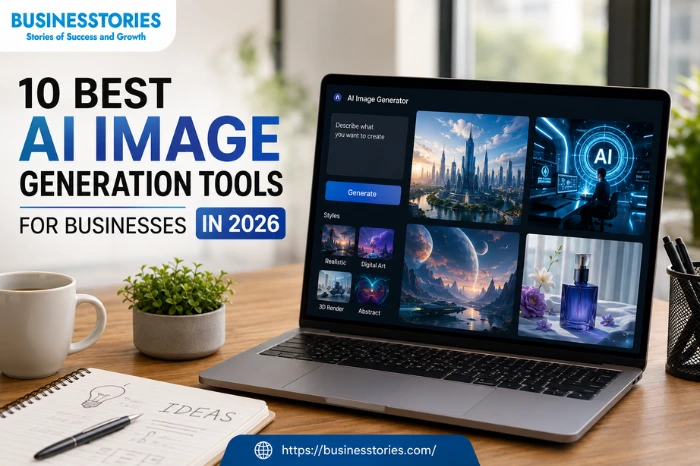
Visual content is a key part of any marketing plan. Great images help you grab attention fast. But making excellent images used to take a lot of time and money. Now, AI changes all of that. Marketing is changing fast. Businesses that still use stock photos are falling behind. Today, AI image generation tools help any business create outstanding visuals in minutes.
Starting doesn’t require a designer or a large budget. The cost is low. The results are fast. And the quality keeps getting better every year.
The numbers are clear. The global AI image market hit $15.18 billion in 2026. Over 150 million people use these tools each month. Companies that use AI for marketing images see a 310% return in 12 months, according to a Forrester study.
But with so many platforms out there, which ones actually work for businesses? This guide covers the 10 best AI image generation tools right now. We look at pricing, key features, and the best use cases for each one. Whether you run a small startup or a large company, this list will help you find the right fit.
1. Midjourney — Best for High-End Creative Visuals
Midjourney holds 26.8% of the global AI image market. It made $500 million in revenue in 2025 with a team of just 40 people. These numbers tell you one thing: businesses love it and keep coming back.
The platform creates rich, cinematic visuals with bold lighting and deep textures. It works best for branding, ad campaigns, and creative direction. Fashion brands, agencies, and product teams use it every day to build mood boards and campaign visuals fast.
Midjourney runs through Discord. The experience feels odd at first. But the results are outstanding once you learn how to write prompts. The V6 model added better photo quality and cleaner text inside images. Teams that need high-volume creative output will find it very capable. Pricing starts at $10 per month, with $30 and $60 plans for heavier use.
Key insight: Pro and Mega plan users get full commercial rights. Always check your plan before using images in paid ads or client work.
2. GPT Image 1.5 (ChatGPT) — Best for Text Inside Images
GPT Image 1.5 is built by OpenAI. It topped the LM Arena leaderboard in 2026 with an Elo score of 1,264. That score came from thousands of blind head-to-head tests, not from marketing claims.
The standout feature for businesses is text rendering inside images. Most AI tools produce blurry or garbled words when asked to add text to an image. GPT Image 1.5 handles product names, taglines, and price callouts cleanly and clearly. For marketers who run text-heavy ad creatives, this alone justifies the cost.
The tool connects directly to ChatGPT. You describe an image, refine it through chat, and move to your next step right away. It also handles complex scenes with many objects well. This makes it strong for marketing graphics and social media headers. Access comes with a ChatGPT Plus plan at $20 per month.
3. Adobe Firefly — Best for Copyright-Safe Business Images
Adobe Firefly is the safest choice for businesses that care about copyright. Unlike most tools, Firefly trains only on licensed images and Adobe Stock content. Every image you make is safe to use in paid work. There are no legal grey areas to worry about.
Adobe Firefly has helped users make over 24 billion assets since its launch. That number shows how widely businesses are already using it. The tool works inside Photoshop and the full Adobe Creative Cloud suite. So if your team already uses Adobe tools, the workflow is very smooth.
It handles background swaps, text effects, and vector art creation. Designers can add new elements inside existing files. This makes Firefly ideal for product photo editing, where you need quick changes without a new photo shoot. Adobe Creative Cloud plans start at $54.99 per month.
4. Stable Diffusion — Best for High-Volume Custom Image Generation
Stable Diffusion powers about 80% of all AI-made images in the world. It is fully open source. Businesses can run it on their own servers and build internal tools without paying per-image fees. This is a huge advantage for companies that need images at scale.
You control your data, your workflow, and your costs. A startup can train a model on its product catalog and generate images at scale. A large company can deploy it in-house and process thousands of images per day without extra fees.
The trade-off is setup time. Getting the best results needs some technical skills, such as prompt writing and model selection. But tools like Automatic1111 and ComfyUI have made it much easier to use. For businesses with a developer on staff, Stable Diffusion offers the best long-term cost savings.
Unique insight: Midjourney may look better right out of the box. But Stable Diffusion wins in terms of control, flexibility, and cost for high-volume use.
5. Leonardo AI — Best for Brand Consistency and Product Visuals
Leonardo AI is one of the most underrated tools on this list. It combines image generation with a full creative suite. The Image Guidance feature lets you upload a reference photo and match its visual style. The Realtime Canvas lets you sketch an idea while the AI builds the image live as you draw.
These features make Leonardo AI ideal for product teams, game studios, and online shops. You can create product mockups and marketing visuals while keeping a consistent look. This is very useful for branding and social media campaigns.
The free tier lets you test the platform before spending anything. Paid plans start at $30 per month and include “Ultra Quality” output and upscaling to 4K. For teams that make large volumes of creative assets, the upscaling feature alone saves a lot of time. Leonardo AI also has a strong API for developers.
6. Ideogram — Best for AI Images With Text and Typography
Ideogram resolves a problem that has frustrated marketers for years. Most AI tools make garbled or blurry text when asked to include words inside an image. Ideogram handles this task cleanly and reliably. This makes it perfect for social media graphics, banners, and branded content.
The platform also handles fonts and layout well. You can pick a font style and specify text placement inside your prompt. For a business that needs many social media posts with the same text style, Ideogram speeds up production a lot.
Beyond text, Ideogram makes clean, polished images. It works well for slides, infographics, and marketing content where text and images need to fit together. Pricing is affordable, with a free tier and paid plans starting at around $8 per month.
Best for: Businesses that run content-heavy social media accounts or regular email campaigns.
7. Canva AI — Best for Small Business Teams and Non-Designers
Canva AI Image Generator makes this list because of how well it fits into the Canva platform. Millions of businesses already use Canva for social posts and marketing materials. The AI generator sits inside the same interface. So you never need to switch tools or open a new tab.
You type a prompt, generate an image, and drop it straight into your design. For small business owners without a dedicated designer, that ease has real value. There is no exporting or resizing to do. The workflow is instant and smooth.
Canva AI handles everyday business visuals very well: social posts, blog headers, ad banners, and slides. It is not the strongest tool for very detailed or photorealistic output. But for speed and ease of use, it wins easily. Canva Pro costs $15 per month per person and includes the AI image tools.
8. Runway — Best for Businesses That Use Both Images and Video
Runway is built for businesses that need both images and video in one place. It is known mainly as a video AI tool. But its image tools are strong enough to use on their own. For teams that create video and static visuals together, Runway is a fantastic single option.
The tool supports inpainting, outpainting, and image-to-video creation. So you can make a product image, extend it into a wider scene, and then turn it into a short video clip. This makes Runway very useful for brands that want product visuals that move in ads and on social media.
Runway also works well with your existing media files. You can bring in your footage or images and use AI to modify or extend them. For agencies managing many campaigns, working across image and video in one tool saves real time. Pricing starts at $15 per month.
9. NightCafe — Best for Multi-Model Flexibility
NightCafe lets you use many AI models in one place. You can switch between Stable Diffusion, DALL-E, and other engines from one screen. This is useful for businesses that want to test different visual styles without paying for many subscriptions.
The platform uses a credit-based pricing system. This suits businesses with seasonal or variable content needs. You buy credits and use them when needed. You do not pay a flat fee for capacity you may not use.
NightCafe holds a 23.2% user preference share globally. That makes it the third most popular AI image platform in the world. Its community section lets businesses browse public creations for new ideas. It works well as a secondary tool for businesses that already have a main AI generator but want more style options.
10. Playground AI — Best for Beginners and Budget-Conscious Teams
Playground AI is designed for simplicity. It has a clean interface, fast speeds, and a very generous free tier. For small businesses and solo founders just starting with AI images, it is a wonderful entry point.
The platform handles marketing visuals and social media images well. It does not match the creative level of Midjourney. It also lacks the legal safety of Adobe Firefly. But for businesses that need quick, solid visuals on a low budget, it delivers well.
Playground AI also supports image editing. You can paint over parts of an image and describe what you want the AI to change or add. This is handy for quick edits without starting from scratch.
The free tier produces up to 500 images per day, remarkable value. Paid plans start at $15 per month for higher quality and more features. For budget-conscious businesses, Playground AI offers a wonderful balance of quality, speed, and cost.
Quick Comparison of the Best AI Image Generation Tools
| # | Tool Name | Best For | Key Standout Features | Pricing Model | Ideal Business Use Case |
| 1 |
Midjourney |
High-End Creative Visuals | Hyper-realistic rendering, advanced cinematic aesthetics, and deep artistic styling. | Subscription-based (Paid only) | Marketing agencies, concept artists, and premium branding. |
| 2 |
GPT Image 1.5 (ChatGPT) |
Text Inside Images | Flawless text rendering within complex scenes, conversational prompt editing, and DALL-E ecosystem integration. | Included in ChatGPT Plus / Team / Enterprise | Content creators, social media managers, and ad copy prototyping. |
| 3 |
Adobe Firefly |
Copyright-Safe Business Images | It is trained exclusively on licensed and public domain content, with native Adobe Creative Cloud integration and enterprise indemnity. | Free tier available / Subscription / Enterprise | Corporate legal teams, large enterprises, and commercial advertising all benefit from this coverage. |
| 4 |
Stable Diffusion |
High-Volume Custom Image Generation | Open-source flexibility, deep model training capabilities (LoRAs), precise control via ControlNet, and local deployment options. | Free (Open-source) / Paid API & cloud hosting | Tech startups, game developers, and high-volume automated asset pipelines. |
| 5 |
Leonardo AI |
Brand Consistency & Product Visuals | Custom dataset training for brand continuity, product mockup generation, and advanced canvas editing tools. | Freemium (Daily free credits) / Premium tiers | E-commerce brands, product designers, and marketing teams need style alignment. |
| 6 |
Ideogram |
AI Images With Text and Typography | Industry-leading typographic accuracy, poster layouts, and sharp graphic design styling. | Freemium / Paid subscriptions | Merch designers, poster and flyer creation, and typography-heavy ad campaigns. |
| 7 |
Canva AI |
Small Businesses & Non-Designers | Seamless drag-and-drop integration into presentation layouts, social templates, and magic studio editing suites. | Freemium / Canva Pro & Teams | Small businesses, HR departments, and internal communication teams. |
| 8 |
Runway |
Businesses Using Both Images & Video | Multi-modal workflow (text-to-image, image-to-video, and video-to-video), frame interpolation, and advanced cinematic controls. | Freemium / Tiered monthly plans | Video production houses, multimedia marketing teams, and motion designers. |
| 9 |
NightCafe |
Multi-Model Flexibility | Access to multiple algorithms (Stable Diffusion, DALL-E, etc.) in one hub, combined with vibrant community-driven prompt sharing. | Freemium (Credit-based system) | Solo marketers are experimenting with multiple AI engines under one roof. |
| 10 |
Playground AI |
Beginners & Budget-Conscious Teams | Highly intuitive grid interface, straightforward object erasure/inpainting, and generous free usage tiers. | Free tier available / Affordable pro plans | Bootstrapped startups, indie creators, and teams new to AI prompting. |
Conclusion: Which AI Image Generation Tool Is Right for Your Business?
Choosing the right AI image generation tool depends on your business’s specific needs. There is no single best tool for every case. Think about the type of visuals you make most often, how your team works, and what your budget allows.
If legal safety matters most, go with Adobe Firefly. Midjourney remains the best option if you require the highest level of creativity. For text-heavy marketing content, Ideogram offers a solution that no other tool can match. And if your team already uses Canva, the built-in AI generator is the easiest option to adopt.
The AI image generation market is growing at 40.5% per year. Businesses that build these tools into their workflows now will speed up content, spend less, and stay ahead of those who wait.
Each tool on this list has a free trial or a free tier. So you can test before you buy. Start small. Pick one tool. Learn how it works. Then grow from there. AI image generation tools are no longer just for big companies. Small teams and solo owners can use them too.
Start with one tool that fits your current needs. Test it for 30 days. Then expand your stack as your team gets more comfortable with AI-driven visual creation.
The best time to start using AI image generation tools was last year. The second best time is today. Pick a tool from this list, sign up for a free trial, and see what your business can create.
FAQs About AI Image Generation Tools
Q1: What are the best AI image generation tools for small businesses?
Adobe Firefly and Canva AI are the top picks for small businesses. Both are affordable and simple to use. They include rights to use images in paid marketing work.
Q2: How much do AI image generation tools cost per month?
Costs range from free to about $60 per month. Most business plans cost between $10 and $30 per month. These plans include rights to use all images in paid work.
Q3: Can AI image generation tools create safe images for paid work?
Yes. Platforms like Adobe Firefly train only on licensed content. Every image is safe to use in paid work. Always verify the rights policy of any tool before you use its images in ads.
Q4: Which AI image tool is best for images that include text?
Ideogram is the top pick for clean, readable text inside AI-made images. GPT Image 1.5 also handles text well. Both tools do their job better than most others on this list.
Q5: How do AI image generation tools help online shops?
AI image tools help online shops make product mockups and ad creative fast. Teams that use AI for visuals save an average of 6.4 hours per week on production tasks.

Author & Researcher with 8 years of experience across IT and non-IT industries, delivering insightful and data-driven content.