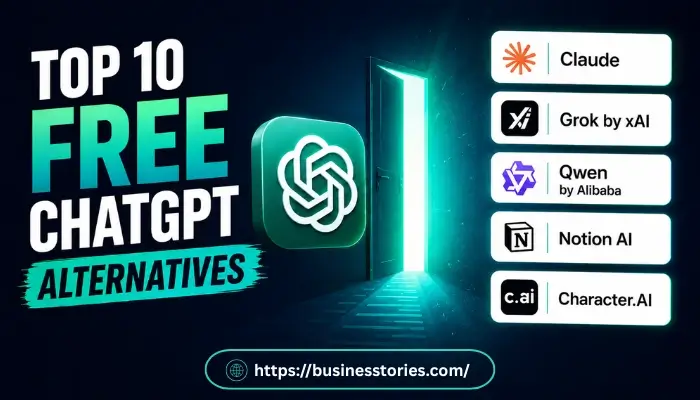
ChatGPT changed AI for everyone. But it is no longer the only choice. Today, you can find fantastic ChatGPT alternatives that are free to use. In fact, some tools even beat ChatGPT in key areas such as response accuracy, user interface, or specific functionalities like coding assistance or creative writing prompts. Whether you are a student, a writer, a coder, or just curious, there is a free AI tool for you.
In this guide, you will find the top 10 free ChatGPT alternatives of 2026. Furthermore, we cover what each tool does best, who it suits, and how to start using it. Let’s delve into the details.
Why Look for Free ChatGPT Alternatives?
ChatGPT is a strong tool. However, many users are encountering limitations with ChatGPT. The free plan has message caps. The paid plan costs $20 per month. On top of that, some users get random refusals or overly safe replies. Others need things ChatGPT does not offer, like live citations or strong coding help.
Luckily, the AI world has grown fast. Many ChatGPT competitors now offer strong free plans. Some are great for research. Others shine in coding or writing. The good news is that you do not need to pay to get solid AI help anymore.
Furthermore, using more than one AI tool is now a smart move. Many users use one tool for research. Another tool for writing. So, this guide helps you find the best mix for your needs.
Top 10 Free ChatGPT Alternatives You Need to Try
1. Claude by Anthropic — Best for Writing and Deep Reasoning
Claude is one of the best AI tools like ChatGPT you can use today. Anthropic built it with a “Constitutional AI” method. This means it follows clear values in every reply. As a result, Claude feels honest, careful, and easy to trust.
The free plan gives you web search, image reading, file creation, and code help. It also handles up to 200,000 tokens at once. In simple terms, that is about 500 pages of text. Moreover, that is far more than most free AI tools offer.
Claude does very well in creative writing. In fact, tests show it often beats other chatbots in stories and original content. So, if you write blog posts, essays, or fiction, Claude is a top pick. It is also excellent for code, document reading, and long chats where context is key.
Who is it best for? Writers, analysts, coders, and anyone who needs a smart, reliable AI for long or complex tasks.
How to get started: Go to claude.ai and sign up for free. No credit card is needed.
2. Google Gemini — Best Free Option for Google Users
Google Gemini is one of the most used free ChatGPT alternatives today. It works directly with Google Search, Gmail, Google Docs, and YouTube. So, if you already use Google tools, Gemini fits right in.
Gemini is great at real-time answers. It pulls live data from the web in seconds. Furthermore, it handles text, images, voice, and video. That makes it a true all-in-one AI assistant. Its image tool even went viral in early 2025 with the popular “Nano Banana” art style.
Here is what most people miss. Gemini’s biggest strength is not just its AI. It is the deep link to your Google apps. When connected to Google Workspace, it can scan your emails, sum up documents, and book meetings — all in one place. Additionally, ChatGPT simply cannot do that on its own.
Who is it best for? Students, workers, and daily users who rely on Google apps.
How to get started: Go to gemini.google.com and log in with your Google account. It is free right away.
3. Microsoft Copilot — Best for Microsoft 365 Users
Microsoft Copilot is a strong alternative to ChatGPT for anyone in the Microsoft world. It lives inside Word, Excel, Outlook, PowerPoint, and Teams. You can ask it to write emails, read spreadsheets, or build slide outlines, all inside the apps you use every day.
The free tier is quite capable. Copilot uses a strong AI model and gives you live web searches. Additionally, it can make images through Microsoft Designer. The paid plan starts at just $9.99 per month with Microsoft 365. So, it is very budget-friendly.
So, what makes Copilot stand out? It works inside your files — not beside them. For instance, you can highlight text in Word and request Copilot to rewrite it immediately. That kind of in-context help is very hard to match among apps similar to ChatGPT for free. Making it particularly valuable for users who require seamless integration and immediate assistance while working on documents.
Who is it best for? Office workers, business teams, and students are using Microsoft 365.
How to get started: Visit copilot.microsoft.com. Log in with your Microsoft account for free.
4. Perplexity AI — Best for Research and Sourced Answers
Perplexity AI is not a normal chatbot. Instead, it is an AI-powered search tool. Every answer it gives has numbered links to real source pages. So, you can check any fact in just a few seconds.
The free plan gives you unlimited basic searches with web access. You can also pick which sources it uses, academic papers, social sites, or the whole web. This kind of control is rare among free ChatGPT alternatives. Furthermore, you can switch AI models mid-chat, including Gemini and Perplexity’s own Sonar model.
Here is something most articles do not mention. Perplexity is compelling for students. Verified students can get Perplexity Pro, worth $20 per month, fully free for 12 months via its Education Plan. That opens up profound research, file uploads, and top AI models all in one place.
Who is it best for? Researchers, students, journalists, and people who need fast, sourced answers.
How to get started: Go to perplexity.ai and search for “free.” No sign-up is needed for basic use.
5. DeepSeek — Best Free Tool for Coding and Logic
In early 2025, DeepSeek surprised the AI world. Its app shot to number one on the Apple App Store, even beating ChatGPT. Why? Because it gives near GPT-5-level thinking, all for free.
Furthermore, DeepSeek runs fast at about 60 tokens per second. Its “DeepThink” mode shows you the AI’s full thought process before it answers. ChatGPT does not show this information. Also, you can use a web search, upload files, and read documents on the free plan.
One thing to know: DeepSeek saves chat data on servers in China. If that worries you, you can run it locally on your computer using its open-source version. Overall, this makes it one of the most flexible AI tools for tech users, like ChatGPT.
Who is it best for? Developers, data analysts, and students dealing with math, code, or science tasks.
How to get started: Visit chat.deepseek.com and sign up for free.
6. Meta AI — Best Free AI Already Inside Your Apps
Meta AI is probably the easiest ChatGPT alternative to access. You do not need a new app or account. It is already built into WhatsApp, Instagram, Facebook, and Messenger. Just open a chat and start typing.
Meta AI is built on Llama, Meta’s open-source AI model. It can answer questions, make images from text, and even place you in fun new scenes. Moreover, in late 2025, Meta added better speech tools for dozens of new languages. This improvement benefited millions of users worldwide who had previously been excluded.
That said, Meta AI works best for quick and simple tasks. It is not made for long documents or deep research, which limits its effectiveness for users seeking comprehensive information or detailed analysis. However, for a fast answer in WhatsApp or a fun image on Instagram, nothing is quicker than apps similar to ChatGPT for free.
Who is it best for? Casual users who want fast AI help inside the social apps they already love.
How to get started: Open WhatsApp or Instagram. Then tap the Meta AI icon in the search bar or chat screen.
7. Grok by xAI — Best for Real-Time News and Social Insight
Grok is the AI assistant from xAI, Elon Musk’s AI company. Its biggest edge is live access to X (formerly Twitter). As a result, it can track trends, breaking news, and public posts as they happen, in real time.
Grok 4, released in mid-2025, has a huge 2-million-token context window. It also supports web search and voice chat. The free tier is open to all users. Plus, X Premium subscribers get extra Grok access bundled in.
Grok is more direct than most AI chatbots. It aims to give you straight, honest answers without being overly careful. Therefore, if you want a clear reply instead of a long, hedged response, Grok is worth a try. It is a fast-growing ChatGPT competitor with real strengths.
Who is it best for? Social media users, journalists, and marketers who need live, real-time context.
How to get started: Visit x.ai/grok or open it inside the X app for free.
8. Qwen by Alibaba — Best Free AI with Top-Tier Model Access
Qwen is Alibaba’s AI tool, and it has quietly impressed many users. The latest Qwen3 series matches ChatGPT’s best paid models in tests. Yet Qwen lets you use its top model for free.
In the AIME 2025 math test, Qwen3 Max tied with ChatGPT 5.2. That version of ChatGPT needs a paid plan. So, Qwen gives you the same power at zero cost. Beyond that, Qwen also launched a new layered image editing tool. It is the first of its kind and beats ChatGPT’s own image editor in some tests, particularly in features such as user interface design and processing speed.
So, in short, Qwen is one of the most underrated free ChatGPT alternatives out there. It is a smart pick if you want strong AI results without a monthly bill.
Who is it best for? Budget users, students, and developers who want strong AI at no cost.
How to get started: Visit chat.qwen.ai and start for free.
9. Notion AI — Best Free Tool for Work and Notes
Notion AI lives inside the popular Notion app. It helps you write notes, sum up documents, pull action items from meeting notes, and brainstorm — all without leaving your workspace.
This makes it one of the most practical ChatGPT alternatives for busy workers. Instead of jumping between apps, you can highlight text in Notion and ask AI to fix, translate, or expand it right there. Furthermore, the free plan includes basic AI features. Advanced tools start at $12 per month on paid plans.
The big advantage is context. Notion AI knows what is already in your workspace. So, it can link tasks across pages and write content that fits your notes and style. That is something most standalone chatbots simply cannot do.
Who is it best for? Project managers, remote workers, students, and teams who live inside Notion.
How to get started: Go to notion.so, create a free account and use AI right inside your pages.
10. Character.AI — Best Free AI for Creative Fun
Character.AI is unlike any other tool on this list. Instead of one AI helper, it lets you build and chat with custom AI characters. You can create your own persona or pick from pre-built ones based on real or made-up people.
This makes it one of the best free apps for free, similar to ChatGPT for fun and creativity. For example, students use it to practice new languages. Writers use it to test character dialogue. Gamers use it to build fun story worlds.
The free plan is generous. It gives you many daily chats at no cost. It is not made for coding or profound research. However, for creative tasks or language learning, it is fun, flexible, and effortless to use.
Who is it best for? Writers, language learners, students, gamers, and anyone who loves creative AI play.
How to get started: Go to character.ai and start chatting for free. Building a character takes just a few minutes.
How to Choose the Right ChatGPT Alternatives for You?
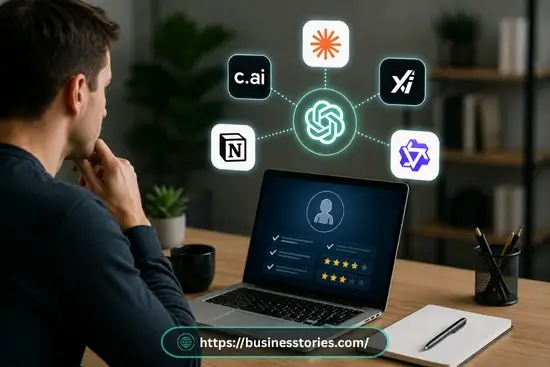
So many excellent options exist today. Therefore, selecting the most suitable option depends on your specific goals. Here is a quick guide to help you decide:
- For research with real sources, go with Perplexity AI.
- For writing, coding, and long texts, choose Claude.
- Google app users, pick Gemini.
- Microsoft Office users, use Copilot.
- Free coding and logic help, try DeepSeek or Qwen.
- For live social media insight, use Grok.
- For Immediate help inside social apps, use Meta AI.
- Notes and work tasks go with Notion AI.
- For creative fun and roleplay, choose Character AI.
Furthermore, remember that you do not have to pick just one. In fact, many users mix two or three tools based on the task. That mix-and-match style is one of the best things about today’s AI world.
Conclusion
The era of relying on just one AI tool is over. Today, the best free ChatGPT alternatives cover every type of task and user. Do you need sourced research? Try Perplexity. Do you need smart writing help? Try Claude. Want AI inside your social apps? Meta AI is already there.
So, start by thinking about how you use AI most. Then, pick one or two tools from this list and test them for a week. You may be surprised at how fast they fit into your daily work.
Furthermore, the best ChatGPT alternatives are not always the most famous. It is the one that fits your life, saves your time, and gives real results, such as improving productivity or enhancing creativity in your daily tasks. Also, all ten tools on this list do exactly that, providing tailored solutions that enhance productivity and efficiency for various tasks. And best of all, they are all free to start.
Ready to try one? Pick a tool from this list right now. Sign up for free and test it on a real task.
Compare the Best Free ChatGPT Alternatives: Features, Pros & Ratings
| Tool | Best For | Free Plan Highlights | Ideal User | Overall Rating |
| Claude | Writing & Reasoning | Web search, image reading, 200K token context, file creation | Writers, analysts, coders | ⭐ 9.5/10 |
| Google Gemini | Google Ecosystem Users | Live web data, voice/image/video input, Gmail & Docs integration | Students & Google Workspace users | ⭐ 9.2/10 |
| Microsoft Copilot | Microsoft 365 Users | In-app help in Word, Excel & Teams, live search, image creation | Office workers & business teams | ⭐ 9.0/10 |
| Perplexity AI | Research & Fact-Finding | Cited answers, unlimited searches, model switching, no sign-up | Researchers, students, journalists | ⭐ 9.2/10 |
| DeepSeek | Coding & Logic | DeepThink mode, 60 tokens/sec, file uploads, web search | Developers & data analysts | ⭐ 8.8/10 |
| Meta AI | Quick Everyday Help | Built into WhatsApp, Instagram & Facebook, no new account needed | Casual & social media users | ⭐ 8.5/10 |
| Grok | Real-Time News & Trends | Live X feed access, 2M token context, voice chat, web search | Journalists & social media users | ⭐ 8.7/10 |
| Qwen | Budget Premium Access | Top-tier model free, image layer editing, strong math benchmarks | Budget users & developers | ⭐ 8.8/10 |
| Notion AI | Notes & Productivity | In-workspace editing, task linking, document summarisation | Remote workers & project managers | ⭐ 8.4/10 |
| Character.AI | Creative Play | Custom AI characters, daily free chats, multi-persona options | Writers, gamers & language learners | ⭐ 8.2/10 |
Notes: All tools listed above offer a free tier. Ratings reflect overall value on the free plan. Features may change over time. Always check each tool’s official site for the latest details.
Source: Based on original research and analysis, 2026
FAQs About ChatGPT Alternatives
Q1. What are the best free ChatGPT alternatives for students?
Perplexity AI is a top pick for students. It provides sourced, cited answers for any research task. Furthermore, verified students can get a full year of Perplexity Pro for free. That unlocks premium models and unlimited research tools.
Q2. Are there apps similar to ChatGPT for free that need no sign-up?
Yes. Perplexity AI lets you search right away with no account needed. Furthermore, Meta AI is built into WhatsApp and Instagram, so you can start without any extra steps or sign-up at all.
Q3. Which free ChatGPT alternatives are best for coding?
DeepSeek is a wonderful free choice for coding and logic tasks. It shows its full chain of thought and handles complex code, making it particularly useful for developers who need detailed explanations and step-by-step solutions to coding problems. Moreover, it runs at near GPT-5 levels, all for free. Qwen is also a strong option for technical work.
Q4. Can I use multiple free AI tools like ChatGPT at the same time?
Yes, absolutely. In fact, many users do this every day. For example, you can use Perplexity for research, Claude for writing, and DeepSeek for coding. Most free plans allow such usage, so you can build a full AI set at zero cost.
Q5. Is there a free ChatGPT alternative built into Microsoft Office?
Yes. Microsoft Copilot works directly inside Word, Excel, Outlook, and Teams. The free tier gives you real AI help inside these apps. So, it is the best pick for anyone who works with Microsoft tools every day.

Author & Researcher with 8 years of experience across IT and non-IT industries, delivering insightful and data-driven content.