
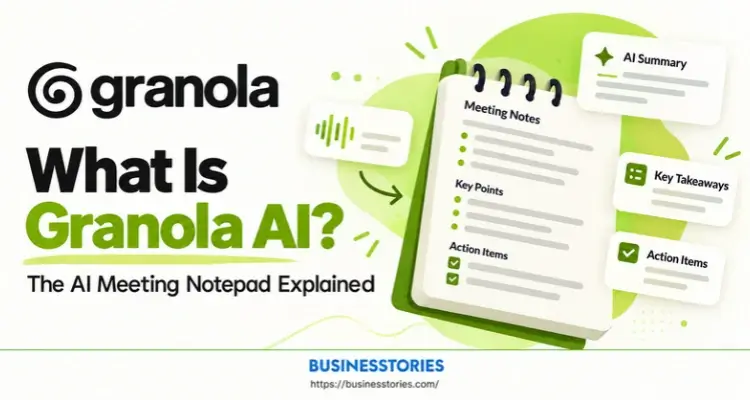
Meetings fill most work weeks. Yet most of us leave a call with messy notes and a vague memory of who agreed to what. That is the gap Granola AI sets out to fill. It is an AI notepad that listens to your meetings while you type.
Then, once the call ends, it turns your rough bullets into clean, useful notes. In fact, it does all of this without sending a bot into your call.
The idea has caught on fast. In March 2026, Granola raised $125 million at a $1.5 billion valuation. So, what is it exactly, and could it be a good fit for you? This listicle will explain how Granola works, its costs, its limitations, and how to start using it today.
What Is Granola AI? The Basics Explained
Simply put, Granola AI is a digital notepad for meetings with an AI helper built in. You write short notes during a call, just like you would on paper. Meanwhile, the app picks up the audio on your computer and turns it into a live transcript.
After the meeting, it blends your notes with that transcript. As a result, you get a complete set of notes that highlights what you consider important.
This design is what makes Granola stand out among most AI meeting assistants. Tools like Otter or Fireflies usually send a bot to join your call. That bot then decides what goes into the summary. Granola, on the other hand, lets your notes guide the AI.
Who Built Granola?
Chris Pedregal and Sam Stephenson founded Granola in London in 2023. Before that, Pedregal co-founded Socratic, an AI study app that helped millions of students. The team first tested Granola with a small beta group. Then they launched it to the public in May 2024.
How Fast Has It Grown?
Most of its growth came through word of mouth among founders and investors. For instance, in May 2025, the company raised $43 million at a $250 million valuation. Less than a year later, its Series C valued it at $1.5 billion, six times higher.
Index Ventures led that round, and Kleiner Perkins joined in. Total funding now sits near $192 million. Today, teams at Vanta, Gusto, Asana, Cursor, and Mistral AI all use it.
This is a fresh way to think about it.
Here is a useful lens. Every bullet you type in Granola works like a prompt. When you write “budget worry,” you tell the AI where to dig. So the quality of your notes shapes the quality of the summary. In short, Granola rewards people who listen well. It does not replace them.
How Granola AI Works: A Step-by-Step Guide
Granola keeps the workflow simple. In fact, most people learn it in their first meeting. Here is how the process works from start to finish.
Step 1: Download the App and Link Your Calendar
- First, download the app for Mac, Windows, iPhone, or Android.
- Next, sign in and link your Google or Outlook calendar.
- This way, Granola knows who is in each meeting and what it is about.
Step 2: Start the Notepad. When the Call Begins
When a meeting starts, Granola shows a small pop-up. You click to start, so it does not begin on its own. Then it picks up sound from your mic and your speakers. That means it works with Zoom, Google Meet, Teams, and even calls on your laptop.
Step 3: Type Short Notes as You Listen
Now, jot down only what matters to you. Four or five quick bullets are plenty. For example, you might write “price pushback” or “follow up Friday.” Meanwhile, Granola builds a live transcript in the background.
Step 4: Let the AI Improve Your Notes
After the call, click the button to enhance your notes. Granola then expands each bullet with details from the transcript. Your words stay in black, while AI additions show up in gray. As a result, you can always tell what came from you and what came from the machine.
Step 5: Chat, Share, and Follow Up
Finally, use Granola Chat to ask questions about the meeting. You can ask, “What did the client say about timelines?” Or you can type, “Draft a follow-up email.” You can also share notes or send them to Notion, Slack, or HubSpot.
Quick Tip for Better Results
Pick a template before the call starts. Granola has formats for sales calls, interviews, and one-on-ones. So your notes come out in the same clean shape every time.
Furthermore, always check names, numbers, and promises before you share anything. AI notes are a strong first draft, not a perfect record.
6 Key Features of the Granola AI Notepad
Granola does not try to do everything. Instead, it focuses on a few features and does them well. Here are the six that matter most.
1. Bot-Free Meeting Capture
No bot joins your call. Instead, Granola listens through your device. So nobody sees an extra “notetaker” tile on the screen. Many users say the feature keeps meetings more relaxed and natural.
2. AI-Enhanced Meeting Notes
The design system import is the core feature. Your rough bullets turn into clear, tidy notes in seconds. Plus, the AI knows each person’s role from your calendar. Therefore, it can shape notes for a sales call, a job interview, or an investor pitch.
3. Custom Templates
If you run the same kind of meeting often, build a template once. Thereafter, every meeting of that type follows the same layout. For instance, a recruiter can set fixed sections for skills, salary, and next steps.
4. Recipes
Recipes are saved AI prompts that you can run in any meeting. Just type “/” in the chat bar to see them. Some come from well-known experts such as Lenny Rachitsky and Matt Mochary. You can also write your own and share them with your team.
5. Spaces and Team Chat
Granola launched Spaces in March 2026. These are shared team folders. Inside them, you can ask questions across many meetings at once. For example, a product lead could ask, “What did customers complain about this month?” The chat runs on top of AI models, including Claude, GPT, and Gemini.
6. Integrations, MCP, and APIs
Granola connects with Notion, Slack, HubSpot, Attio, Affinity, and Zapier. Moreover, it added support for the Model Context Protocol (MCP) in February 2026. This lets you plug your meeting history into tools like Claude or ChatGPT. Business users also obtain API access.
The Bigger Picture
Look closely, and you will spot a shift. Granola is no longer just a note app. Instead, it is turning into a company memory layer. Every meeting adds context that other AI tools can then use. That is likely why investors paid such a high price.
Granola AI Pricing and Privacy: What You Should Know
Before you sign up, it helps to know two things: the cost and the privacy trade-offs. Let’s look at both.
Granola AI Pricing Plans in 2026
Granola keeps its pricing simple, with three plans:
- Basic (Free): Unlimited meetings, AI notes, AI chat, templates, and shared folders. However, you can only see recent meeting history.
- Business ($14 per user per month): Full history, advanced AI models, integrations, plus MCP and API access.
- Enterprise ($35 per user per month): Admin controls, single sign-on, and stronger security tools for large teams.
Note that the free plan got tighter in February 2026, when a 30-day history limit arrived. Furthermore, as of mid-2026, Granola only offers monthly billing. Since prices change often, always check the official pricing page first.
How Granola Handles Your Data
On the bright side, Granola does not keep your audio. It turns sound into text and then deletes the audio file. In one interview, CEO Chris Pedregal said they made this choice so the tool would feel like a notepad.
However, the app does keep the text transcript until you delete it. Granola stores this data on AWS servers in the US.
The Consent Question
Here is the catch. Because no bot joins, other people may not know about the transcript. That means you are responsible for asking for consent. In places like California and much of the EU, every person may need to agree first.
Granola is accused of collecting personal information without user consent in a class action lawsuit filed in 2026. None of those claims have been proven.
So how do you stay safe? Follow these simple steps:
- Inform everyone at the beginning of the call that you will be taking AI notes.
- Add a short notice to your calendar invites.
- Turn off AI model training in your privacy settings.
- Verify link-sharing settings before you share sensitive notes.
- A Point Most Reviews Miss
Having no audio archive is both a strength and a limit. On one hand, it safeguards you against the loss of a laptop or a server breach. On the other hand, you cannot replay a tense moment to verify someone’s exact tone.
Granola, in a way, remembers as a person does. It keeps the meaning, not the full tape.
Granola vs Other AI Note Takers: Which Should You Pick?
The AI note-taking app market is crowded. So it helps to see how Granola stacks up against the big names.
Granola vs Otter.ai
Otter uses a bot and keeps your audio for playback. It also gives you free minutes each month. Granola, by contrast, has no audio playback, but it blends your notes into the summary. Choose Otter if you need to replay calls. Pick Granola if you want sharper, more personal notes.
Granola vs Fireflies.ai
Fireflies is huge, with over 16 million users and a $1 billion valuation. It suits teams that want deep search and lots of integrations. Yet its bot always shows up in the call. Furthermore, its business plan costs about $29 per user, roughly twice Granola’s price.
Granola vs Fathom
Fathom offers a generous free plan with unlimited recordings. It also works well with sales CRMs. However, it joins calls as a visible bot. Oddly enough, some teams like that, because the bot acts as a built-in recording notice.
Who Should Use Granola?
Granola fits best if you:
- Have back-to-back meetings and little time to write notes.
- Run sales, hiring, investor, or client calls.
- Want to stay present instead of typing everything.
- Prefer a tool that feels quiet and personal.
On the flip side, it may not suit journalists, lawyers, or anyone who needs the original audio. It may also be a poor fit if your team cannot reliably tell people about recording.
How to Test It in One Week
Want to know for sure? Try this simple plan.
- First, install the free version and link your calendar.
- Next, use it in five real meetings.
- Then, compare the notes it generated with the ones you would have written.
- Finally, ask yourself two questions. Did it save time? Did it catch things you missed? If both answers are yes, the upgrade is likely worth it.
Final Thoughts: Is Granola AI Worth It?
So, what is Granola AI in one line? It is a smart notepad that listens to your meetings and turns your rough notes into clear, useful ones. Unlike most tools, it does not send a bot. Instead, it lets your notes steer the AI.
We covered a lot in this guide.
- First, you learned how the app works in five easy steps.
- You then discovered its standout features, which include templates, recipes, spaces, and MCP.
- You also explored its plans, which start free and rise to $35 per user each month.
- Finally, you saw its biggest trade-off: silent capture makes consent your job.
Overall, Granola shines for busy people who want to stay present in calls. Its rapid rise to a $1.5 billion valuation shows that many leaders agree. Still, it is not perfect. If you need audio playback or strict built-in consent tools, another app may suit you better.
Here is the key takeaway. The best AI notes start with a human who is paying attention. Granola simply makes that human faster and sharper.
Ready to try it? Download the free version, link your calendar, and test it in your next five meetings. Then decide if Granola AI deserves a spot in your daily workflow.
Frequently Asked Questions About Granola AI
1. Is Granola AI free to use, or do you need a paid plan for meetings?
Yes, Granola AI has a free basic plan. It includes unlimited meetings, AI notes, and chat. However, it limits how far back you can see your notes. Paid plans start at $14 per user each month.
2. Does Granola AI record audio or join video calls as a visible bot?
No, Granola never joins calls as a bot. Instead, it picks up sound from your device and turns it into text. Thereafter, it deletes the audio. So this bot-free AI notetaker keeps only the text transcript.
3. Which devices and video call apps does the Granola Notepad support?
Granola runs on Mac, Windows, iPhone, and Android, and it now has an Apple Watch app. Because it listens through your device, it works with Zoom, Google Meet, Microsoft Teams, and most other call apps.
4. How is Granola AI different from Otter.ai and other AI note takers?
Most AI note takers send a bot and write the summary for you. Granola, however, starts with your own typed notes. Then it adds details from the transcript. As a result, your meeting summaries feel more personal and focused.
5. Do you need consent from others before using Granola in meetings?
Yes, in most cases you should obtain consent. Since no bot appears during the call, other participants may be unaware of the recording. Please inform everyone at the beginning of the call and include a notice in the invitations. Recording laws vary by location.

Author & Researcher with 8 years of experience across IT and non-IT industries, delivering insightful and data-driven content.