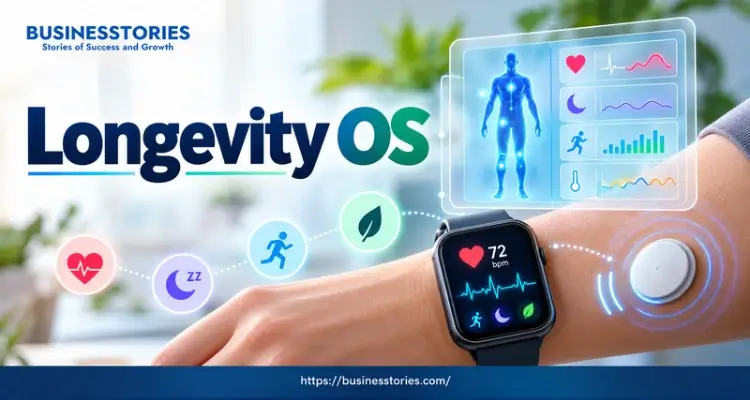
Your phone counts your steps. Furthermore, your watch tracks your pulse, and your ring scores your sleep. Now imagine all of that data working as one system. That idea has a name: Longevity OS. In short, always-on biosensors, apps, and lab tests team up to show how your body is doing each day.
This shift is real. Instead of one checkup a year, you now get a steady stream of signals. Consequently, minor changes are detected sooner. However, more data does not always mean better health. In fact, some numbers are solid, while others are rough guesses.
In this listicle, you will learn five things.
- First, you will see what the sensors measure.
- Next, you will discover how glucose monitors can fit into your life.
- Then you will read sleep scores without stress.
- Thereafter, you will build a simple health dashboard.
- Finally, you will learn how to protect your data.
So let’s get started.
1. Wearables: The Always-On Sensor Layer of Your Longevity OS
Every Longevity OS starts with hardware. Sensors sit on your wrist, finger, chest, or skin. Because they work around the clock, you never have to press a button.
What Your Sensors Actually Measure
A 2026 overview from AZoSensors describes a clear move from one-off lab tests to continuous health monitoring. Common signals include heart rate, heart rate variability (HRV), skin temperature, blood oxygen, and movement.
Together, they hint at stress, recovery, and fitness. For example, a higher resting pulse and warmer skin can signal that you are getting sick. Newer sensors also aim at sweat and body-fluid markers. Still, most of those tools are early-stage.
Which Features Have Real Medical Backing
Not every feature is equal, though. Some have FDA clearance. For instance, the FDA cleared Apple’s hypertension alert in 2025. First, the watch studies pulse signals for 30 days. Then it alerts you if the pattern suggests chronic high blood pressure. Furthermore, it suits adults aged 22 and up with no prior diagnosis.
Apple has clearance for sleep apnea and irregular rhythm alerts as well. Yet the FDA summary makes clear that the tool will not catch every case. So a quiet watch is not proof of excellent health.
Most other scores work differently. In fact, “readiness” and “recovery” numbers are wellness estimates. They can guide your habits, but they cannot diagnose anything. Experts also list motion noise, false alarms, and heavy data loads as real hurdles.
Here is a fresh way to think about it. Your Longevity OS is a change detector, not a judge. It is weak at ranking you against strangers. However, it is effective at detecting changes from your baseline. That is why a plain, steady tracker often beats a fancy one. As Plotline notes, consistency is the most important trait in a longevity wearable. After all, it gives you a stable baseline.
Try this approach: Wear one device for 30 days and change nothing else. Then note your average resting heart rate and sleep time. Those two numbers become your personal baseline.
2. Glucose Monitors: A Window Into Your Metabolism
Blood sugar is one of the most talked-about signals in any Longevity OS. Today, over-the-counter sensors make it easy to see. Yet the science for healthy users is still catching up.
How Over-the-Counter CGMs Work
A continuous glucose monitor (CGM) uses a tiny sensor under the skin. Then it reads sugar in the fluid around your cells, day and night. In March 2024, the FDA cleared Dexcom’s Stelo, the first over-the-counter CGM. Later that year, Abbott’s Lingo followed. Stelo suits adults who do not use insulin, with or without diabetes. In contrast, Lingo is a wellness tool, and the FDA has not cleared it for diabetes. Notably, neither one alerts you to high or low readings.
Accuracy claims vary, too. According to CNN Underscored, Stelo’s maker says its data is 93% accurate against lab tests. Meanwhile, CNN found no public accuracy data for Lingo. Sensors also wear out. For example, one 2022 review noted that some sensors under the skin last about two weeks at best.
What the Evidence Says for Healthy People
Here is the honest part. A 2025 review looked at people at risk of diabetes. It found no strong proof for broad CGM use. However, it saw promise for people with obesity or prediabetes. A 2025 clinical commentary also pointed out that large trials in adults without diabetes are lacking. In addition, a dietitian quoted by CNN warned against using CGM data for strict diets or self-diagnosis.
So who may gain the most? The same dietitian named people at higher risk. Examples are insulin resistance, high triglycerides, or a family history of type 2 diabetes.
Here is a unique twist: treat a CGM as a short course, not a subscription. First, wear it for one or two sensor cycles. Learn how your typical meals, walks, and sleep impact your numbers next. Then stop and keep the lessons. As a result, you limit cost and data overload.
Try this program: Talk with your doctor first, especially if you take diabetes medicine. If you go ahead, test three familiar meals on different days. Then compare how a short walk afterward changes the curve.
3. Sleep and Recovery Scores: Trust the Trend, Not the Grade
Sleep is the most tracked metric in any Longevity OS. However, it is also the easiest one to misread. Many people trust the score more than their body.
How Accurate Are Sleep Trackers?
A lab sleep study reads brain waves, eye movement, and muscle tone. In contrast, consumer wearables measure none of these. Instead, they guess your sleep stages based on movement and heart rate. One education site says wrist and finger devices often tell sleep from wake 85 to 95 percent of the time.
However, stage estimates are much weaker. Furthermore, the Sleep Foundation notes that the FDA does not regulate sleep trackers. So treat your sleep score as an estimate, not a verdict. Two devices can even disagree on the same night, because each brand uses its own formula.
When Tracking Backfires: Orthosomnia
Some people chase a perfect score until the pursuit ruins their rest. Sleep researchers call this orthosomnia. It is not yet a formal diagnosis, and research is ongoing. Still, the numbers are worth a look. For instance, a 2024 survey of 523 adults found that 35.8% used sleep trackers regularly.
Furthermore, depending on how strictly researchers defined it, orthosomnia showed up in roughly 3% to 14% of people. Trackers do not automatically cause insomnia. Even so, they can raise worry for some.
Here is a simple fix that many articles skip. Add a feel score. Before you look at your device, rate how rested you feel from 1 to 5. Then compare. If the two disagree, trust your body first. Over time, you will learn which numbers best reflect your true energy.
Try this approach: Ignore single nights. Instead, look at your seven-day average for sleep time and bedtime. One psychology guide says weekly trends in sleep timing and length matter most. Furthermore, keep a steady bedtime, since regular timing is a habit you control. If checking your data makes you tense, take a few weeks off the device.
4. Build Your Longevity OS Dashboard: Connect, Simplify, Act
Sensors alone do not constitute a complete system. You also need one place where the signals meet. Otherwise, you end up with five apps and no clear answer.
Bring Your Data Together
Dashboard tools pull data from wearables, apps, and labs into a single view. For example, Heads Up Health says its dashboard connects with more than 30 apps, devices, and wearables. Likewise, one longevity clinic feeds Oura, Garmin, Apple Watch, glucose monitors, food logs, and lab results into that kind of view. You can also start free, because Apple Health and Google Health Connect gather data from many devices.
Experts urge one mindset shift. A Nuvolum podcast says to treat your metrics as a dashboard for steady tuning, not a daily report card. The plotline offers a helpful picture. Think of your wearable as a car dashboard. It gives live feedback, but a warning light means it is time to see a mechanic.
Track Fewer Metrics That Matter More
More tiles do not mean more insight. So give your Longevity OS a five-tile rule. Choose only five numbers, such as resting heart rate, HRV trend, sleep timing, daily movement, and blood pressure. Then add one yearly blood test with your doctor. Because you track less, you notice more.
Why keep movement and fitness on the list? The evidence is strong. A 2018 study in JAMA Network Open followed 122,007 adults who took treadmill tests. Those with low fitness faced about five times the risk of death compared with elite performers. Furthermore, being below average instead of above average carried a risk similar to smoking or diabetes.
However, this study only tracked individuals, which indicates a correlation rather than definitive proof. Still, many watches now estimate cardio fitness. Just remember that those estimates are less exact than lab tests.
Try this: Choose your five tiles. Then review them once a week, on the same day. Next, change one habit for two weeks and watch the trend. If the trend improves, keep the habit.
5. Privacy and Guardrails: Protect the Data Behind Your Longevity OS
A health dashboard is only useful if you trust who sees it. Sadly, the rules are looser than most people think. A few minutes of setup is worthwhile because your data is so personal.
Why HIPAA Often Does Not Cover Wearable Devices
The US health privacy law, HIPAA, covers doctors, hospitals, health plans, and the firms that work for them. However, most consumer wearable makers sit outside that circle unless they work for your provider or insurer. As a University of Cincinnati Law Review post explains, that gap can leave sensitive data open to sale or sharing.
For example, an app may pass your data to advertisers. In practice, the company’s privacy policy is your primary shield. Once data reaches your doctor, though, HIPAA covers that copy.
Simple Steps to Lock It Down
Start with your phone settings.
- First, limit location, health data access, and background syncing.
- Next, opt out of research, ads, and third-party sharing inside each app.
Furthermore, avoid linking your health apps to social media, since cross-sharing can increase your exposure. If you manage a chronic condition, choose platforms that work directly with your care team. Finally, read each privacy policy for words like “sell” or “share.”
Here is a fresh idea: set a data budget. Specify the duration for which you genuinely require old streams. Then delete what you do not use each year. After all, old data you never review brings risk with no reward.
Know When to Call a Doctor
Even a wonderful Longevity OS cannot diagnose you. So a score should never replace a doctor visit. If your device keeps flagging irregular rhythms, low oxygen, or restless breathing at night, do not buy another gadget.
Instead, book a visit and share the trends. Your doctor can then confirm the findings with proper tests. Likewise, talk to a professional before changing your diet, exercise, or medicines based on a watch.
Try this step: Open your main health app. Then turn off one sharing setting that you do not need.
Conclusion: Make Your Longevity OS Work for You
A strong Longevity OS is not about owning the most gadgets. Instead, it is about turning steady signals into wise choices. Let’s recap the main points.
- First, always-on biosensors track your pulse, sleep, and movement, but only some features have medical backing.
- Second, glucose monitors can teach you about your meals, though the proof for healthy users is still thin.
- Sleep scores are most effective when viewed as weekly trends, so include a straightforward feel score.
- A five-tile dashboard is superior to a screen filled with numbers.
- Finally, HIPAA rarely covers wearables, so you must guard your data.
The main message is simple. Your body is the baseline, and your habits are the real software. In short, the dashboard only shows the logs, so the real work is yours. As a result, small steady actions matter most. So walk more, sleep at regular times, and build your fitness. Then let your data confirm what works.
Ready to start? Plan for this. First, choose one wearable. Next, pick five metrics. Then set a weekly review time. After that, lock down your privacy settings. Above all, if a number worries you, talk to a doctor rather than guess.
FAQs About Longevity OS
1. What is a longevity OS, and how do wearable sensors power it daily?
A Longevity OS is a system that joins wearable sensors, apps, and lab results into one health dashboard. Sensors track pulse, sleep, and movement all day. Then the dashboard shows trends, so you can adjust your daily habits.
2. Can a longevity OS really help me live longer or only track data?
Tracking alone will not add years. However, data can motivate better habits, such as regular exercise and steady sleep. Because higher fitness goes with lower death risk, a wearable that nudges you to move can help.
3. Do I need a continuous glucose monitor if I do not have diabetes?
Most healthy people do not need one. Evidence for a continuous glucose monitor for non-diabetics is still limited. However, it may help those with prediabetes or family risk. So talk to your doctor first.
4. How accurate are smart rings and watches for sleep and heart data?
Resting heart rate is usually right. Sleep versus wake is also fairly excellent. However, stage estimates are weaker. The accuracy of sleep tracking with smart rings varies by brand, so follow weekly trends, not single nights.
5. Is my health data private when I use always-on biosensors every day?
It is often less private than you think. HIPAA rarely covers consumer wearables. So wearable health data privacy depends on each company’s rules. Limit app permissions, opt out of sharing, and delete old data yearly.

Senior Business Analyst / Prduct Owner with 12+ years of experience driving data-driven insights, optimizing business processes, and delivering strategic IT solutions.