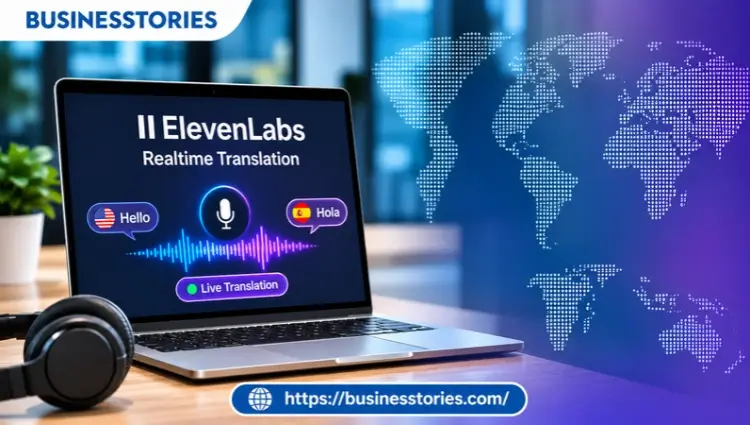
A caller in Madrid speaks Spanish. The agent in Manchester hears English. Neither waits for a human interpreter to join the line. That’s the promise ElevenLabs made on October 21, 2026. ElevenLabs Realtime Translation is a live voice translation tool.
It turns speech in one language into natural speech in another while the person is still talking. It covers more than 90 languages and works both ways. Currently, it’s in alpha for enterprise customers through ElevenAPI.
So who is it really for? In this guide, you’ll see how it works and what the speed setting does. You’ll also see how it stacks up against OpenAI, Google, Microsoft, and DeepL. Then we’ll show who gains the most now and who should wait.
Key Takeaways
- ElevenLabs Realtime Translation launched on October 21, 2026, as an alpha for enterprise customers only.
- It translates two-way speech in 90+ languages and detects the speaker’s language on its own.
- A single setting called eagerness lets teams trade a little quality for lower delay.
- Telecom operators, contact centers, and live event organizers gain the most today.
- There’s no public price yet, so small teams and creators will have to wait or look elsewhere.
What Is ElevenLabs Realtime Translation?
ElevenLabs Realtime Translation is a streaming speech-to-speech service. Each person speaks their own language and hears the other person in theirs during the call itself.
ElevenLabs announced the product on its blog on October 21, 2026. The company aimed it at three groups: telecom operators, contact centers, and live events. It runs on Eleven v4 Turbo, the company’s low-latency speech model, by default.
This service is not the same as ElevenLabs dubbing. Dubbing works on recorded video and audio after the fact. Real-time translation, by contrast, serves live, back-and-forth talk where every second of delay hurts.
It’s also different from ElevenLabs’ voice agents. Those are AI bots that answer callers. Here, two humans do the talking, and the AI only sits in the middle as an interpreter.
Why does this matter? Because older translation tools chained three separate steps: speech-to-text, text translation, and then text-to-speech. Each handoff added delay. As a result, the conversation felt like a walkie-talkie exchange.
ElevenLabs is also a significant player, not merely testing the waters. In February 2026, it raised $500 million at an $11 billion valuation, bringing total funding to $781 million. That money now funds products like this one.
For the backstory, see our ElevenLabs startup story.
Our view at Businesstories: the product is less a consumer app and more a piece of plumbing. If you’re expecting a phone app you can download today, you won’t find one. Instead, it’s an API that other companies build into their calls, apps, and event platforms.
How ElevenLabs Realtime Translation Works
In short, your app opens a live link and streams audio in. Translated audio and text come back almost at once. Developers pick the target language, the voice, and the speed setting.
The Streaming Flow
ElevenLabs Realtime Translation runs over a WebSocket, according to the ElevenLabs API reference. That’s a connection that stays open, so audio can flow both ways without breaks. Here’s the flow in plain steps:
- Your app opens a session and sets a target language, such as German or Spanish.
- You choose a voice ID for the translated speech.
- You stream the speaker’s audio in. You can name the source language, but you don’t have to. The system detects it.
- The service sends back interim transcripts, final transcripts, translated text, and translated audio.
- If one segment fails, the session keeps running. You lose only that piece.
That last point is easy to miss. In a live call, a single glitch shouldn’t end the conversation. The design keeps the line open even when one sentence goes wrong.
The Eagerness Dial
Every live interpreter faces the same choice. Start talking early and risk mistakes, or wait for more context and add delay. ElevenLabs Realtime Translation turns that choice into one setting called eagerness.
| Eagerness level | What it favors | Good fit |
| Low | More context before speaking, better quality | Billing disputes, insurance claims, complex support |
| Medium (default) | A balance of speed and accuracy | Most customer calls |
| High | Faster replies, quicker turn-taking | Casual chat, quick back-and-forth |
ElevenLabs says teams can pick higher quality for complex calls like billing or claims. Likewise, they can choose the lowest delay for faster exchanges. The company hasn’t published exact latency numbers, though. So test each level with your calls before you go live.
Key Features at a Glance
The short version: it covers many languages, offers a huge voice library, and ships with serious security paperwork. Here are the main specs from the official product page.
| Feature | What you get |
| Languages | 90+ output languages with automatic detection |
| Direction | Two-way, so both sides hear their own language. |
| Voices | 17,500+ library voices, or your own Instant or Professional Voice Clone |
| Text output | Live captions plus interim and final transcripts |
| Speed control | Eagerness: low, medium, or high |
| Security | SOC 2, PCI DSS Level 1, ISO 27001, HIPAA, GDPR, and Zero Retention Mode |
| Data residency | Separate endpoints for the EU, India, and Singapore (per the API docs) |
| Access | Alpha, enterprise workspaces only, via ElevenAPI |
Two features deserve a closer look. First, the voice stays the same for the whole session, even when the language switches. That keeps calls from sounding like a parade of robots.
Second, the regional endpoints matter more than most guides admit. A bank in Frankfurt or a hospital group in Singapore often can’t send voice data just anywhere. Regional processing makes the legal review far shorter. However, check which regions are live for your contract, because alpha terms can differ.
Who Wins Big? The Best-Fit Use Cases
The biggest winners are businesses that handle lots of live calls across many languages. For them, the tool replaces expensive interpreters or hard-to-hire multilingual staff.
Telecom Operators
Deutsche Telekom is the flagship example. It first showed the Magenta AI Call Assistant at Mobile World Congress in March 2026. The assistant lives inside the network, so it works on any phone with no app, says Deutsche Telekom’s press release.
Now the carrier is using ElevenLabs Realtime Translation to build new call features for it. The lesson for other carriers? Translation can become a paid network feature rather than a free phone trick.
Contact Centers and BPOs
The profit margin is where the money is. With ElevenLabs Realtime Translation, one agent can serve callers in many languages. There’s no need for a three-way call with an interpreter.
For a BPO located in Manila or Kraków, this development alters the calculations related to hiring. Rather than staffing every language, a team can cover rare languages with fewer people.
A common mistake, though, is to roll it out on every call at once. Start with lower-risk calls, such as order status, before moving to billing or complaints. Pair it with the AI customer service tools that your team already uses.
Live Events
Conference organizers can stream a speaker’s words to each attendee’s device in their own language. ElevenLabs lists press briefings and multilingual meetings among its target uses. For a mid-sized summit in Sydney or Berlin, that could replace several interpreter booths.
Who Should Wait
ElevenLabs Realtime Translation isn’t open to everyone yet. Solo creators, small shops, and travelers won’t get access. The alpha is for enterprise workspaces only. If you just need to chat abroad, phone tools from Apple, Samsung, and Google already do the job.
What Smaller Teams Can Do Now
You don’t have to sit still, though. If you run a small business with global customers, start by mapping your calls. Which languages come up most? How many calls a week need help? Write it down.
Next, try the tools you can reach today. OpenAI and Google both list public, per-minute prices. That makes a small test cheap. Meanwhile, ElevenLabs’ own text-to-speech and dubbing tools are open on self-serve plans. So you can test its voices before live translation opens.
When wider access arrives, you’ll have real data. That puts you in a far better spot to judge the price.
How ElevenLabs Realtime Translation Compares With Rivals
ElevenLabs isn’t alone. OpenAI, Google, Microsoft, and DeepL all sell speech translation that developers can build into products. ElevenLabs’ edge is voice quality and voice choice. Its weak spot is pricing clarity.
The table below uses an AssemblyAI comparison of real-time speech translation APIs from November 2026. It also uses ElevenLabs’ own pages.
| Provider | Languages | Speech-to-speech | Public price | Status (Nov 2026) |
| ElevenLabs Realtime Translation | 90+ | Yes, two-way | Not published (contact sales) | Enterprise alpha |
| OpenAI gpt-realtime-translate | Not published | Yes | $0.034 per minute | No preview label |
| Google Gemini Live API translation | 70+ | Yes | About $0.037 per minute | Preview |
| Microsoft Azure Speech | 91 (to text) | Yes, via live interpreter. | From $2.50 per hour (text) | Available |
| DeepL Voice API | 48 | Partial | Not published | Paid API users |
What most comparisons miss is the voice question. Rivals often focus on accuracy and price per minute. ElevenLabs, meanwhile, lets you pick from more than 17,500 voices or use a branded voice clone. For a bank or airline that cares how its “voice” sounds, that matters.
Our take: if you need a price today and a quick start, OpenAI or Google is easier. On the other hand, if brand voice and language range matter more, ElevenLabs is worth the sales call.
Pricing, Access, and the Catches Most Guides Miss
ElevenLabs Realtime Translation has no public price. Access runs through the sales team, and the product is still in alpha.
That alpha label matters. Features, limits, and terms can change before general release. ElevenLabs hasn’t given a launch date for wider access either.
There are three more catches worth knowing:
- Your exact voice doesn’t carry over by default. ElevenLabs’ product page says the service doesn’t copy the original speaker’s voice across languages exactly. If you want a match, you’ll need to set up a voice clone first.
- ElevenLabs hasn’t published a latency figure. The eagerness dial helps, but you’ll need to run your tests to find out the real delay on your network.
- Consent rules still apply. Every translated call sends voice data to a third party. Deutsche Telekom, for example, tells every caller when the assistant is active. Follow that lead.
A Five-Step Pilot Plan
- Pick one language pair with steady call volume, such as English and Spanish.
- Choose 50 to 100 low-risk calls for the first test.
- Run each eagerness level on a slice of those calls.
- Track handle time, repeat questions, and customer ratings for your current setup.
- Only then expand to harder calls and more languages.
Conclusion
Live translation used to mean waiting for an interpreter or putting up with stiff, delayed robot voices. ElevenLabs Realtime Translation changes the maths for any business that runs high-volume, multilingual calls.
Here’s what to remember.
- First, it’s a developer tool, not a consumer app, and it’s still an enterprise alpha.
- Second, its strengths are range and realism: 90+ languages, two-way speech, and a huge voice library.
- Third, the eagerness dial gives you real control over the speed versus accuracy trade-off.
- Finally, there’s no public pricing, so budget-conscious teams may start with OpenAI or Google instead.
FAQs
1. Is ElevenLabs Realtime Translation free?
No. ElevenLabs hasn’t shared a price for Realtime Translation. It’s an alpha product for enterprise customers right now. Companies must contact the sales team to obtain access and a quote for their use case.
2. How many languages does ElevenLabs live translation support?
ElevenLabs live translation supports output in more than 90 languages. It also detects the speaker’s language automatically, so callers don’t need to choose their language before they start talking.
3. What’s the difference between ElevenLabs Realtime Translation and dubbing?
Dubbing works on recorded audio and video after the fact. Real-time translation works during live, two-way talks, such as phone calls. Both people speak and hear their language with very little delay.
4. Does ElevenLabs’ real-time translation keep my voice?
Not by default. The translated speech uses a voice you pick from the library or an Instant or Professional Voice Clone. If you want the output to sound like you, create a clone first.
5. Can I use ElevenLabs voice translation for live events and streams?
Yes, live events are a listed use case. Organizers can stream translated audio to attendees’ devices during conferences, briefings,, and meetings. Access is still limited to enterprise customers during the alpha.

Senior Business Analyst / Prduct Owner with 12+ years of experience driving data-driven insights, optimizing business processes, and delivering strategic IT solutions.