Have you ever had an app idea but no clue how to code it? You are not alone. For years, that gap stopped most people cold. Today, however, tools like Replit are rapidly closing that gap.
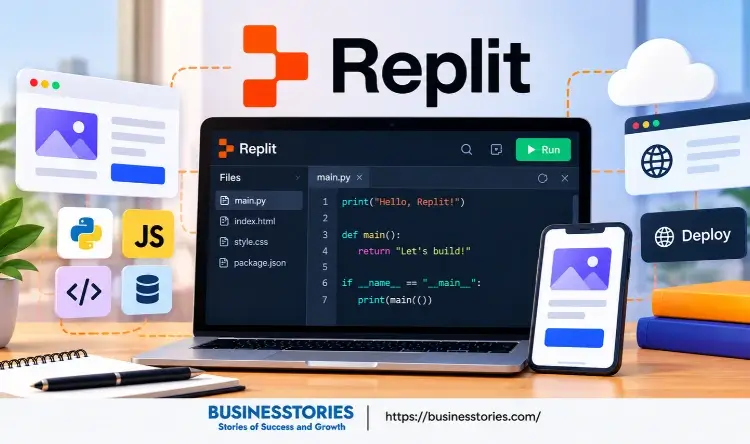
Replit lets you build, test, and launch apps right inside your web browser. You simply describe what you want in plain English. Then an AI helper writes the code, runs it, and checks it for you. As a result, a working first version can appear in minutes, not months.
In this listicle, you will learn:
- What Replit AI is and how it works.
- Next, you will see what it costs.
- Finally, you will follow a simple plan to build your very first app. Let’s dive in.
What Is Replit? A Simple Look at the Replit AI App Builder
Replit is a cloud platform for building software. It started in 2016 as a simple online code editor. Back then, students and hobby coders used the tool to write and run code without having to install anything.
However, the company eventually shifted its direction. Today, it works more like an AI app builder than a plain editor. So what does that mean for you? In short, you no longer need to write every line yourself.
Instead, you can communicate with Replit Agent AI, which handles the more complex tasks. It sets up files, picks tools, writes code, and even tests the results. Meanwhile, everything runs in the cloud. Because of these features, you can work from a laptop, a desktop app, or even your phone.
According to Replit’s own docs, the platform now offers three main starting points: Chat, Build, and Design. Chat helps you explore ideas and data. Build turns ideas into real apps and sites. Design, on the other hand, focuses on layouts and screens.
The growth has been striking, too. For example, research firm Sacra estimates that Replit hit about $525 million in yearly revenue by April 2026. That same spring, it also raised $400 million at a $9 billion valuation. A significant number of people want to build software without becoming full-time coders.
Who Is Replit Best For?
Replit suits a wide mix of people. For instance, it works well for:
- Beginners who are keen to learn by building projects.
- Founders who need a quick prototype or MVP
- Teams that want fast internal tools
- Teachers who run coding classes
Here’s a useful way to think about it. Most reviews call Replit a coding tool. In practice, however, it is closer to a builder’s sketchbook. It shines when you want to test an idea fast.
Then, once an idea proves itself, you can decide whether to grow it on Replit or move it elsewhere. That mindset keeps your costs low and your learning high.
How Replit Agent AI Works Behind the Scenes
Before you build, it helps to know how the agent thinks. After all, you will work with it at every step. Replit Agent was first launched in September 2024. Since then, it has grown considerably. Its latest major version, Agent 4, arrived on the web in March 2026.
Notably, it can split work into tasks that run side by side. For example, one task may build the front end while another sets up the back end.
Plan Mode vs Build Mode
The Agent has two main ways of working. In Plan Mode, it only speaks with you. It answers questions, suggests ideas, and writes a task list. However, it does not touch your files. You can then edit the plan or approve it.
In contrast, Build Mode is where the action happens. Here, the Agent writes code, edits files, and adds features directly. Replit’s docs suggest you plan first for bigger projects. For small fixes, by contrast, you can go straight to building.
Checkpoints: Your Safety Net
Mistakes happen, so the platform adds checkpoints. A checkpoint is a snapshot of your whole project. It saves your files, packages, settings, and even the AI’s chat history. The Agent creates one each time it finishes a feature or reaches a milestone.
If something breaks, you can simply roll back to an earlier checkpoint. Rolling back will result in the loss of all changes made after that point. Therefore, you can try bold ideas without fear of ruining your work.
Built-In Testing
Another standout feature is automatic testing. In a hands-on review, Superblocks found that the Agent ran browser tests, clicked through the app like a real user, and explained its fixes. As a result, the app felt more complete than output from some rival tools.
Here’s an insight many listicles skip. The Agent behaves like a fast junior developer. It works hard, yet it still needs clear direction. In other words, the quality of your app depends largely on the quality of your instructions.
Replit Plans and Pricing: What You Need Before You Start
Next, let’s talk money. The platform uses a mix of monthly plans and usage credits. So it pays to learn the basics before you start.
The Main Plans
As of October 2026, Softr’s pricing guide lists four plans:
| Plan | Monthly Price | What You Get |
| Starter | Free | Daily Agent credits, one published app |
| Core | $20 ($18 billed yearly) | $20 in monthly credits |
| Pro | $100 ($90 billed yearly) | $100 in monthly credits, with rollover |
| Enterprise | Custom | Custom limits and support |
Keep in mind that prices change often. For that reason, always check Replit’s pricing page before you sign up.
How Credits Work
It now uses effort-based pricing. In simple terms, you pay more for harder tasks. According to Sacra, a simple Agent run can cost as little as six cents. Meanwhile, complex work can cost several dollars.
Limits of the Free Plan
The free starter plan is excellent for testing the waters. Still, it has real limits. For example, your one published app expires after 30 days. Plan Mode is also missing. Moreover, credits can vanish quickly. In the Superblocks test, the reviewer used the whole free allowance in a single round of changes.
A Smarter Way to Budget
Here’s a practical tip. Treat your credits like a project budget, not a bottomless tap.
- First, write your full idea in a notes app before you open Replit.
- Next, trim it down to one core feature.
- Then, ask the Agent for just that feature.
Because vague requests often lead to rework, clear prompts save real money.
Begin with Starter if you only want to explore. However, if you plan to build often, Core is usually the sensible first upgrade. Pro, on the other hand, makes more sense for small teams or heavy daily use.
You can switch plans later, so you don’t have to switch plans later, so there is no need to pay for more than you need on day one.
How to Use Replit to Build Your First App (Step by Step)
Now for the fun part. Let’s build a simple app together. For this example, picture a small app that lists local events and lets visitors RSVP.
Step 1: Create Your Free Account
First, go to replit.com and sign up. You can use Google, GitHub, Apple, or email. Furthermore, the free plan does not require a credit card. Once you log in, you will land on your home screen.
Step 2: Choose What to Build
Next, start a new project and pick Website as your build type. Replit’s quickstart guide suggests the free mode for a first project. That way, you can learn without burning paid credits.
Step 3: Write a Clear Prompt
This step matters most. A good prompt has three parts:
- The outcome: what the app should do
- Success checks: what a visitor must be able to do
- Limits: what to skip for now
For example, you might write, “Build an events website. Visitors can browse events, open a detail page, and RSVP. It must work on phones. Do not add login, a database, or payments yet.”
Step 4: Let the Agent Build
After you send the prompt, the Agent plans the app, writes the code, and starts it. Usually, a first build takes a few minutes. Meanwhile, you can watch its progress in the chat.
Step 5: Test in Preview
Once the build finishes, open the Preview panel. Then use the app like a real visitor. Click every button, submit an RSVP, and shrink the window to phone size. If something breaks, simply describe the problem to the Agent. That way, you never need to fix the code yourself.
Step 6: Improve One Thing at a Time
Now, ask for one small upgrade. For instance, add a “My RSVPs” page. After each change, test the whole app again. This habit keeps bugs small and easy to trace.
Step 7: Publish and Share
Finally, when you feel happy with the result, click Publish. The platform then hosts your app and gives you a public link. Thereafter, share it with friends and gather feedback.
Real Replit Examples and Beginner Mistakes to Avoid
You might wonder what people actually build with Replit AI. The answer may surprise you.
Real-World Results
Replit’s published case studies show some bold numbers. For example, ad-tech firm Rokt built 135 internal apps in just 24 hours. Similarly, Leatherman Tool Group published 119 apps in six months. Meanwhile, a company called Greenleaf swapped out Salesforce for a custom CRM it built in 25 hours.
On a smaller scale, the Superblocks reviewer built a bill-splitting app. Remarkably, the first working version appeared in about eight minutes. Of course, companies report most of these numbers themselves. Still, they show how far the tool has come.
Beyond web apps, the platform can now build mobile apps too. According to Sacra, users can preview apps on their phones and publish to Apple’s App Store from inside Replit.
Mistakes to Avoid
Even so, beginners often trip up in the same ways. Here are the big ones:
- Asking for everything at once is a common mistake: Big prompts confuse the Agent. Instead, build one feature at a time.
- Skipping tests: Always click through your app after each change.
- Ignoring credits: Monitor your usage often, especially in long sessions.
- Forgetting checkpoints: If a change goes wrong, roll back rather than patching endlessly.
- Treating a prototype as finished: Reviewers note that complex apps can outgrow Replit. So plan for that early.
A Fresh Angle: Build to Learn, Not Just to Ship
Most listicles treat this tool purely as a shortcut. However, it can also be a wonderful teacher. After each build, open the files and ask the Agent, “Explain what this code does in simple words.” Over a few weeks, you will start to see how apps fit together.
This will help you write better prompts and spot problems sooner. In the end, that skill is worth more than any single app.
Conclusion: Start Building With Replit Today
Replit AI has changed what it means to build software. It began as a simple browser editor. Now, however, it acts as a full AI app builder that plans, codes, tests, and publishes for you.
To recap, Replit Agent AI does the heavy lifting while you give direction. Plan Mode helps you think first, and Build Mode turns ideas into code. Meanwhile, checkpoints let you undo mistakes with one click. On top of that, the free Starter plan lets you try the basics at no cost, although credits run out fast.
The key to success is simple:
- First, write clear prompts with an outcome, success checks, and limits.
- Then, build one feature at a time and test after every change.
- Finally, let’s publish early and learn from real feedback.
Above all, remember that Replit works best as a place to test ideas quickly. Once an idea proves its worth, you can decide how to grow it. Until then, keep things small, cheap, and fun.
So why wait? Open Replit today, pick one small idea, and build your first app this week. Even a tiny project will teach you more than hours of reading. And who knows? Your simple first app could become the start of your next big venture.
Frequently Asked Questions About Replit
1. Is Replit AI free to use for beginners who want to build their first app?
Yes. Replit offers a free starter plan with daily Agent credits and one published app. However, credits run out quickly, and free published apps expire after 30 days. Many beginners upgrade to Core once they build often.
2. What is the difference between Replit Agent and a regular code editor?
A regular code editor only helps you write code. Replit Agent, by contrast, plans, writes, tests, and fixes code for you. You simply describe your app in plain English, and the Agent handles most technical steps.
3. Do I need coding skills to use the Replit AI app builder effectively?
No, you do not need coding skills to start. However, basic knowledge helps you write clearer prompts and spot problems. Many beginners ask Replit Agent to explain its code, which builds useful skills over time.
4. How long does it take to build a simple app with Replit Agent AI?
A simple first version often takes just a few minutes. For example, one reviewer built a working bill-splitting app in about eight minutes. Testing and refining, however, usually add extra time to the whole process.
5. Can I publish and share an app I built on Replit with other people?
Yes. Once your app works, click Publish, and Replit hosts it with a public link. Then you can share that link with anyone. Keep in mind that free plan apps expire after 30 days unless you upgrade.

Senior Business Analyst / Prduct Owner with 12+ years of experience driving data-driven insights, optimizing business processes, and delivering strategic IT solutions.